> ## Documentation Index
> Fetch the complete documentation index at: https://docs.claimr.io/llms.txt
> Use this file to discover all available pages before exploring further.
# Secret code tasks: challenge users to find hidden codes in your content
> Configure a secret code task, embed codes in your content, and see how the code entry field appears to users.
## What are secret code tasks?
Secret Code tasks require users to enter a predefined code in order to complete the task and receive a reward. You decide where and how the code is shared. For example: in your content, on social media, during events, or as part of a hidden clue. Users must enter the exact code you've configured in the task settings.
**Use secret code tasks to:**
* Hide a code inside campaign content or announcements
* Encourage exploration, scanning, or event participation
* Gate a reward behind a known keyword or phrase
## Configure a secret code task
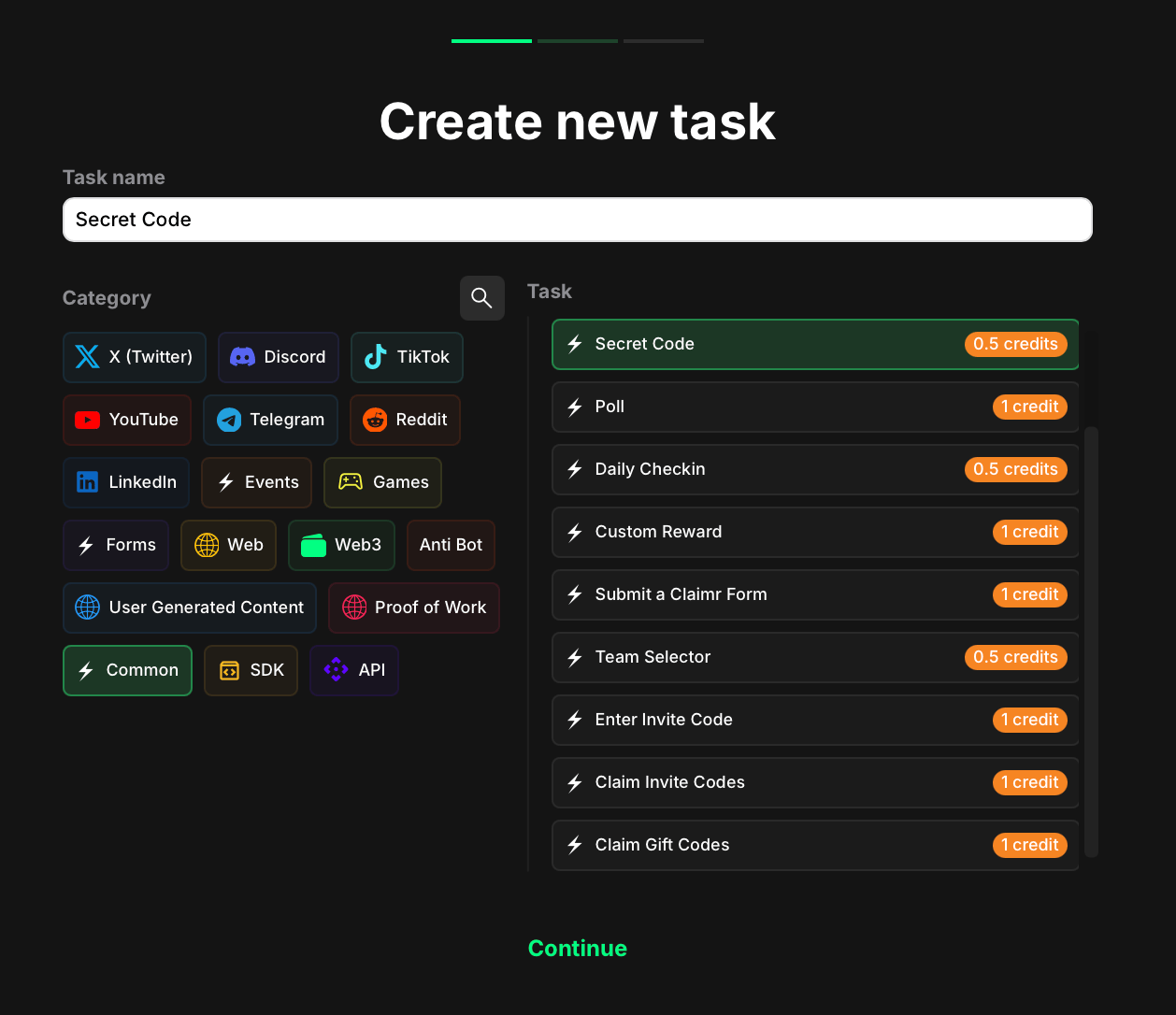 To configure a secret code task in claimr:
1. Go to your campaign and click **Create task**.
2. Under the Category section, select **Common**.
3. Choose the **Secret code** task type.
4. Click **Continue** to proceed to task settings.
### Task settings
After selecting the task type, move to the next page and configure the following fields:
To configure a secret code task in claimr:
1. Go to your campaign and click **Create task**.
2. Under the Category section, select **Common**.
3. Choose the **Secret code** task type.
4. Click **Continue** to proceed to task settings.
### Task settings
After selecting the task type, move to the next page and configure the following fields:
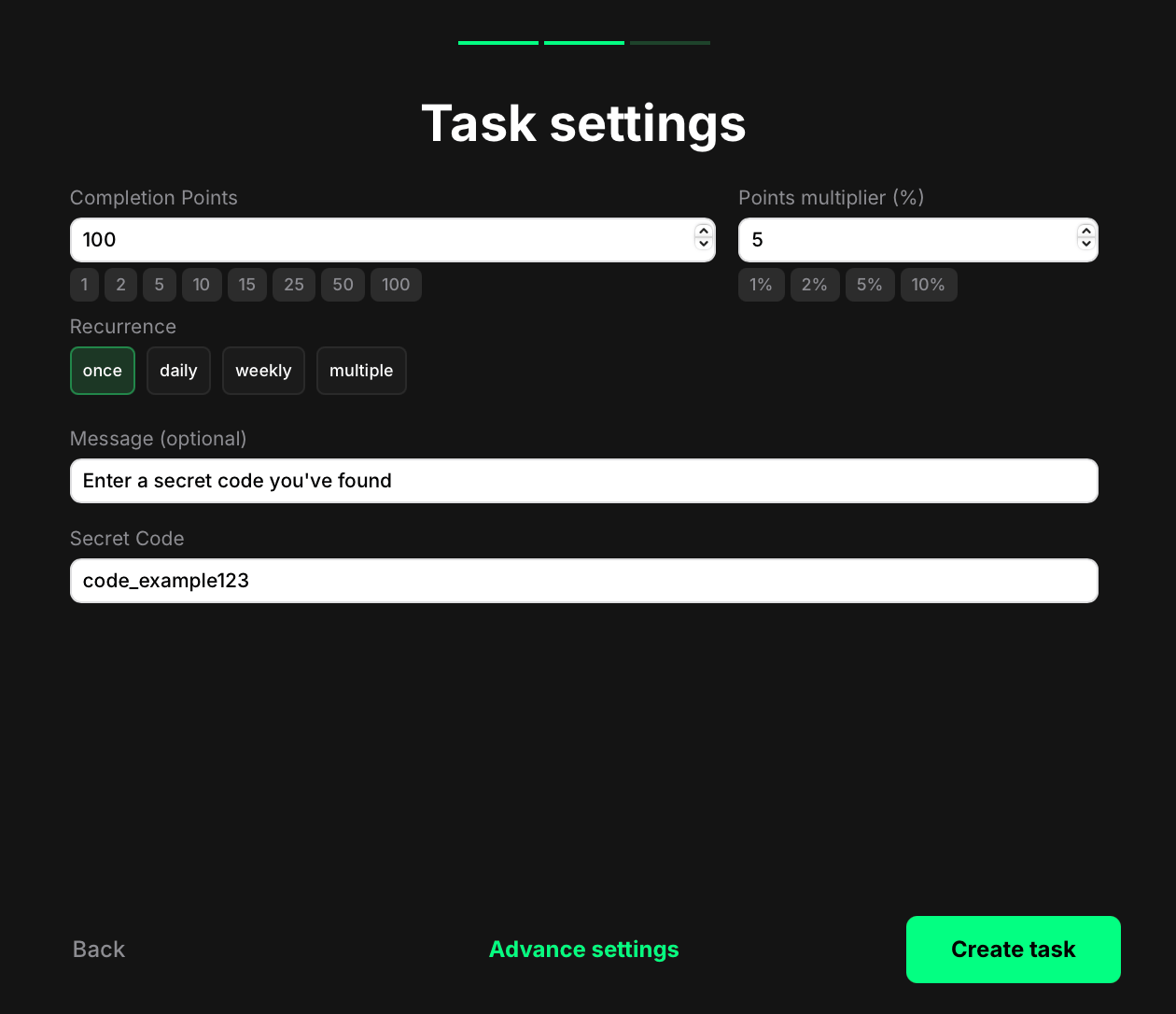 * **Completion points**: The number of points awarded when the user completes the task.
* **Points Multiplier (%)**: Add a percentage-based bonus to the total reward. For example, a 5% multiplier increases the final reward by 5%.
* **Recurrence**: Control how often users can complete the task:
* Once — can only be completed one time per user.
* Daily — available once every 24 hours.
* Weekly — available once every 7 days.
* Multiple — the task stays open and can be completed as many times as needed, one after another, without any waiting time.
* **Message**: Optional. Add a short instruction that will appear above the input field. Use this to guide users on where or how to find the code.
* **Secret Code**: Enter the exact code that users must submit in order to complete the task. This value is case-sensitive and must match exactly.
Once you're done, click **Create task** to save and add it to your quest right away. You'll now see the task listed in your quest. From there, you can reorder it, delete it, or edit it anytime.
Or click **Advanced settings** to continue configuring more options specific to the selected task type.
## How secret code tasks appear to users
When users encounter a Secret Code task, they see the following elements:
* The instruction text you set in the Message field
* An input field where they can enter the code
* A button to submit their entry
* **Completion points**: The number of points awarded when the user completes the task.
* **Points Multiplier (%)**: Add a percentage-based bonus to the total reward. For example, a 5% multiplier increases the final reward by 5%.
* **Recurrence**: Control how often users can complete the task:
* Once — can only be completed one time per user.
* Daily — available once every 24 hours.
* Weekly — available once every 7 days.
* Multiple — the task stays open and can be completed as many times as needed, one after another, without any waiting time.
* **Message**: Optional. Add a short instruction that will appear above the input field. Use this to guide users on where or how to find the code.
* **Secret Code**: Enter the exact code that users must submit in order to complete the task. This value is case-sensitive and must match exactly.
Once you're done, click **Create task** to save and add it to your quest right away. You'll now see the task listed in your quest. From there, you can reorder it, delete it, or edit it anytime.
Or click **Advanced settings** to continue configuring more options specific to the selected task type.
## How secret code tasks appear to users
When users encounter a Secret Code task, they see the following elements:
* The instruction text you set in the Message field
* An input field where they can enter the code
* A button to submit their entry
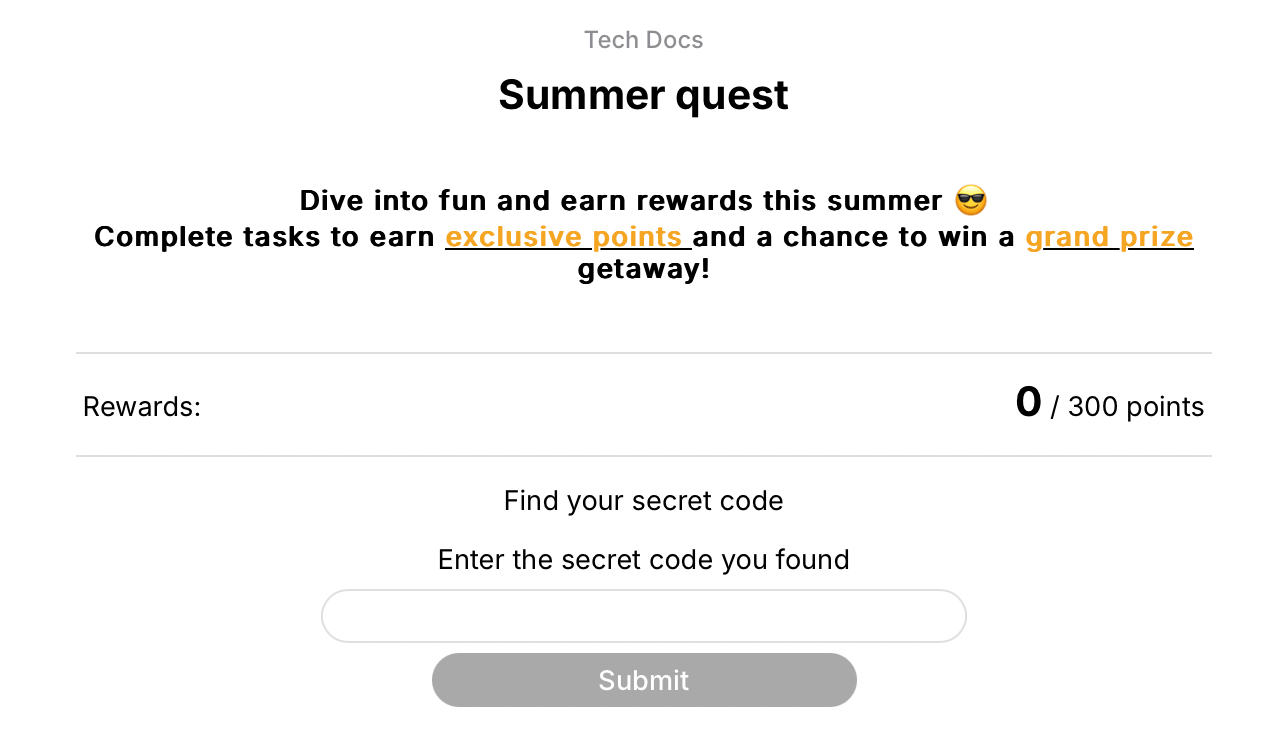 If the user enters the correct code, the task is completed and the reward is granted. If the entry doesn't match the configured code, the task cannot be completed.
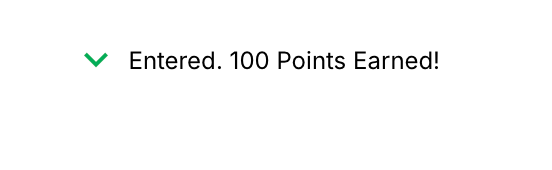 If recurrence = multiple, users can return and enter a valid code again — with no delay between completions.