> ## Documentation Index
> Fetch the complete documentation index at: https://docs.claimr.io/llms.txt
> Use this file to discover all available pages before exploring further.
# Sign in to your Claimr account
> Access your personalized Claimr dashboard with your email and password, or sign in with your Google account.
Open your web browser and navigate to the login page: [https://panel.claimr.io](https://panel.claimr.io/)
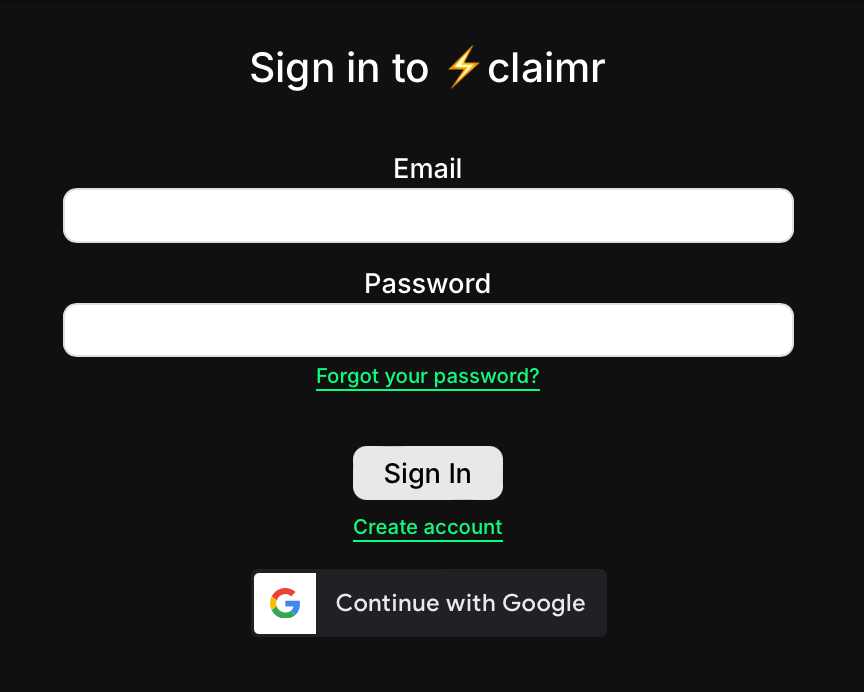 * **Email**: Type in the email address you used to create your Claimr account.
* **Password**: Carefully enter your password.
Once you've entered your details, click **Sign In** to access your personalized Claimr dashboard.
**Prefer Google?**
You can also log in with your Google account by clicking the **Continue with Google account** link.
## Need a hand?
* **Forgot your password?** Click the **Forgot your password?** link below the login button. We'll guide you through the steps to reset it.
* **New to Claimr?** If you haven't yet created a Claimr account, click **Create account** to join us!
Your login information is confidential. Please ensure you're accessing your account from a secure device and network.
Need a hand? Let us know at [support@claimr.io](mailto:support@claimr.io) — we're always happy to help!
* **Email**: Type in the email address you used to create your Claimr account.
* **Password**: Carefully enter your password.
Once you've entered your details, click **Sign In** to access your personalized Claimr dashboard.
**Prefer Google?**
You can also log in with your Google account by clicking the **Continue with Google account** link.
## Need a hand?
* **Forgot your password?** Click the **Forgot your password?** link below the login button. We'll guide you through the steps to reset it.
* **New to Claimr?** If you haven't yet created a Claimr account, click **Create account** to join us!
Your login information is confidential. Please ensure you're accessing your account from a secure device and network.
Need a hand? Let us know at [support@claimr.io](mailto:support@claimr.io) — we're always happy to help!