> ## Documentation Index
> Fetch the complete documentation index at: https://docs.claimr.io/llms.txt
> Use this file to discover all available pages before exploring further.
# Anti-bot tasks
> Prevent automated submissions and ensure real users are interacting with your campaign using CAPTCHA verification and task dependencies.
## What are Anti-bot tasks?
Anti-bot tasks in Claimr are designed to prevent automated submissions and ensure real users are interacting with your campaign. These tasks help you validate that a participant is a human (not a bot) before they proceed to more valuable or sensitive tasks in your quest.
Use Anti-bot tasks to:
* **Add a friction point**: Require users to complete a CAPTCHA check to filter out bots.
* **Protect high-value tasks**: Set dependencies so that users must first pass the CAPTCHA before accessing reward-heavy or critical tasks.
* **Improve campaign integrity**: Reduce the risk of fake completions or fraudulent submissions.
For detailed information about general task settings, including task name, header, description, rewards, dependencies, and more, refer to our [Task Settings](/tasks/task-settings) article.
## Task type
Choose the specific type of task you want to create for your campaign.
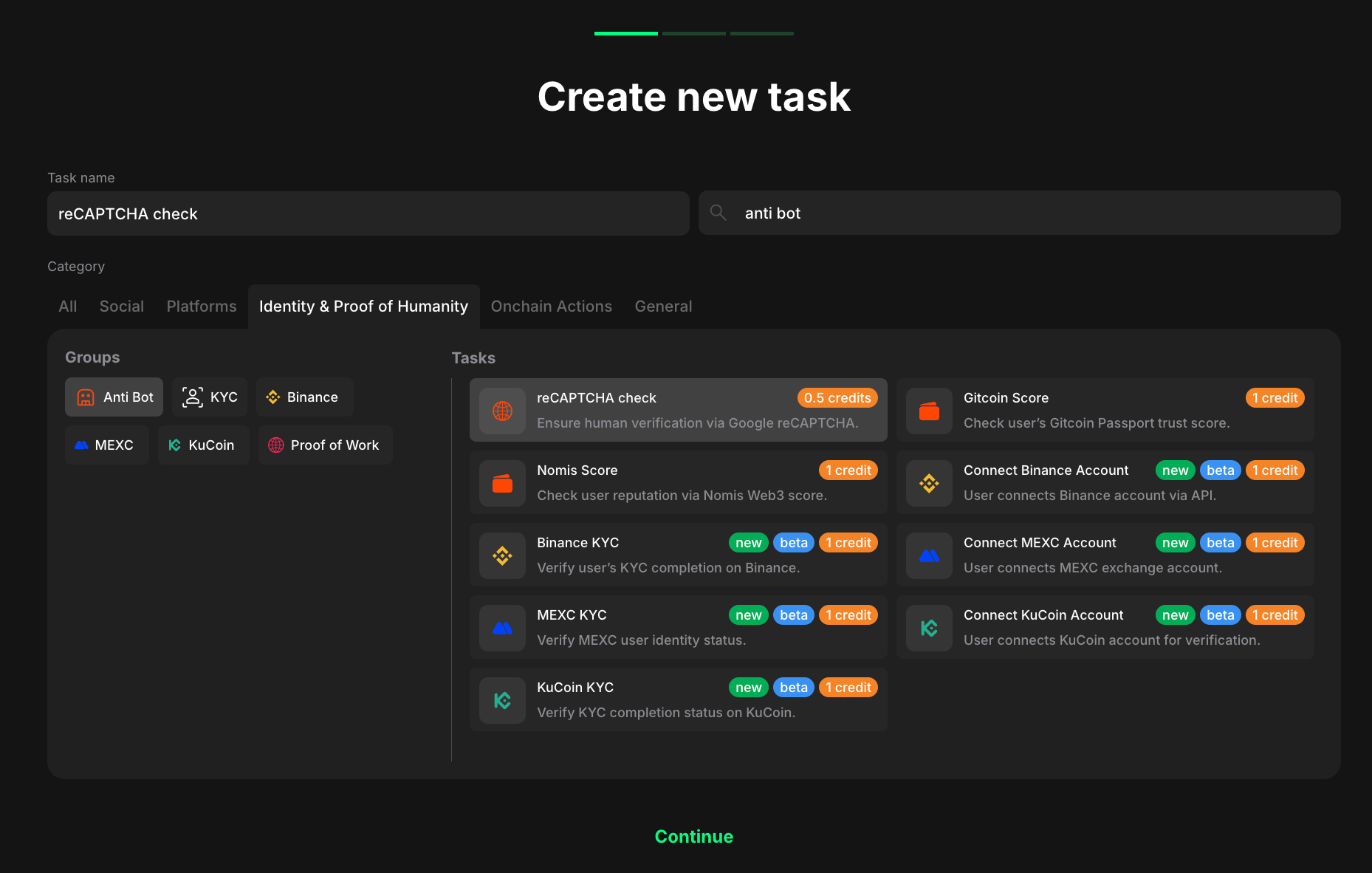 1. Go to your quest and click **+ Create new task**.
2. Select **Anti Bot** under **Identity and Proof of Humanity**.
3. Considering your aim, select the specific task type from the expanded list.
4. Click **Continue** to proceed to task settings.
## reCAPTCHA check
Since reCAPTCHA tasks are focused on verification, they have only two task-specific configuration fields.
1. Go to your quest and click **+ Create new task**.
2. Select **Anti Bot** under **Identity and Proof of Humanity**.
3. Considering your aim, select the specific task type from the expanded list.
4. Click **Continue** to proceed to task settings.
## reCAPTCHA check
Since reCAPTCHA tasks are focused on verification, they have only two task-specific configuration fields.
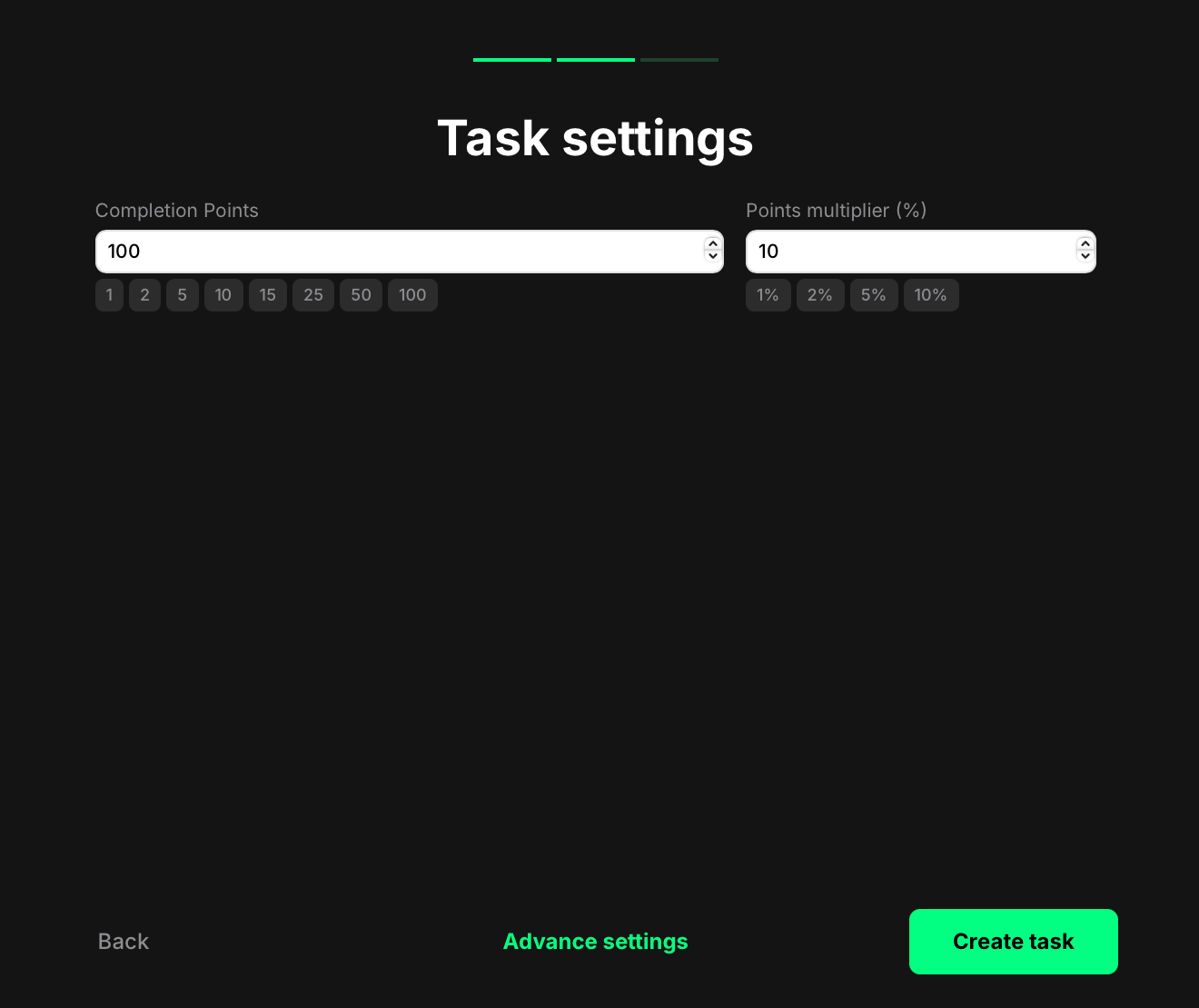 * **Completion points**: The number of points awarded once the user passes the CAPTCHA.
* **Points multiplier (%)** *(optional)*: Boost the final reward by a percentage if needed. For example, setting 10% will give a user 110 points instead of 100.
Once you're done:
* Click **Create task** to save and add it to your quest right away. You'll now see the task listed in your quest. From there, you can reorder it, delete it, or edit it anytime.
* Or, click **Advanced settings** to continue configuring more options specific to the selected task type.
## Control access using dependencies
Want to use reCAPTCHA as a gatekeeper? Make completion of the Anti-bot task required before showing other tasks.
To do this:
1. Go to the task you want to protect.
2. Open its **settings**.
3. Scroll to the **Dependencies** section.
* **Completion points**: The number of points awarded once the user passes the CAPTCHA.
* **Points multiplier (%)** *(optional)*: Boost the final reward by a percentage if needed. For example, setting 10% will give a user 110 points instead of 100.
Once you're done:
* Click **Create task** to save and add it to your quest right away. You'll now see the task listed in your quest. From there, you can reorder it, delete it, or edit it anytime.
* Or, click **Advanced settings** to continue configuring more options specific to the selected task type.
## Control access using dependencies
Want to use reCAPTCHA as a gatekeeper? Make completion of the Anti-bot task required before showing other tasks.
To do this:
1. Go to the task you want to protect.
2. Open its **settings**.
3. Scroll to the **Dependencies** section.
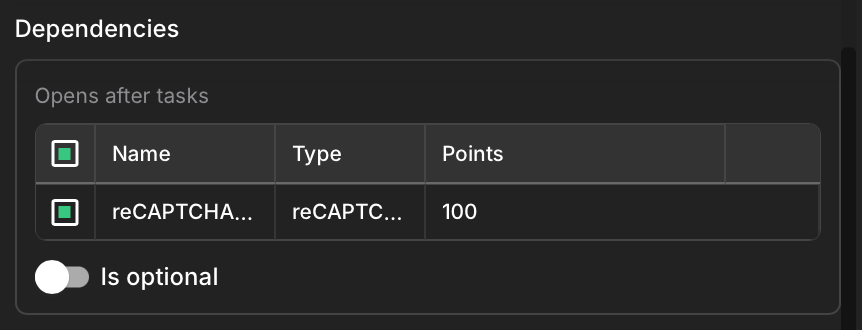 4. In the **Open after tasks** field, select your reCAPTCHA task.
5. Make sure the reCAPTCHA task appears before the protected task in the campaign list.
## How it looks to users
Users will first see the Anti-bot task. Once the task is completed:
* Users instantly earn the points you've assigned
* The system marks them as valid users
* Any dependent task becomes visible and can be accessed immediately
4. In the **Open after tasks** field, select your reCAPTCHA task.
5. Make sure the reCAPTCHA task appears before the protected task in the campaign list.
## How it looks to users
Users will first see the Anti-bot task. Once the task is completed:
* Users instantly earn the points you've assigned
* The system marks them as valid users
* Any dependent task becomes visible and can be accessed immediately
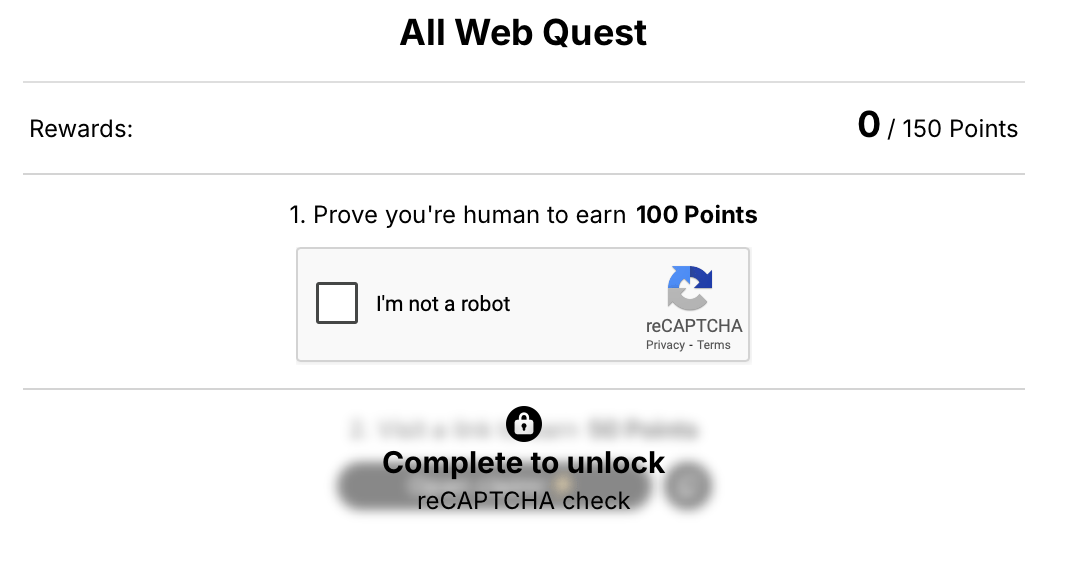 If the Anti-bot task is placed before high-value tasks in your campaign and properly linked with dependencies, users won't even notice the behind-the-scenes logic — just a smooth and secure experience.