> ## Documentation Index
> Fetch the complete documentation index at: https://docs.claimr.io/llms.txt
> Use this file to discover all available pages before exploring further.
# Referral tasks
> Set up a referral task to supercharge your campaign's growth.
## What are Referral tasks?
A Referral task incentivizes users to refer others to your Claimr campaign, expanding your reach and growing your community.
**Use Referral tasks to:**
* Increase campaign participation by encouraging users to invite their friends and contacts.
* Reward users for successful referrals, motivating them to spread the word about your campaign.
* Track the effectiveness of your referral program and identify your most influential advocates.
* Expand your audience and reach new potential customers.
* Build a strong community of engaged participants.
For detailed information about general task settings, including task name, header, description, rewards, dependencies, and more, refer to [Task Settings](/tasks/task-settings).
## Task settings
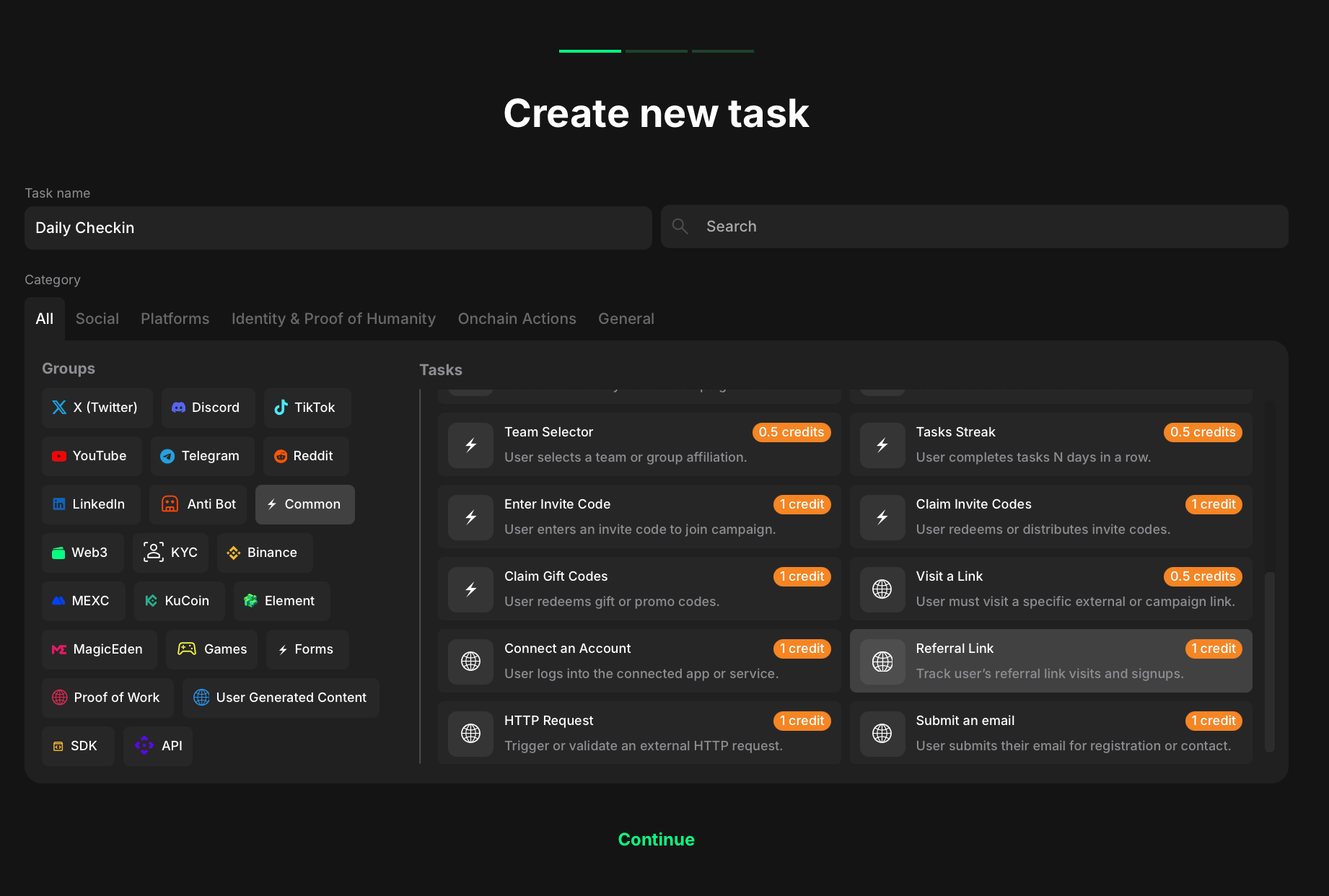 To create a Referral link task:
1. Go to your quest and click **+ Create new task**.
2. Under the Category section, select **Common**.
3. Choose **Referral link** from the list of task types.
4. Click **Continue** to proceed to task settings.
Once you've selected both, move on to configuring the specific settings for your referral task.
To create a Referral link task:
1. Go to your quest and click **+ Create new task**.
2. Under the Category section, select **Common**.
3. Choose **Referral link** from the list of task types.
4. Click **Continue** to proceed to task settings.
Once you've selected both, move on to configuring the specific settings for your referral task.
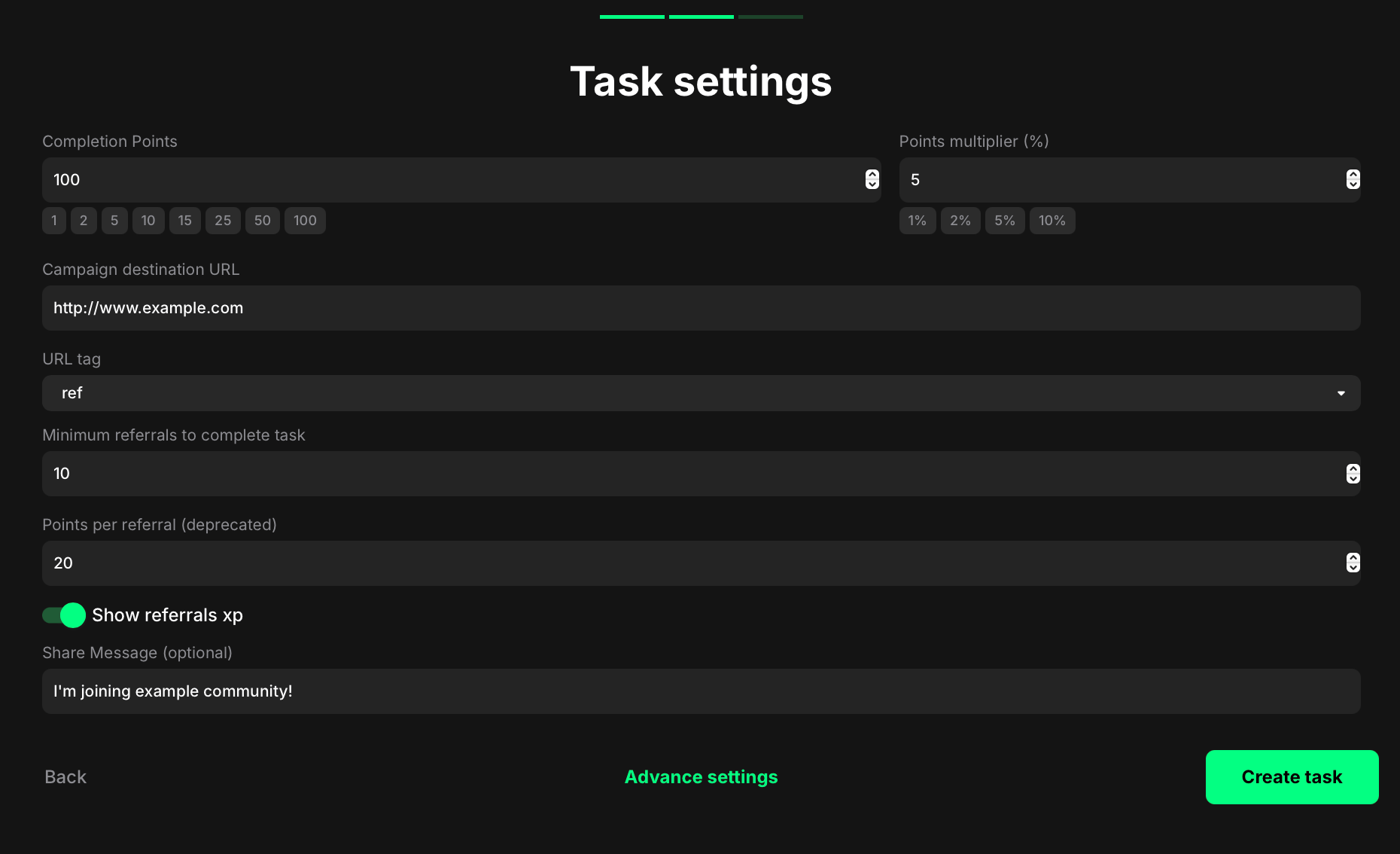 **Completion points:** Set the base points a user earns once the required referral goal for this task is met.
**Points multiplier (%):** Apply a percentage bonus to the base points (e.g., 5 → +5%).
**Campaign destination URL:** Paste the full link people should share (e.g., your campaign or landing page).
**URL tag:** Choose the query key to append to personal referral links (e.g., `ref` → `...?ref=
**Completion points:** Set the base points a user earns once the required referral goal for this task is met.
**Points multiplier (%):** Apply a percentage bonus to the base points (e.g., 5 → +5%).
**Campaign destination URL:** Paste the full link people should share (e.g., your campaign or landing page).
**URL tag:** Choose the query key to append to personal referral links (e.g., `ref` → `...?ref=`).
**Minimum referrals to complete task:** Enter how many successful referrals are required for this task to complete.
**Points per referral (deprecated):** Set optional XP per each successful referral. This field is marked deprecated and may be ignored in workspaces using campaign-level Referral settings.
**Show referrals XP:** Toggle on to display the potential XP from referrals on the quest card; toggle off to hide it.
**Share Message (optional):** Write the prefilled text that appears when participants share their referral link.