> ## Documentation Index
> Fetch the complete documentation index at: https://docs.claimr.io/llms.txt
> Use this file to discover all available pages before exploring further.
# Game tasks
> Reward users with randomized outcomes using Scratch Card and Fortune Wheel game tasks to boost retention and engagement.
## What are Game tasks?
Game tasks in Claimr are a fun and engaging way to reward users with randomized outcomes. There are currently two types of game tasks available:
* **Scratch Card Game**: Users scratch to reveal a hidden reward.
* **Fortune Wheel Game**: Users spin a wheel to receive one of several preset rewards.
These tasks are ideal for creating excitement and surprise within your campaign, while still maintaining control over point distribution and frequency.
**Use Game tasks to:**
* **Increase retention**: Offer interactive rewards to keep users coming back.
* **Drive engagement**: Make campaigns more enjoyable with gamified mechanics.
* **Control reward outcomes**: Set multiple reward levels based on your incentive strategy.
## Create a Game task
To create a game task in Claimr:
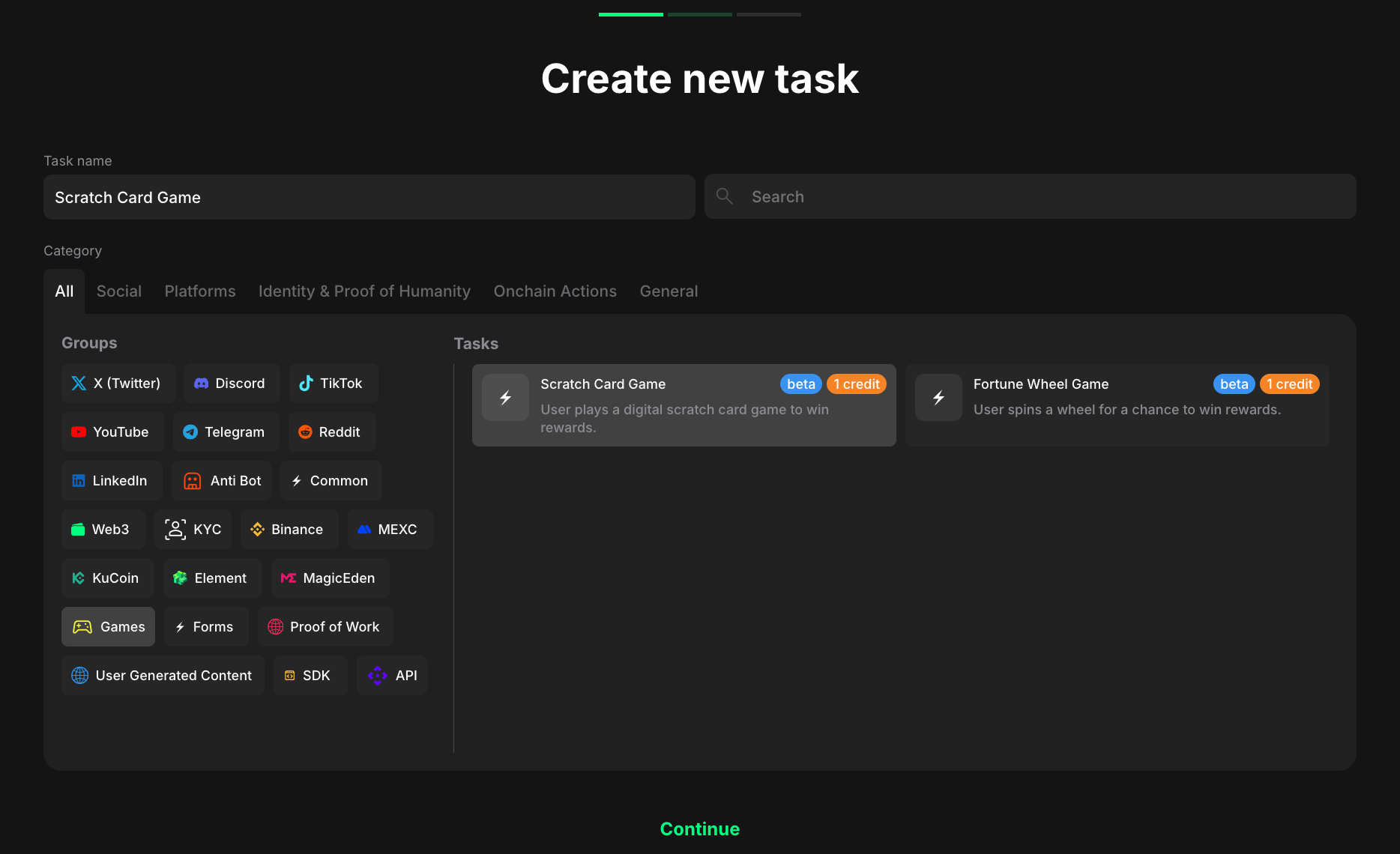 1. Go to your campaign and click **Create new task**.
2. Under the Category, select **Games**.
3. Choose one of the following task types:
* Scratch Card Game
* Fortune Wheel Game
4. Click **Continue** to proceed to task settings.
## Task settings
You'll now set up the reward structure and interaction logic for the selected game.
1. Go to your campaign and click **Create new task**.
2. Under the Category, select **Games**.
3. Choose one of the following task types:
* Scratch Card Game
* Fortune Wheel Game
4. Click **Continue** to proceed to task settings.
## Task settings
You'll now set up the reward structure and interaction logic for the selected game.
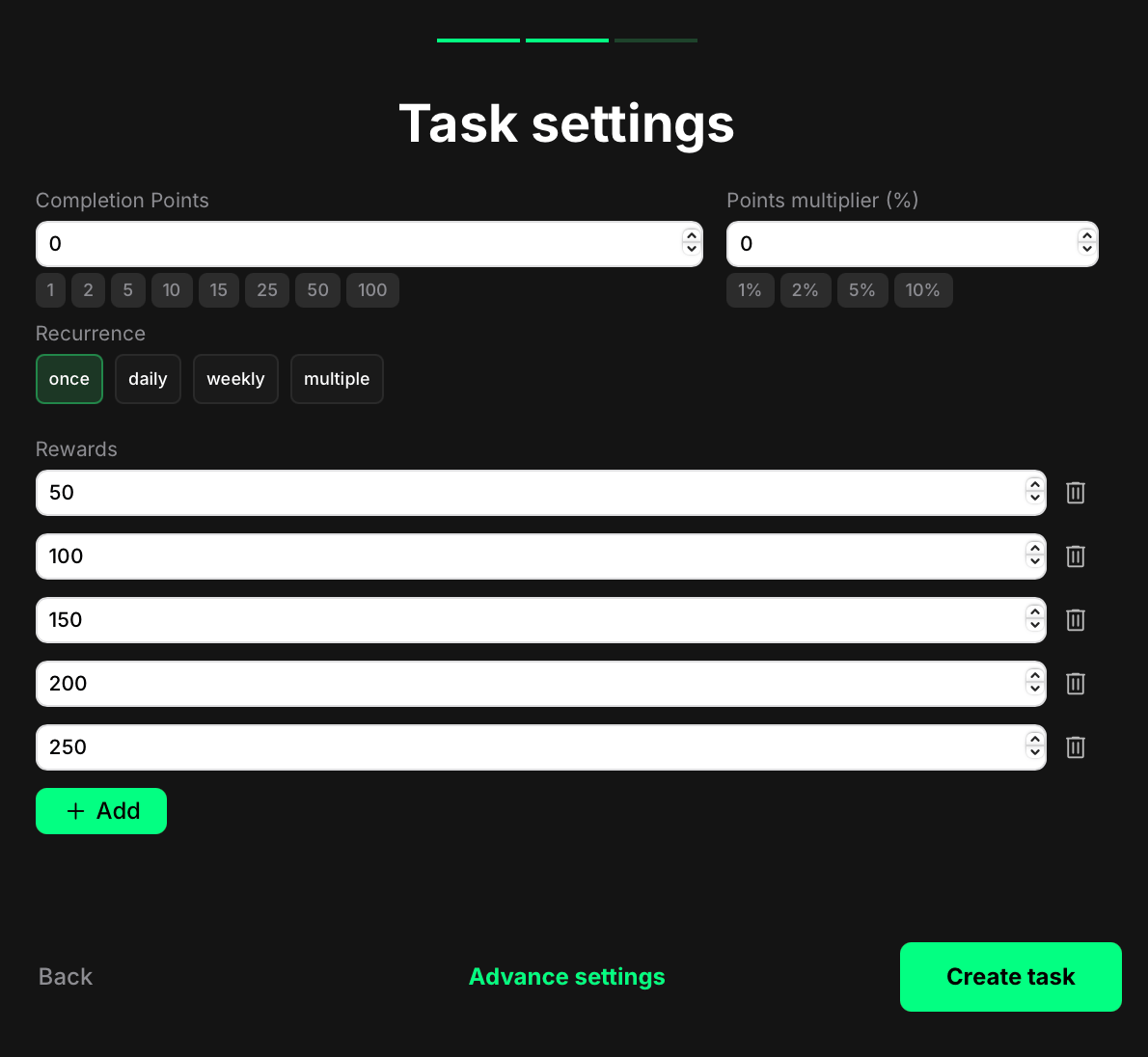 * **Completion points**: This is the base value shown at the top of the game UI. It may or may not match the actual reward the user receives.
* **Points multiplier (%)**: Optional bonus that increases the user's final reward by a percentage. For example, if the selected reward is 500 and the multiplier is 10%, the final payout will be 550 points.
* **Recurrence**: Control how often users can complete the task:
* Once – can only be completed one time per user.
* Daily – available once every 24 hours.
* Weekly – available once every 7 days.
* Multiple – stays open and can be completed as many times as needed, one after another, without any waiting time.
* **Rewards**: Add at least two or more point values to activate the game logic. These values will be randomly assigned through the scratch card or wheel spin mechanism.
Without multiple reward options, the game feature will not function as intended.
Once finished, click **Create task** to save and publish.
For additional settings (custom messages, dependencies, referral rewards, and more), see the [Task settings](/tasks/task-settings) article.
## User experience
Here's how it works from the user's side:
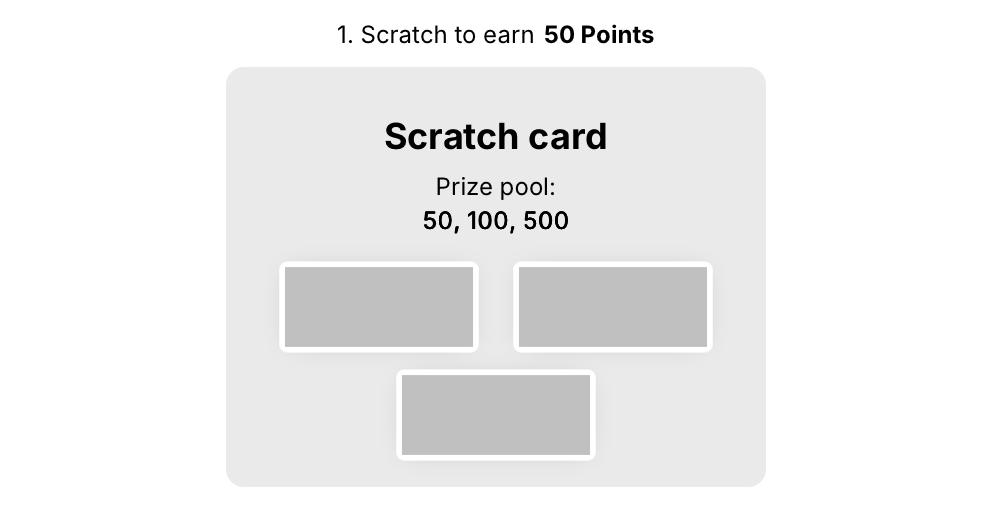
* **Scratch Card Game**: The user sees a card with three concealed panels. They scratch all three to reveal their reward.
* **Completion points**: This is the base value shown at the top of the game UI. It may or may not match the actual reward the user receives.
* **Points multiplier (%)**: Optional bonus that increases the user's final reward by a percentage. For example, if the selected reward is 500 and the multiplier is 10%, the final payout will be 550 points.
* **Recurrence**: Control how often users can complete the task:
* Once – can only be completed one time per user.
* Daily – available once every 24 hours.
* Weekly – available once every 7 days.
* Multiple – stays open and can be completed as many times as needed, one after another, without any waiting time.
* **Rewards**: Add at least two or more point values to activate the game logic. These values will be randomly assigned through the scratch card or wheel spin mechanism.
Without multiple reward options, the game feature will not function as intended.
Once finished, click **Create task** to save and publish.
For additional settings (custom messages, dependencies, referral rewards, and more), see the [Task settings](/tasks/task-settings) article.
## User experience
Here's how it works from the user's side:
* **Scratch Card Game**: The user sees a card with three concealed panels. They scratch all three to reveal their reward.
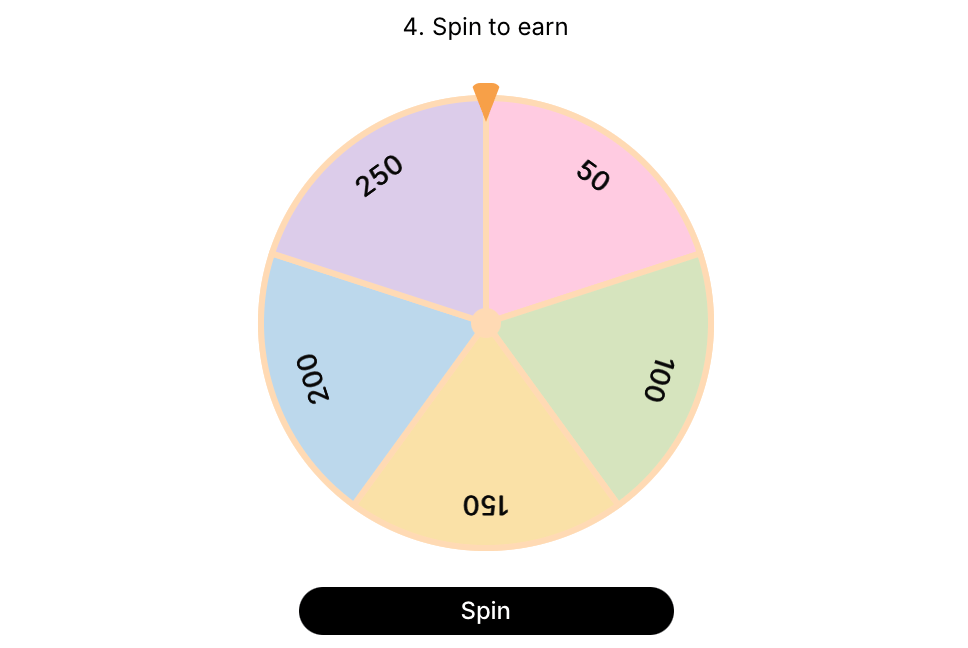
 * **Fortune Wheel Game**: The user spins a wheel with multiple reward segments. Once the wheel stops, they instantly receive the corresponding points.
 In both cases:
* The interaction is instant.
* Rewards are automatically granted and require no manual proof.
* The user sees a clear confirmation of their win.
In both cases:
* The interaction is instant.
* Rewards are automatically granted and require no manual proof.
* The user sees a clear confirmation of their win.