> ## Documentation Index
> Fetch the complete documentation index at: https://docs.claimr.io/llms.txt
> Use this file to discover all available pages before exploring further.
# TikTok tasks
> Increase your brand's visibility, reach a wider audience, and encourage users to actively engage with your TikTok content by incorporating Claimr tasks.
## What is a TikTok task?
TikTok tasks are interactive activities within Claimr campaigns that leverage the TikTok platform to engage users and drive specific actions. These tasks can range from following your TikTok account and liking or sharing videos to participating in challenges and creating user-generated content.
**Use TikTok tasks to:**
* Increase your TikTok followers.
* Promote your videos and drive engagement.
* Run contests and giveaways on TikTok.
* Increase brand awareness and social media presence.
* Encourage users to participate in challenges or trends on TikTok.
For detailed information about general task settings, including task name, header, description, rewards, dependencies, and more, refer to the [Task settings](/tasks/task-settings) article.
## Task type
Choose the specific type of task you want to create for your campaign.
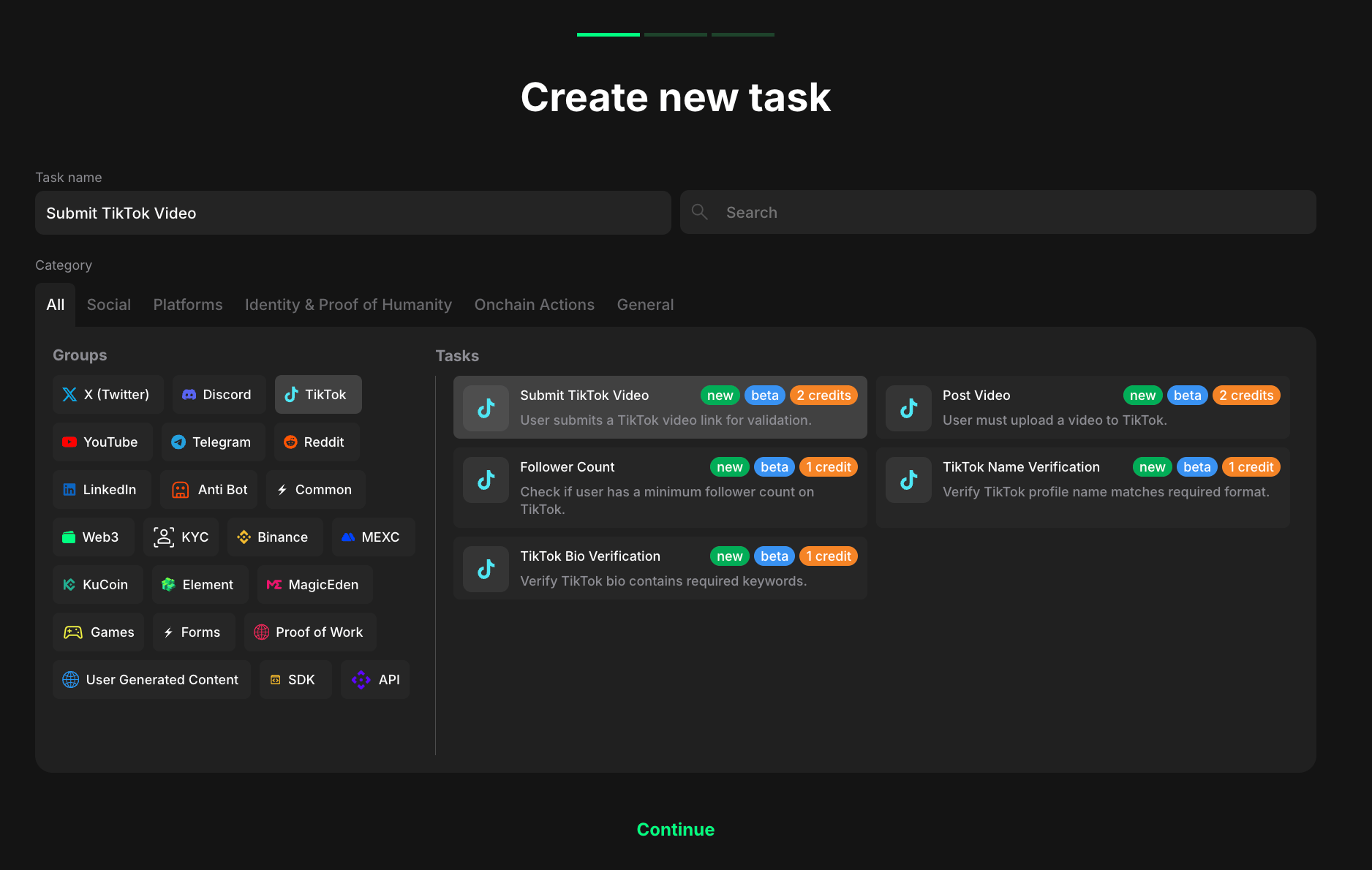 1. Select **TikTok** to indicate that the task will be completed with the TikTok platform.
2. Considering your aim, select the specific task type from the expanded list.
## Task settings
TikTok tasks in Claimr are **verified**. This means Claimr checks if the user has actually completed the required action before marking the task as complete. This ensures that users genuinely engage with your TikTok content.
### Followers count
Reward users for having a certain number of followers on their TikTok account.
1. Select **TikTok** to indicate that the task will be completed with the TikTok platform.
2. Considering your aim, select the specific task type from the expanded list.
## Task settings
TikTok tasks in Claimr are **verified**. This means Claimr checks if the user has actually completed the required action before marking the task as complete. This ensures that users genuinely engage with your TikTok content.
### Followers count
Reward users for having a certain number of followers on their TikTok account.
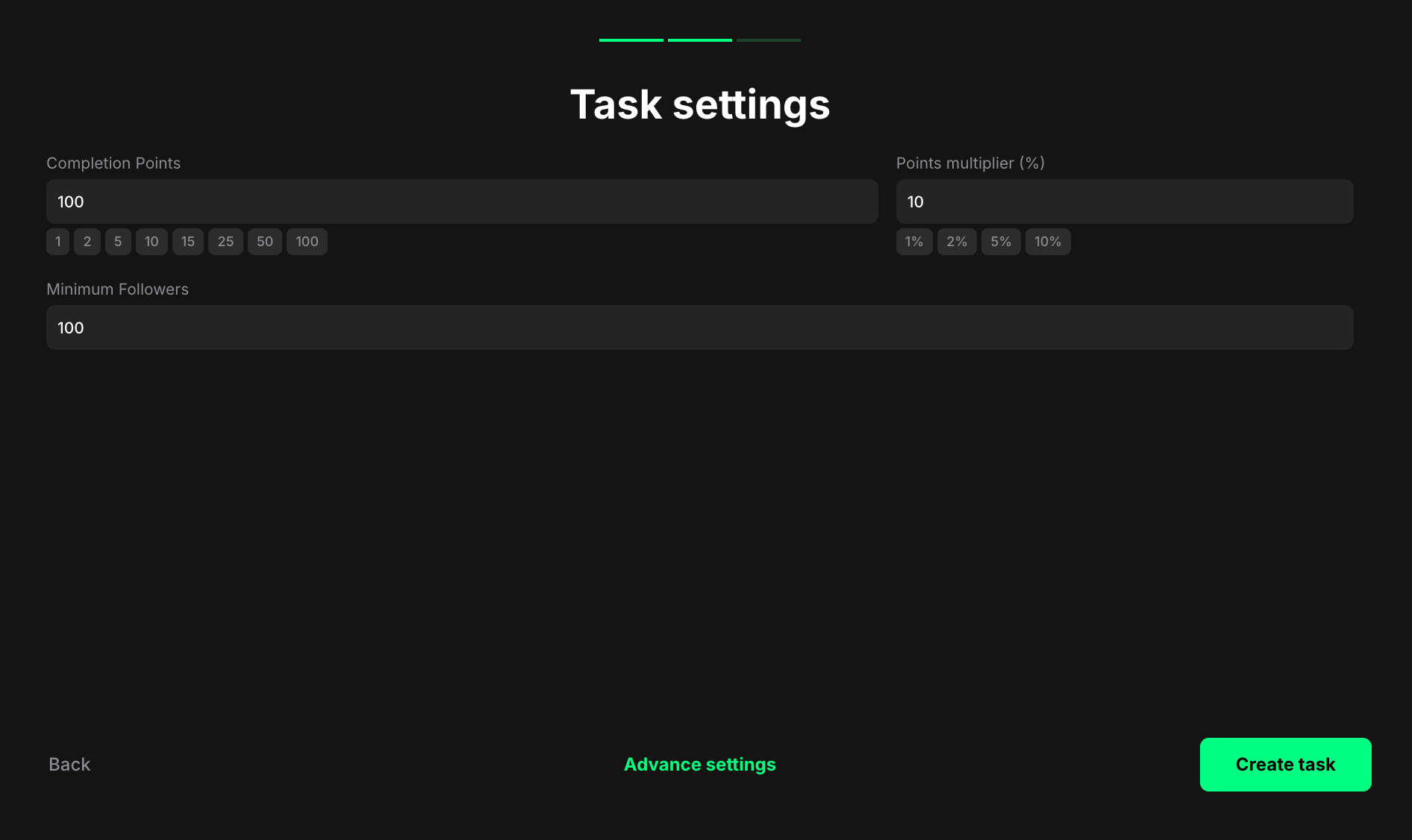 **Completion points**: Set the number of points awarded when the user completes the task.
**Points multiplier (%)**: Add a percentage-based bonus to the total reward. For example, a 10% multiplier increases the final reward by 10%.
**Minimum Followers**: Enter the minimum required number of followers that a user must have on their TikTok account to complete this task.
### Name verification
Reward users for changing their TikTok nickname to a specific value or pattern. This can promote your brand, campaign, or event or encourage users to align their TikTok identity with your community.
**Completion points**: Set the number of points awarded when the user completes the task.
**Points multiplier (%)**: Add a percentage-based bonus to the total reward. For example, a 10% multiplier increases the final reward by 10%.
**Minimum Followers**: Enter the minimum required number of followers that a user must have on their TikTok account to complete this task.
### Name verification
Reward users for changing their TikTok nickname to a specific value or pattern. This can promote your brand, campaign, or event or encourage users to align their TikTok identity with your community.
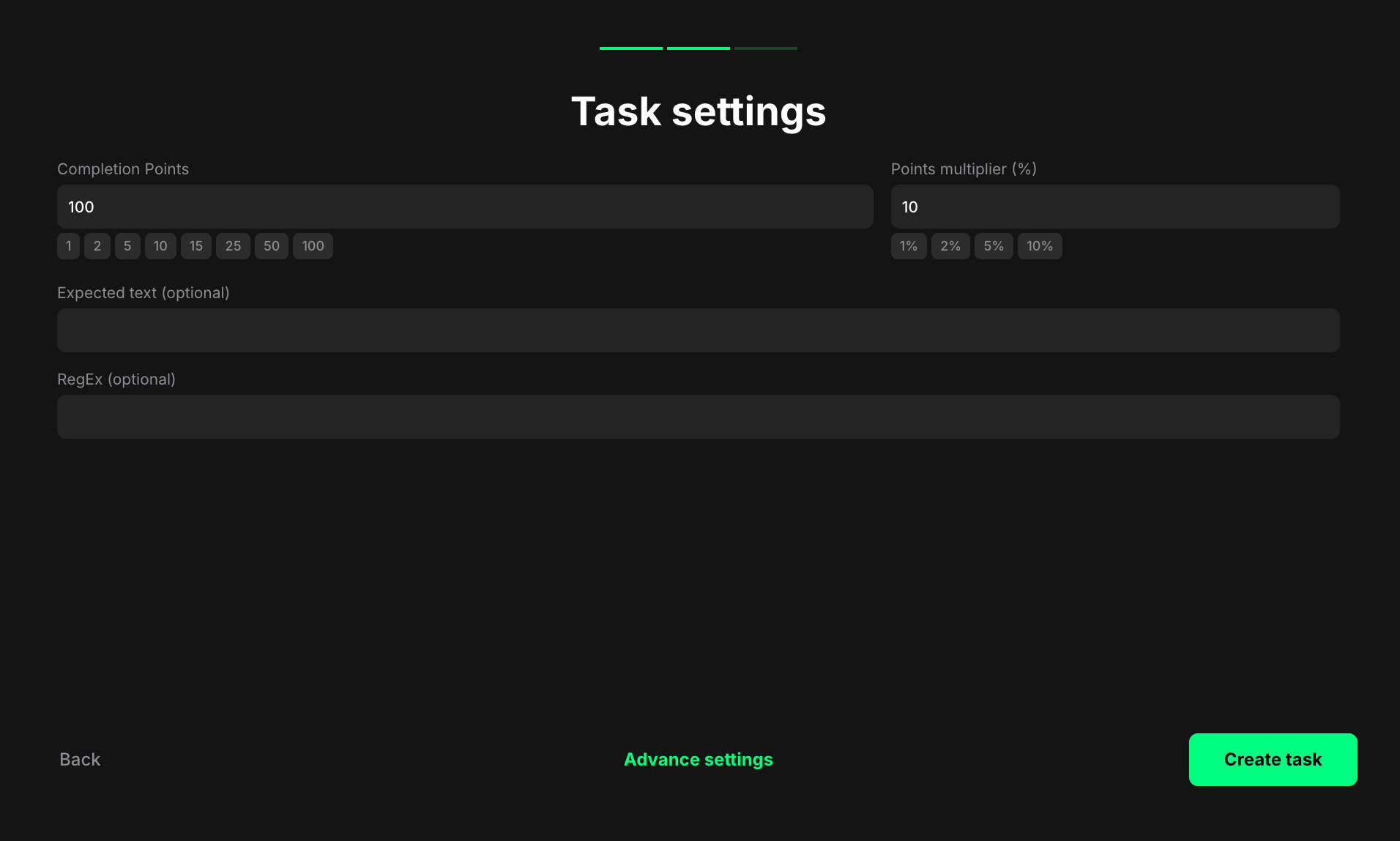 **Completion points**: Set the number of points awarded when the user completes the task.
**Points multiplier (%)**: Add a percentage-based bonus to the total reward. For example, a 10% multiplier increases the final reward by 10%.
**Expected text (optional)**: Enter the exact text that must appear in the user's submission to mark the task as complete. For example, #Claimr or Check out my latest campaign.
According to TikTok, users can change their nicknames once every 7 days. [TikTok's Help Center](https://support.tiktok.com/en/getting-started/setting-up-your-profile/changing-your-nickname) states that nicknames must adhere to their Community Guidelines.
**RegEx (optional)**: Add a regular expression pattern to validate user submissions using advanced matching logic. For example, `^#Claimr\b` to require that the text starts with #Claimr.
### Bio verification
Reward users for adding specific information to their TikTok bio. This can be useful for promoting your brand, campaign, or event, or for encouraging users to align their bio with your community.
**Completion points**: Set the number of points awarded when the user completes the task.
**Points multiplier (%)**: Add a percentage-based bonus to the total reward. For example, a 10% multiplier increases the final reward by 10%.
**Expected text (optional)**: Enter the text users need to include in their TikTok bio. This could be your brand name, a campaign slogan, any other specific text, or emojis.
**RegEx (optional)**: Add a regular expression pattern to validate user submissions using advanced matching logic.
**Example:**
If you want users to include a specific emoji or a link to your website in their bio, you could use a regular expression like `.*🚀.*Claimr\.io.*` to allow for any characters before or after the emoji and the website link.
**Resources**
* **Regular expression builder**: [https://regex101.com/](https://regex101.com/)
* **AI assistants**
Regular expressions can be complex. If you need help creating a regular expression for your specific requirements, refer to online resources for guidance.
### Submit video
Reward users for submitting videos on TikTok. This task type helps encourage users to create and share content related to your campaign, brand, or product.
**Completion points**: Set the number of points awarded when the user completes the task.
**Points multiplier (%)**: Add a percentage-based bonus to the total reward. For example, a 10% multiplier increases the final reward by 10%.
**Expected text (optional)**: Enter the exact text that must appear in the user's submission to mark the task as complete. For example, #Claimr or Check out my latest campaign.
According to TikTok, users can change their nicknames once every 7 days. [TikTok's Help Center](https://support.tiktok.com/en/getting-started/setting-up-your-profile/changing-your-nickname) states that nicknames must adhere to their Community Guidelines.
**RegEx (optional)**: Add a regular expression pattern to validate user submissions using advanced matching logic. For example, `^#Claimr\b` to require that the text starts with #Claimr.
### Bio verification
Reward users for adding specific information to their TikTok bio. This can be useful for promoting your brand, campaign, or event, or for encouraging users to align their bio with your community.
**Completion points**: Set the number of points awarded when the user completes the task.
**Points multiplier (%)**: Add a percentage-based bonus to the total reward. For example, a 10% multiplier increases the final reward by 10%.
**Expected text (optional)**: Enter the text users need to include in their TikTok bio. This could be your brand name, a campaign slogan, any other specific text, or emojis.
**RegEx (optional)**: Add a regular expression pattern to validate user submissions using advanced matching logic.
**Example:**
If you want users to include a specific emoji or a link to your website in their bio, you could use a regular expression like `.*🚀.*Claimr\.io.*` to allow for any characters before or after the emoji and the website link.
**Resources**
* **Regular expression builder**: [https://regex101.com/](https://regex101.com/)
* **AI assistants**
Regular expressions can be complex. If you need help creating a regular expression for your specific requirements, refer to online resources for guidance.
### Submit video
Reward users for submitting videos on TikTok. This task type helps encourage users to create and share content related to your campaign, brand, or product.
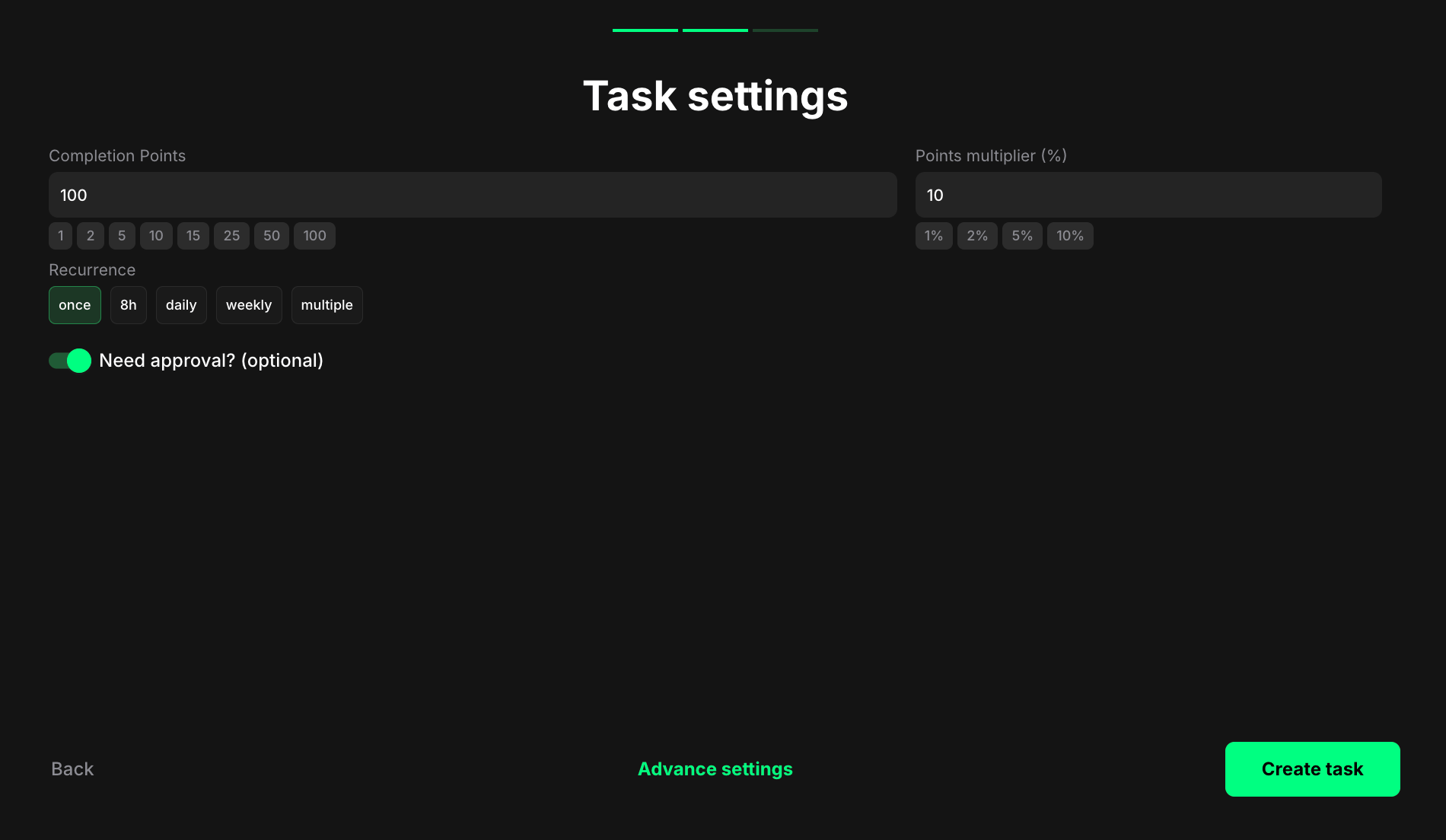 **Completion points**: Set the number of points awarded when the user completes the task.
**Points multiplier (%)**: Add a percentage-based bonus to the total reward. For example, a 10% multiplier increases the final reward by 10%.
**Recurrence**: Control how often users can complete the task:
* Once – can only be completed one time per user.
* Daily – available once every 24 hours.
* Weekly – available once every 7 days.
* Multiple – stays open and can be completed as many times as needed, one after another, without any waiting time.
**Need approval? (optional)**: Turn on to require manual review and approval before the task is marked as complete.
### Post video
Reward users for posting videos on TikTok. This task type helps encourage users to create and share content related to your campaign, brand, or product.
**Completion points**: Set the number of points awarded when the user completes the task.
**Points multiplier (%)**: Add a percentage-based bonus to the total reward. For example, a 10% multiplier increases the final reward by 10%.
**Recurrence**: Control how often users can complete the task:
* Once – can only be completed one time per user.
* Daily – available once every 24 hours.
* Weekly – available once every 7 days.
* Multiple – stays open and can be completed as many times as needed, one after another, without any waiting time.
**Need approval? (optional)**: Turn on to require manual review and approval before the task is marked as complete.
### Post video
Reward users for posting videos on TikTok. This task type helps encourage users to create and share content related to your campaign, brand, or product.
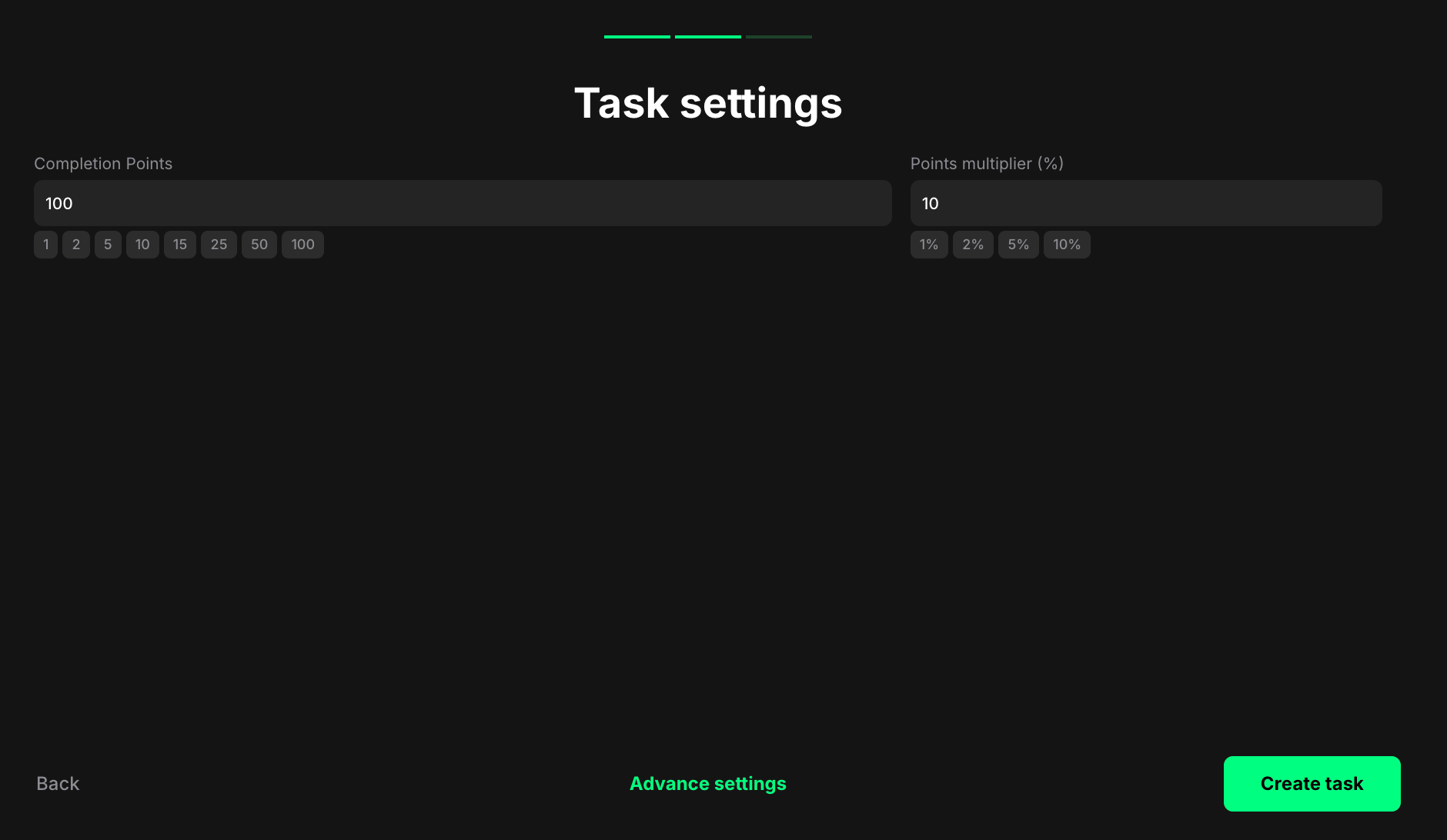 **Completion points**: Set the number of points awarded when the user completes the task.
**Points multiplier (%)**: Add a percentage-based bonus to the total reward. For example, a 10% multiplier increases the final reward by 10%.
**Completion points**: Set the number of points awarded when the user completes the task.
**Points multiplier (%)**: Add a percentage-based bonus to the total reward. For example, a 10% multiplier increases the final reward by 10%.