> ## Documentation Index
> Fetch the complete documentation index at: https://docs.claimr.io/llms.txt
> Use this file to discover all available pages before exploring further.
# Transactions count
> Verify and reward users based on the number of transactions they have made on a specific blockchain network.
This task is useful for identifying active users, encouraging on-chain engagement, or rewarding loyal community members.
### Before you start
Make sure you have:
* A quest created within your campaign
* Knowledge of which blockchain networks your target users are active on
* A minimum transaction count threshold determined
### Create the task
Follow the steps in [Web3 tasks](/tasks/web3-tasks/overview) to navigate to the task creation screen, select **Web3** from the Groups section, and choose **Transactions Count**.
### Task settings
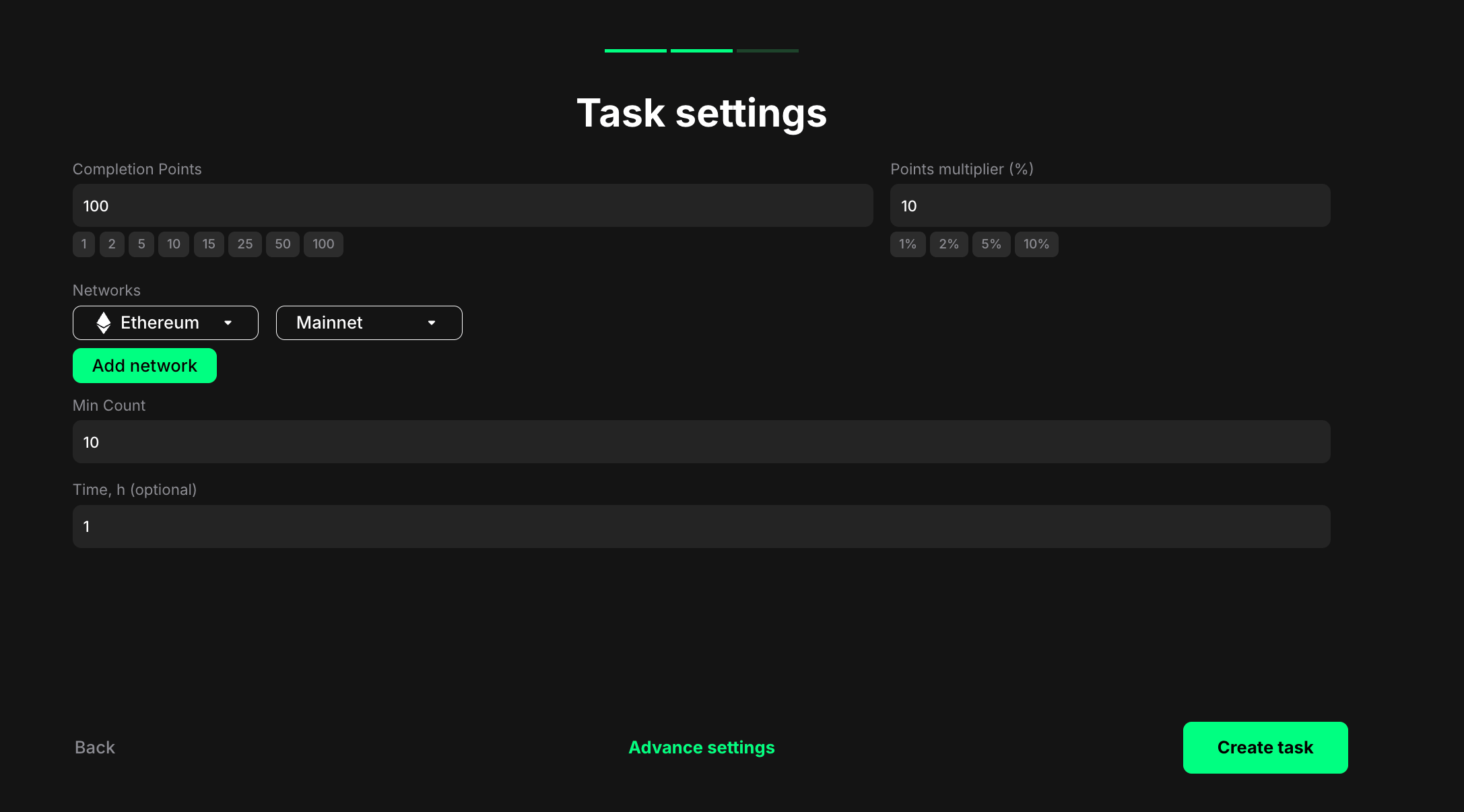 **Completion points**: Set the number of points awarded when the user completes the task.
**Points multiplier (%)**: Add a percentage-based bonus to the total reward. For example, a 5% multiplier increases the final reward by 5%.
**Networks**: Select the blockchain network on which you want to track user transactions.
* Click the first dropdown to choose a network (e.g., Ethereum)
* Click the second dropdown to select Mainnet or Testnet
* Click **Add network** to track transactions across multiple networks
* Users must meet the minimum count across all selected networks combined
**Min Count**: Specify the minimum number of transactions a user must have made across all selected networks to be eligible for the task.
Example: If you enter "10", users who have made at least 10 transactions in total across any of the chosen networks will qualify. The count is cumulative across all networks you've added.
**Time, h (optional)**: Set a time window in hours for counting transactions. If specified, only transactions made within this time period will count. Leave blank to count all transactions from the wallet's history.
### Helpful tips
* Provide clear instructions on how users can check their transaction count on the specified blockchain network
* Be transparent about why you're tracking transaction count and how it relates to your campaign goals
* Consider setting different minimum counts for different networks based on typical activity levels
**Completion points**: Set the number of points awarded when the user completes the task.
**Points multiplier (%)**: Add a percentage-based bonus to the total reward. For example, a 5% multiplier increases the final reward by 5%.
**Networks**: Select the blockchain network on which you want to track user transactions.
* Click the first dropdown to choose a network (e.g., Ethereum)
* Click the second dropdown to select Mainnet or Testnet
* Click **Add network** to track transactions across multiple networks
* Users must meet the minimum count across all selected networks combined
**Min Count**: Specify the minimum number of transactions a user must have made across all selected networks to be eligible for the task.
Example: If you enter "10", users who have made at least 10 transactions in total across any of the chosen networks will qualify. The count is cumulative across all networks you've added.
**Time, h (optional)**: Set a time window in hours for counting transactions. If specified, only transactions made within this time period will count. Leave blank to count all transactions from the wallet's history.
### Helpful tips
* Provide clear instructions on how users can check their transaction count on the specified blockchain network
* Be transparent about why you're tracking transaction count and how it relates to your campaign goals
* Consider setting different minimum counts for different networks based on typical activity levels