> ## Documentation Index
> Fetch the complete documentation index at: https://docs.claimr.io/llms.txt
> Use this file to discover all available pages before exploring further.
# Quest UX requirements
> Key design elements and considerations for building visually appealing and user-friendly Claimr quests, from the header to the footer.
## What is a Claimr Quest?
A quest in Claimr is a structured set of tasks designed to engage users and guide them towards specific goals within a campaign.
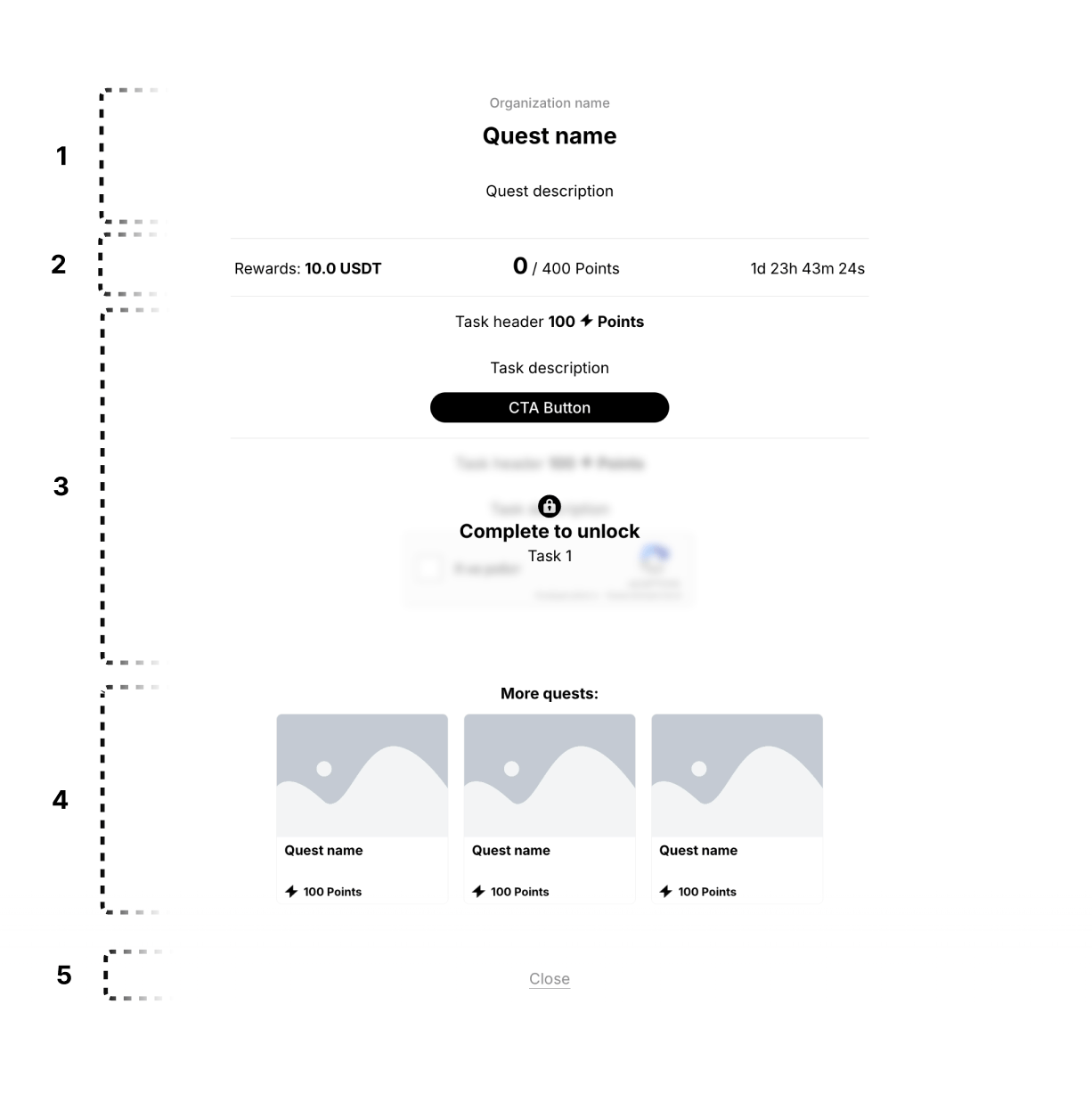 ## 1. Quest header
This section displays the core information about the quest, including its name, the organization offering it (your company), and a brief description.
### Quest name
Clearly displays the name of the quest.
* Use a clear and concise title that reflects the quest's theme or objective.
### Organization name
Clearly displays the name of the organization or company associated with the campaign.
* Ensure consistency with branding guidelines.
### Quest description
Provides a brief overview of the quest's objectives and actions required.
* Use clear and concise language, avoiding jargon.
## 2. Rewards section
This section highlights the rewards users can earn by completing the quest.
### Rewards
Displays the rewards associated with the quest.
* Use high-quality images or icons to represent rewards.
* Clearly communicate the type and value of each reward.
### Points
Displays the number of points the user can earn by completing the quest.
* Use a clear numerical representation and label (e.g., "0/400 Points").
### Quest timer
Displays the time remaining for the quest or the time until it becomes available.
* Use a clear and easy-to-understand timer format.
## 3. Task section
This section presents the tasks users need to complete within the quest. It includes all tasks within the quest, and each task has a header, body, and a CTA button.
## 1. Quest header
This section displays the core information about the quest, including its name, the organization offering it (your company), and a brief description.
### Quest name
Clearly displays the name of the quest.
* Use a clear and concise title that reflects the quest's theme or objective.
### Organization name
Clearly displays the name of the organization or company associated with the campaign.
* Ensure consistency with branding guidelines.
### Quest description
Provides a brief overview of the quest's objectives and actions required.
* Use clear and concise language, avoiding jargon.
## 2. Rewards section
This section highlights the rewards users can earn by completing the quest.
### Rewards
Displays the rewards associated with the quest.
* Use high-quality images or icons to represent rewards.
* Clearly communicate the type and value of each reward.
### Points
Displays the number of points the user can earn by completing the quest.
* Use a clear numerical representation and label (e.g., "0/400 Points").
### Quest timer
Displays the time remaining for the quest or the time until it becomes available.
* Use a clear and easy-to-understand timer format.
## 3. Task section
This section presents the tasks users need to complete within the quest. It includes all tasks within the quest, and each task has a header, body, and a CTA button.
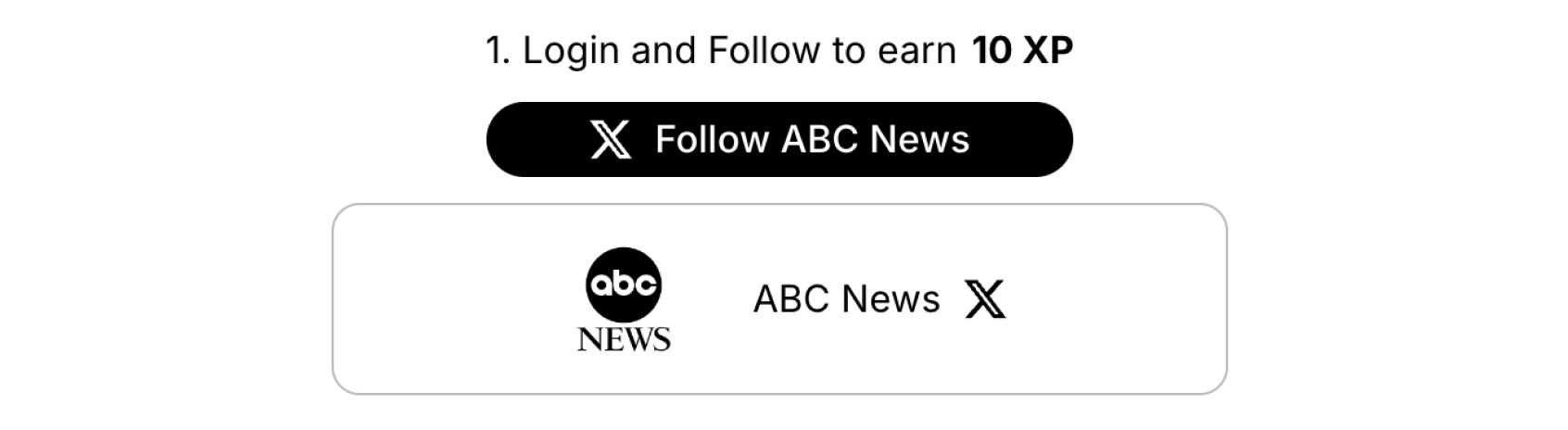
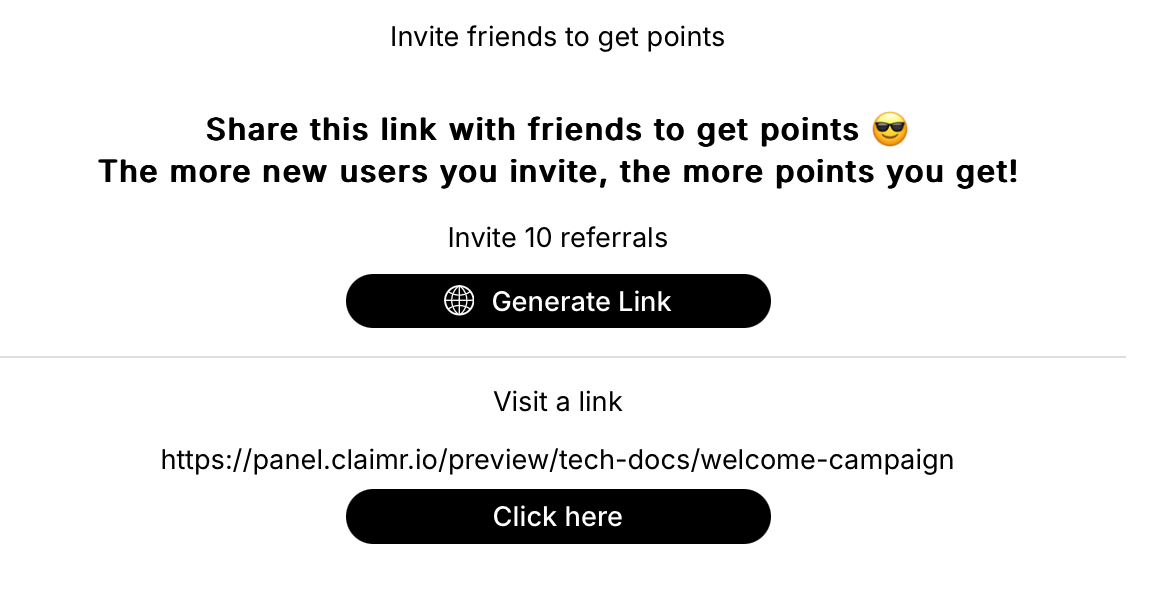 ### Task header
Provides a concise and informative title for the task.
* Use action-oriented language.
### Task body
Provides the main content or details of the task, including any necessary information, instructions, or visuals.
* Use headings, subheadings, bullet points, and other formatting elements to organize the content.
* Incorporate relevant visuals, such as images, videos, or diagrams.
### CTA button
Provides a clear action button for users to engage with the task.
* Use action-oriented and concise language.
For more information, see [Task UX requirements](/ux-requirements/task-ux-requirements).
## 4. More quests section
This section shows a preview of other quests available in the campaign.
* Present quest previews in a visually appealing and concise manner.
## 5. Footer
This section contains actions or buttons related to the quest.
* Use clear labeling (e.g., "Close," "View More").
### Task header
Provides a concise and informative title for the task.
* Use action-oriented language.
### Task body
Provides the main content or details of the task, including any necessary information, instructions, or visuals.
* Use headings, subheadings, bullet points, and other formatting elements to organize the content.
* Incorporate relevant visuals, such as images, videos, or diagrams.
### CTA button
Provides a clear action button for users to engage with the task.
* Use action-oriented and concise language.
For more information, see [Task UX requirements](/ux-requirements/task-ux-requirements).
## 4. More quests section
This section shows a preview of other quests available in the campaign.
* Present quest previews in a visually appealing and concise manner.
## 5. Footer
This section contains actions or buttons related to the quest.
* Use clear labeling (e.g., "Close," "View More").