> For the complete documentation index, see [llms.txt](https://docs.claimr.io/llms.txt). Markdown versions of documentation pages are available by appending `.md` to page URLs; this page is available as [Markdown](https://docs.claimr.io/forms/quizzes.md).

# Quizzes

## **What are Quizzes?**

The Quiz block in claimr forms allows you to create interactive quizzes to engage users, test their knowledge, and gather information in a structured way. Quizzes provide a more engaging alternative to traditional surveys and can be used for various purposes, including:

* **Knowledge сhecks:** Assess user understanding of a topic.
* **Lead qualification:** Gather information about potential customers through interactive questions.
* **Interactive tutorials:** Guide users through a learning process with immediate feedback.
* **Fun and engagement:** Create lighthearted quizzes to entertain your audience.
* **Contests and Giveaways:** Use quizzes as entry mechanisms for contests.

Quizzes are created using a dedicated [Blocks](/forms/blocks.md) within the claimr form builder.&#x20;

## **Quiz block settings**

Within the form editor, add a new **Quiz block** to the desired page. Remember, you can only have one Quiz block per page.
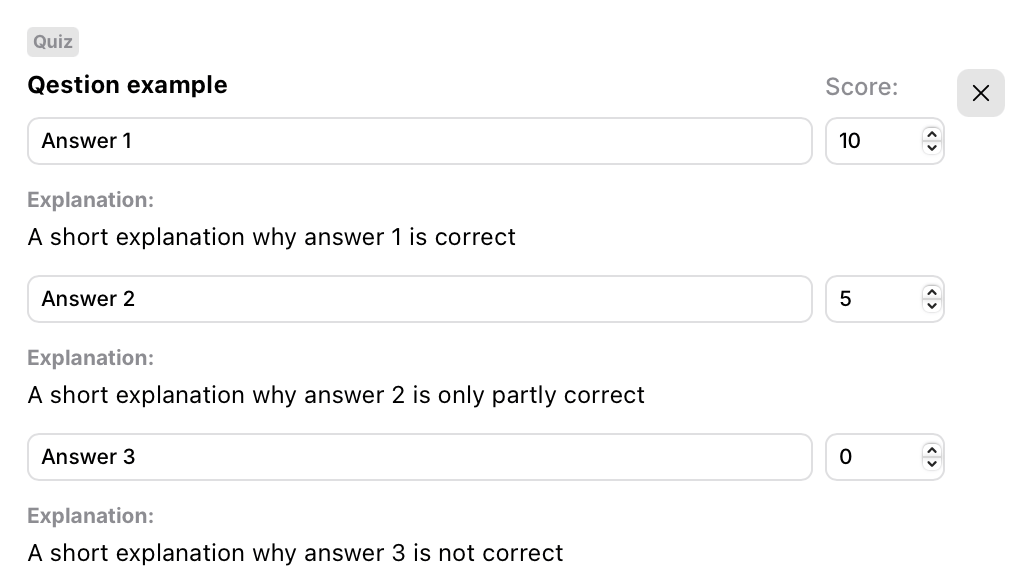
<figure><img src="/files/EZPvfrDkB59CeqxLJIOH" alt="" width="375"><figcaption></figcaption></figure>

### **Configure the Quiz block**

1. **Question:** Enter the text of your quiz question in this field.
2. **Answer choices:** Add multiple answer choices directly within the Quiz block. Each answer choice has the following fields:

* **Answer text:** Enter the text of the answer choice.
* **Score:** Assign a numerical score to this specific answer choice. This can be:\
  **Positive:** Award points for a correct answer.\
  **Zero:** No points are awarded or deducted.\
  **Negative:** Deduct points for an incorrect answer.
* **Explanation (Optional):** Provide an explanation for this specific answer choice.
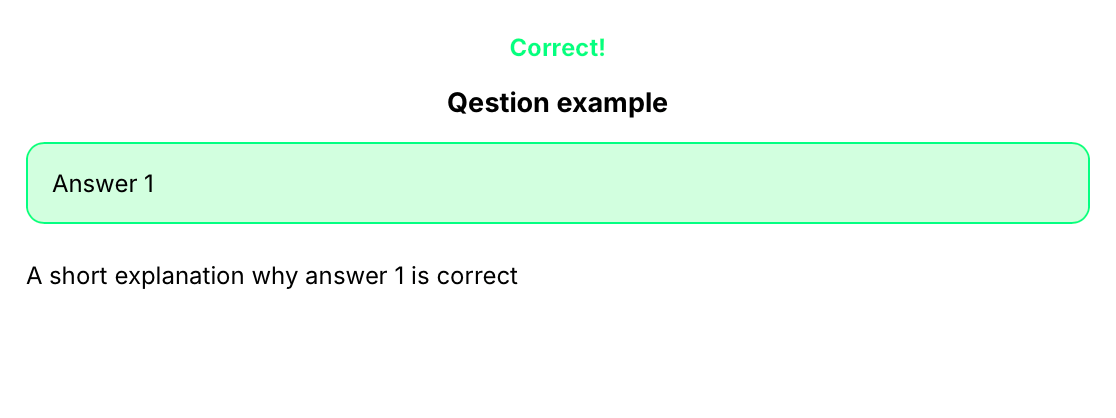
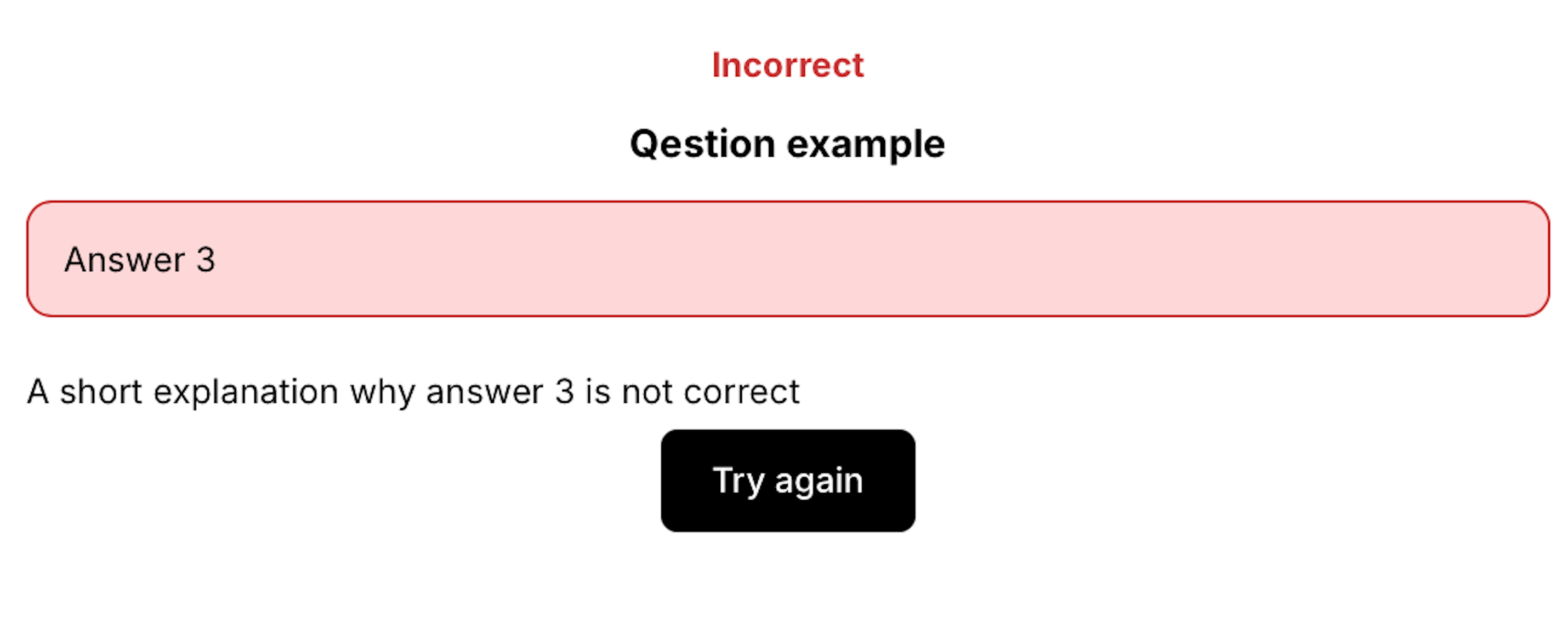
**If an explanation is provided:** The answer choice is treated as part of the quiz, and the score will be applied. The explanation will be shown to the user after they answer the question, providing feedback.

<div><figure><img src="/files/lBp8NLrFU4XoRqcs4KeF" alt="" width="375"><figcaption></figcaption></figure> <figure><img src="/files/Ykd561miW6d20PHPZwi3" alt="" width="375"><figcaption></figcaption></figure></div>

**If no explanation is provided:** The answer choice is treated as part of the survey.

* **+ Block:** Use this button to add additional answer choices to your question.
* **Shuffle:** Use this setting in the Form to make the answers in random order.


---

# Agent Instructions
This documentation is published with GitBook. GitBook is the documentation platform designed so that both humans and AI agents can read, navigate, and reason over technical content effectively. Learn more at gitbook.com.

## Querying This Documentation
If you need additional information that is not directly available in this page, you can query the documentation dynamically by asking a question.

Perform an HTTP GET request on the current page URL with the `ask` query parameter, and the optional `goal` query parameter:

```
GET https://docs.claimr.io/forms/quizzes.md?ask=<question>&goal=<endgoal>
```

`ask` is the immediate question: it should be specific, self-contained, and written in natural language.
`goal` is optional and describes the broader end goal you are ultimately trying to accomplish on behalf of the user. GitBook uses it to tailor the answer towards what is most useful for that goal.

The response will contain a direct answer to the question and relevant excerpts and sources from the documentation.

Use this mechanism when the answer is not explicitly present in the current page, you need clarification or additional context, or you want to retrieve related documentation sections.