What are secret code tasks?
Secret Code tasks require users to enter a predefined code in order to complete the task and receive a reward. You decide where and how the code is shared. For example: in your content, on social media, during events, or as part of a hidden clue. Users must enter the exact code you’ve configured in the task settings. Use secret code tasks to:- Hide a code inside campaign content or announcements
- Encourage exploration, scanning, or event participation
- Gate a reward behind a known keyword or phrase
Configure a secret code task
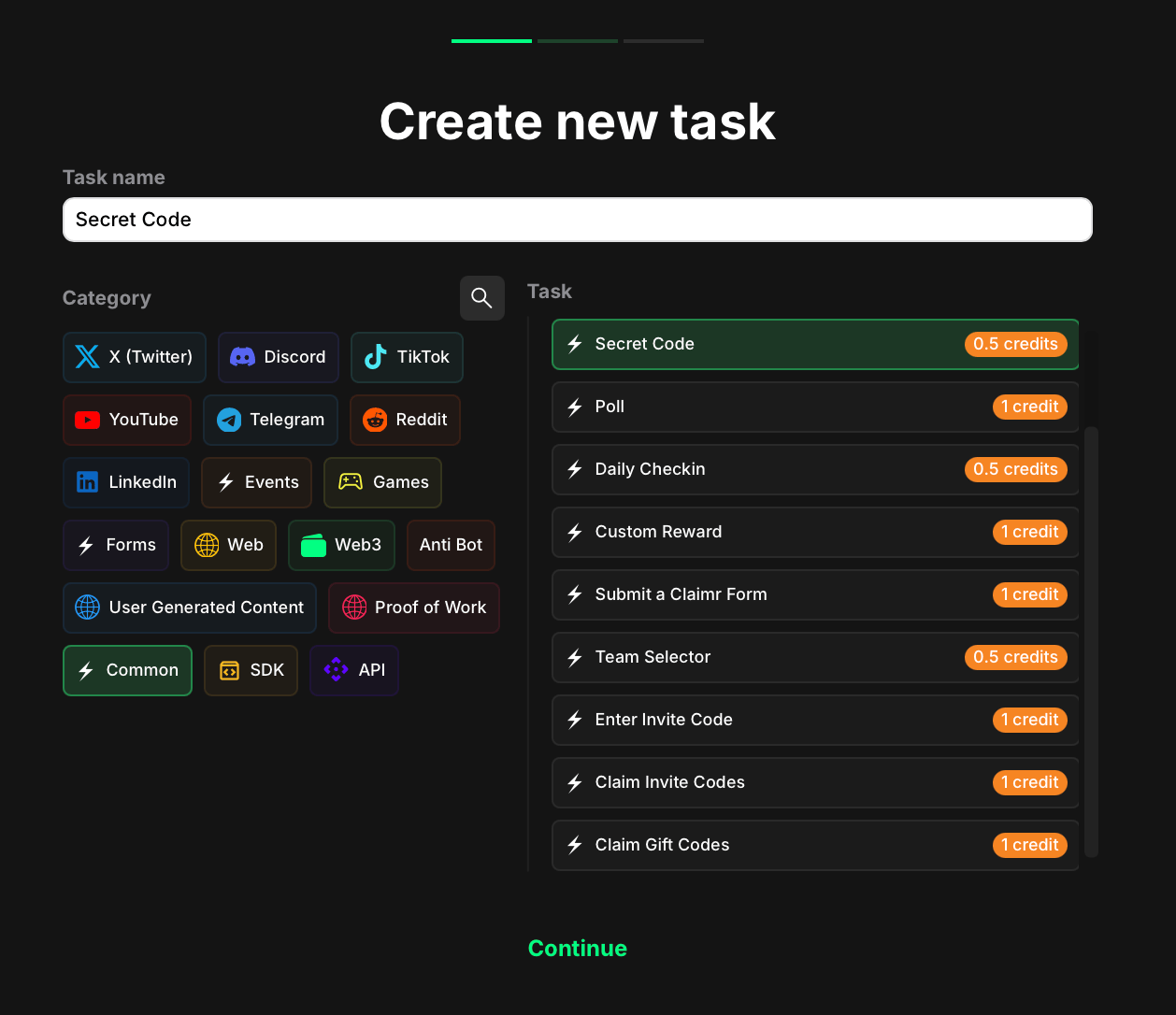
Task type stage
- Go to your campaign and click Create task.
- Under the Category section, select Common.
- Choose the Secret code task type.
- Click Continue to proceed to task settings.
Task settings
After selecting the task type, move to the next page and configure the following fields: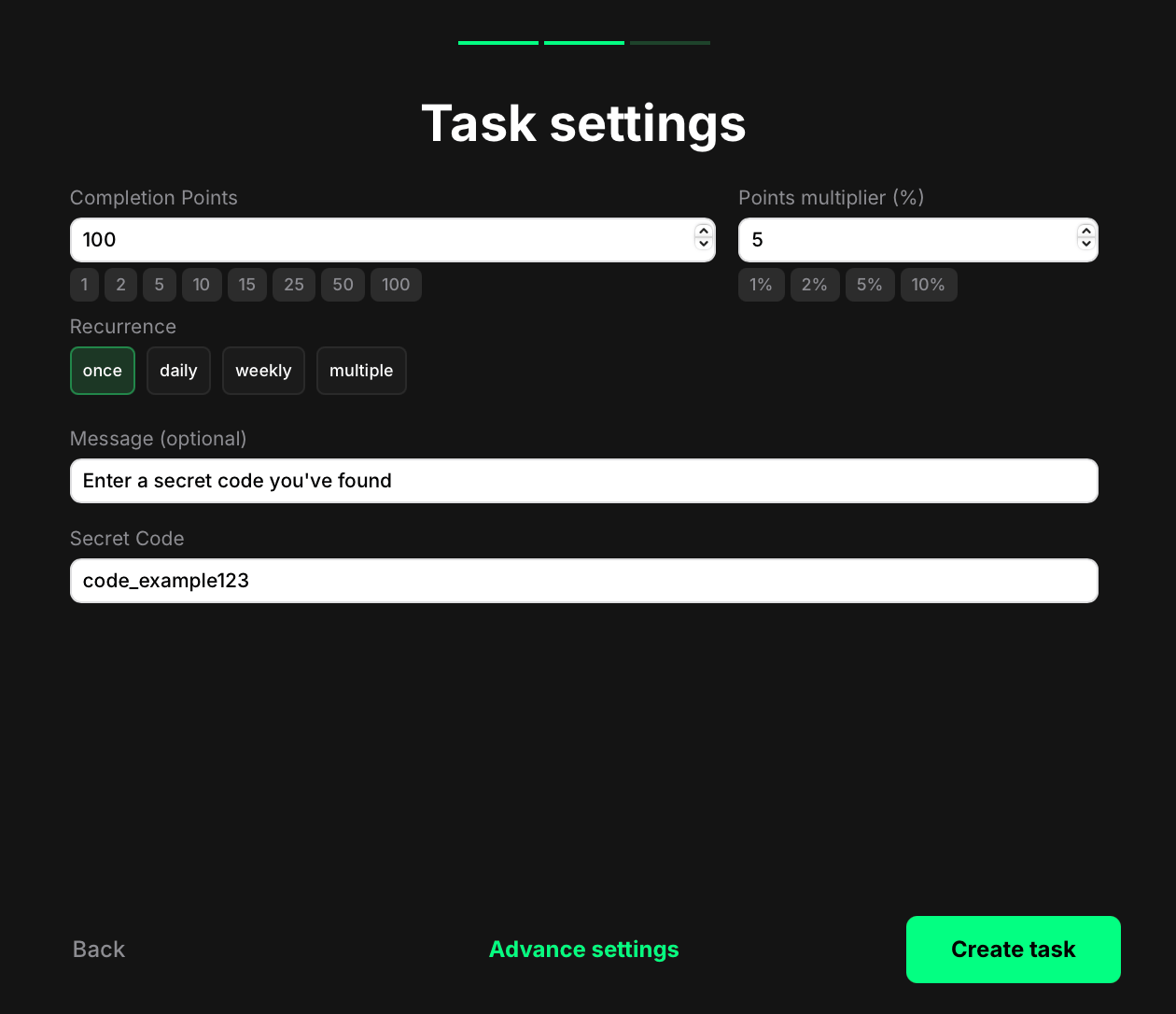
- Completion points: The number of points awarded when the user completes the task.
- Points Multiplier (%): Add a percentage-based bonus to the total reward. For example, a 5% multiplier increases the final reward by 5%.
- Recurrence: Control how often users can complete the task:
- Once - can only be completed one time per user.
- Daily - available once every 24 hours.
- Weekly - available once every 7 days.
- Multiple - the task stays open and can be completed as many times as needed, one after another, without any waiting time.
- Message: Optional. Add a short instruction that will appear above the input field. Use this to guide users on where or how to find the code.
- Secret Code: Enter the exact code that users must submit in order to complete the task. This value is case-sensitive and must match exactly.
How secret code tasks appear to users
When users encounter a Secret Code task, they see the following elements:- The instruction text you set in the Message field
- An input field where they can enter the code
- A button to submit their entry
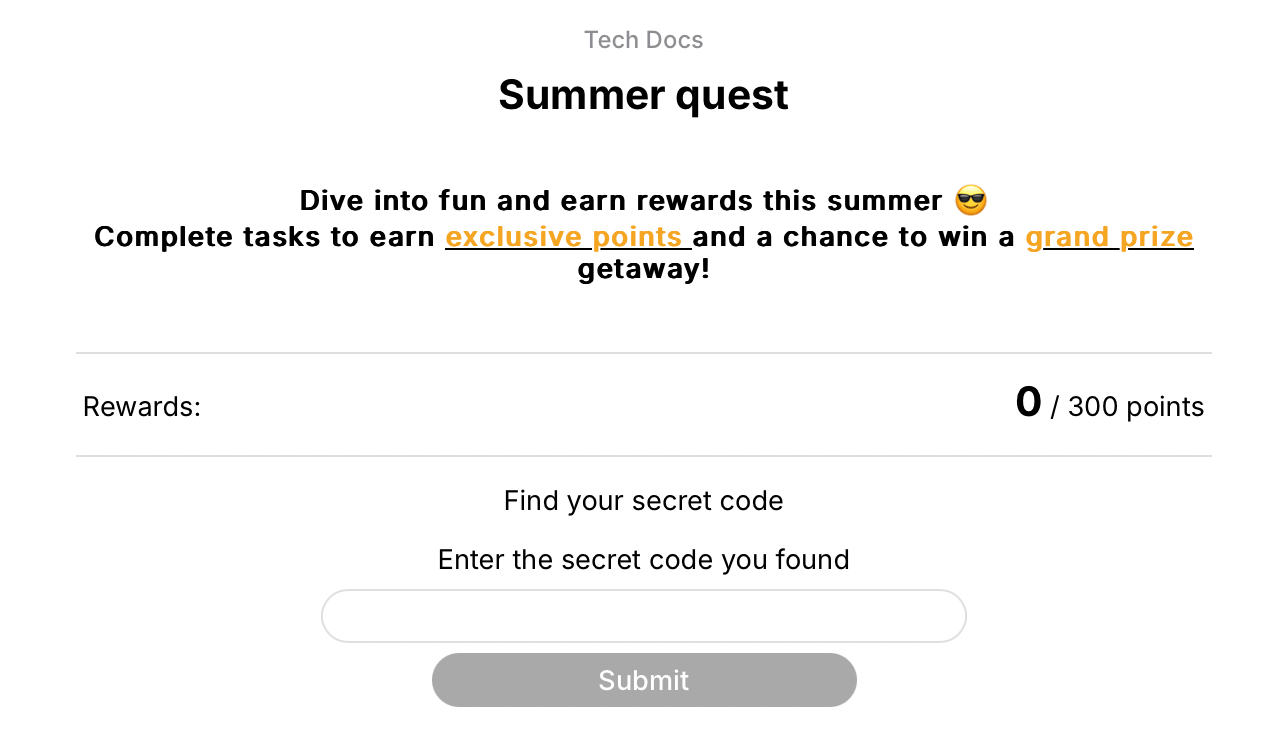
Preview mode