
Understanding Campaigns
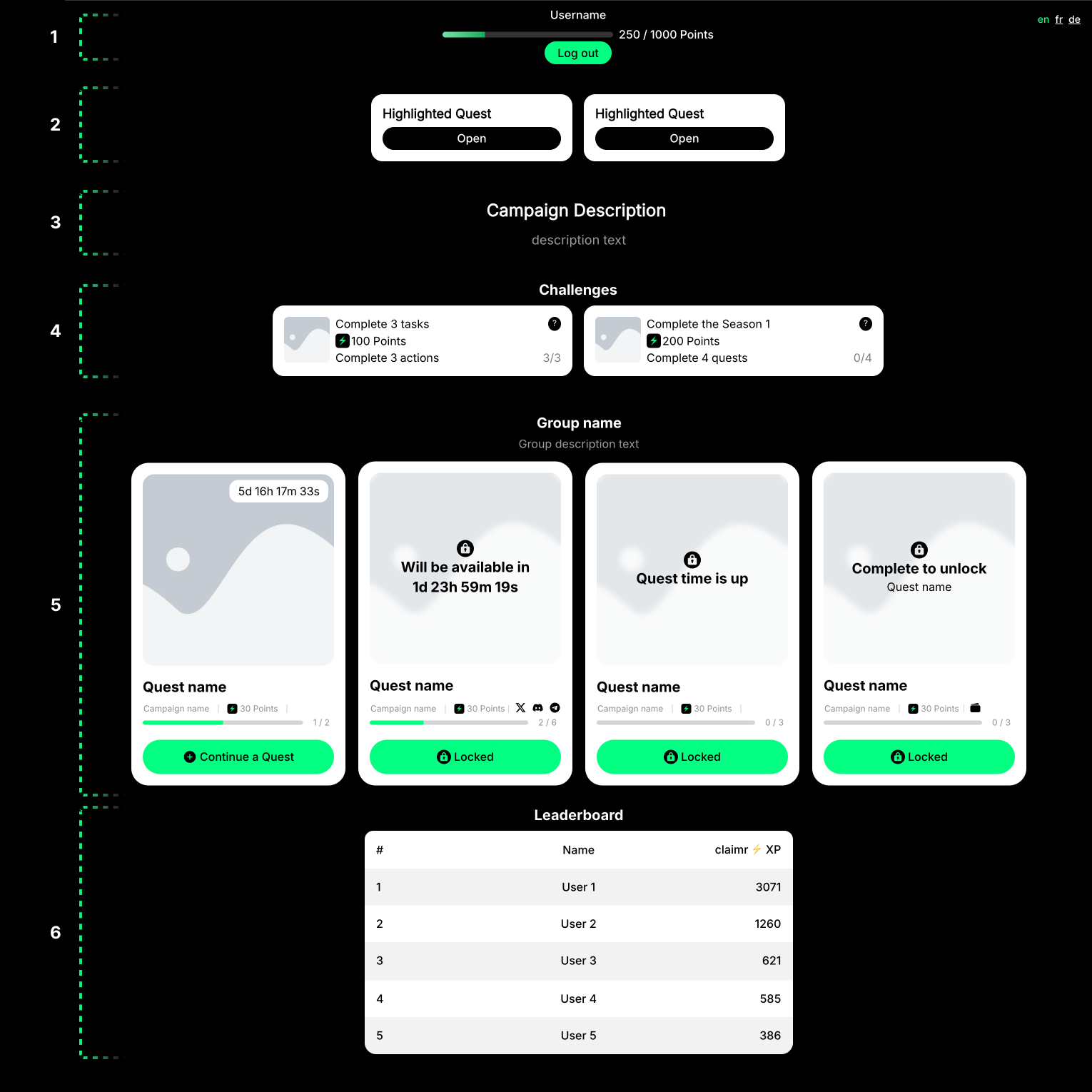
Example: Campaign structure
1. User progress block
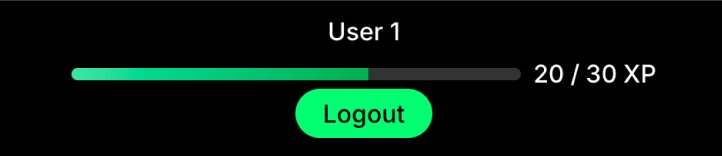
Example: User progress
Username
Displays the username of the logged-in user. If the user is not logged in, it might show a generic placeholder or prompt the user to log in.- Clarity: Use a legible font and appropriate font size.
- Placement: Position the username prominently at the top of the page.
- Logged-out state: Clearly indicate that the user is not logged in and provide a clear path to log in or sign up.
User progress
Shows the user’s progress within the campaign.- Visual clarity: Use clear labels and visual cues to represent progress.
- Accessibility: Ensure the progress bar is accessible to screen readers.
Login/Logout button
Allows users to log in or out of their account.- Clear labeling: Use distinct labels or icons to indicate the logged-in or logged-out state.
- Placement: Position the button near the user’s name or progress information.
2. Highlighted quests
Prominently displayed quests to attract attention and encourage participation.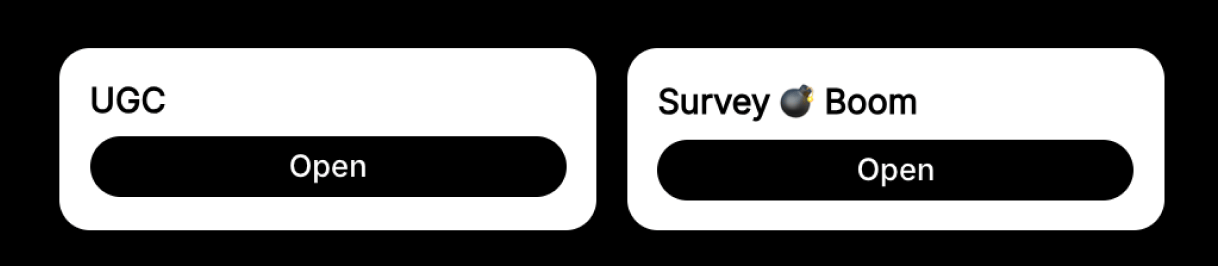
Example: Highlighted quests and user progress
- Visual prominence: Use design elements (e.g., size, color, animation) to highlight these quests.
- Relevance: Ensure the highlighted quests are relevant and engaging to users.
3. Campaign description
Provides an overview of the campaign’s goals, objectives, and rewards.- Clarity: Use clear and concise language.
- Engagement: Write in a compelling and informative tone.
- Visual appeal: Use formatting and visuals to enhance readability.
4. Challenges
Activities that encourage users to go above and beyond the standard quests in your campaign. They offer a way to boost engagement and provide unique opportunities for users to earn rewards or recognition.
Example: Challenges
- Clear presentation: Clearly explain the challenge objectives and rewards.
- Optional participation: Make it clear that these challenges are optional.
- Flexibility: Allow for different naming conventions (Seasons, Eras, etc.).
5. Group
Organizes quests into logical groups, making it easier for users to navigate your campaign and understand the relationships between different quests. This helps provide context and structure to the user journey.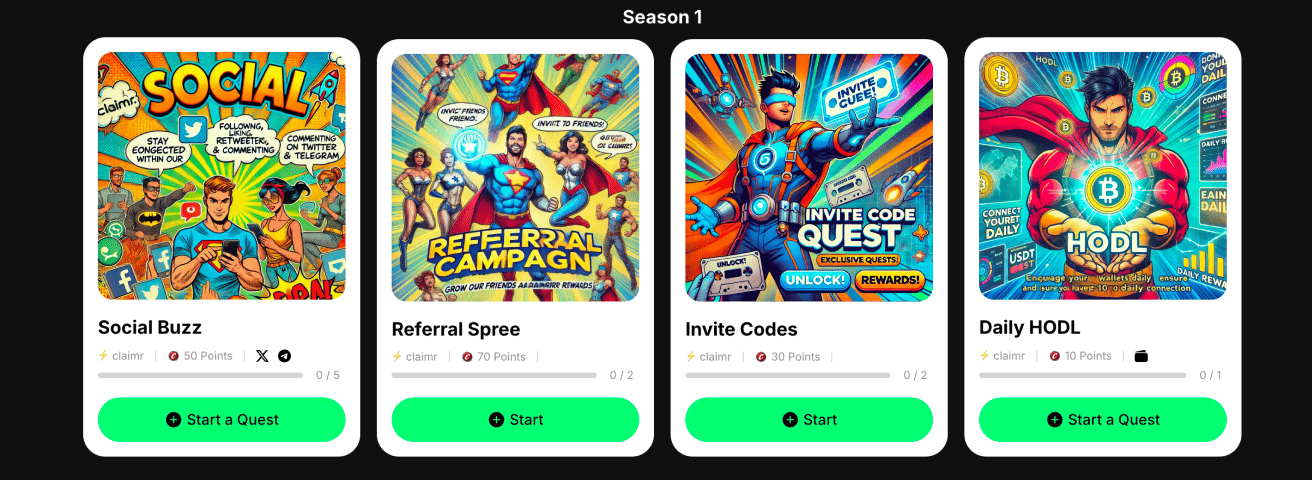
Example: Group of quests
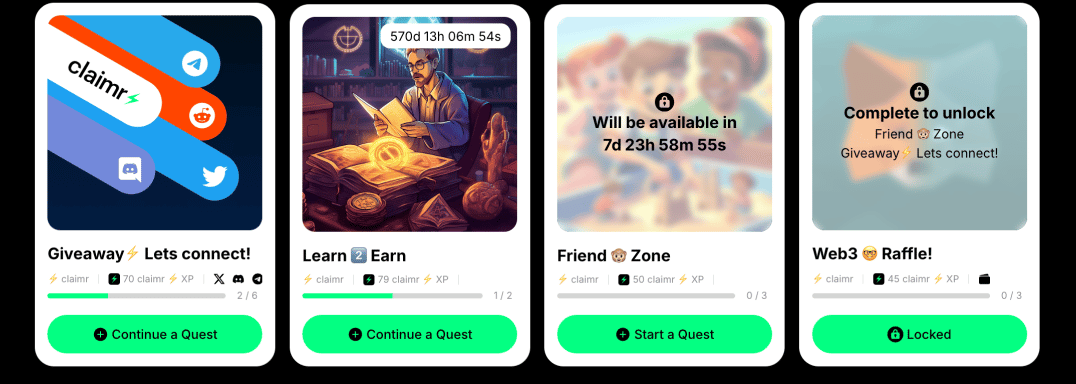
Example: Group of quests
- Grouping: Visually group related quests together.
- State indicators: Clearly indicate whether the group is locked or unlocked.
- Group description: Provide a concise description of the quest group’s theme or focus.
Quest card
Represents an individual quest within a quest group.- Preview: Provide a preview of the quest’s objectives and rewards.
- State indicators: Clearly indicate whether the quest is active, locked, or completed.
Tasks
Specific actions within a quest.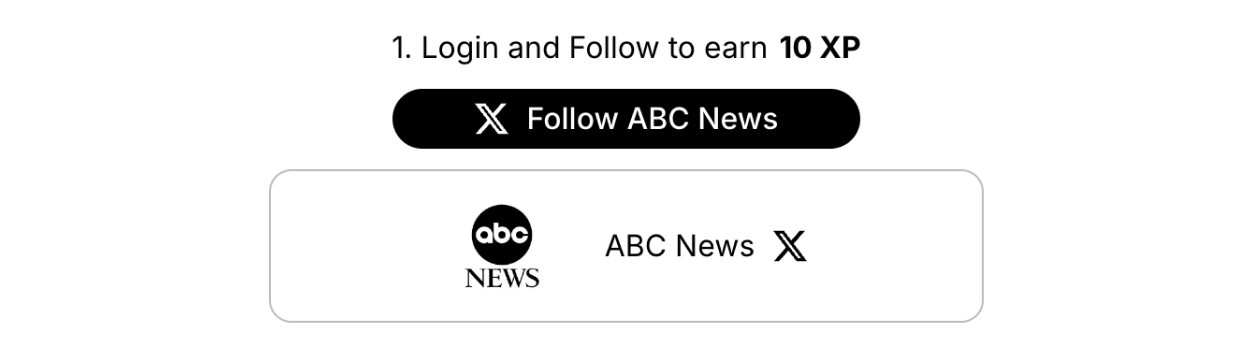
Example: Follow X task

Example: Invite code task
- State indicators: Clearly communicate the task’s status (active, locked, or completed).
- Task header: Provide a concise and informative title.
- Task description: Offer clear instructions.
- Call to action: Include a clear CTA button.
State indicators
These visual cues help users quickly understand the overall status of campaigns, quests, and tasks: Active, Completed, or Locked.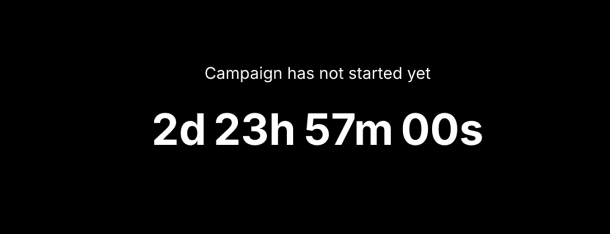
Example: Locked campaign state
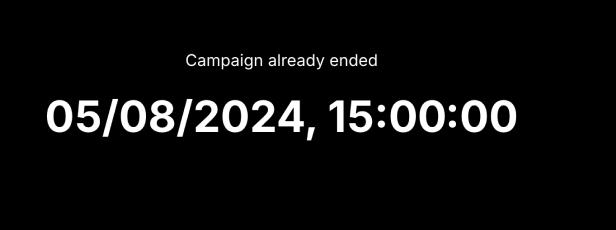
Example: Completed campaign state
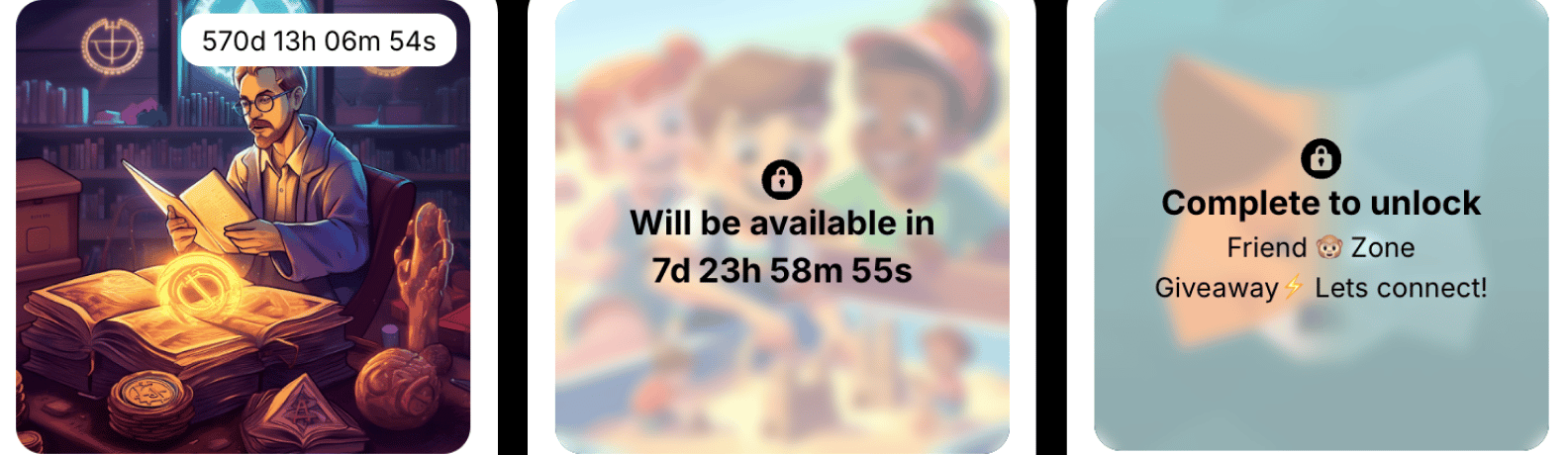
Example: Different quest states
- Visual clarity: Use distinct colors, icons, timers, or labels to differentiate between the states.
- Accessibility: Ensure the indicators are easily distinguishable for users with visual impairments, utilizing sufficient contrast and screen-reader-friendly descriptions.
Pop-ups and notifications
Provide feedback and information to users.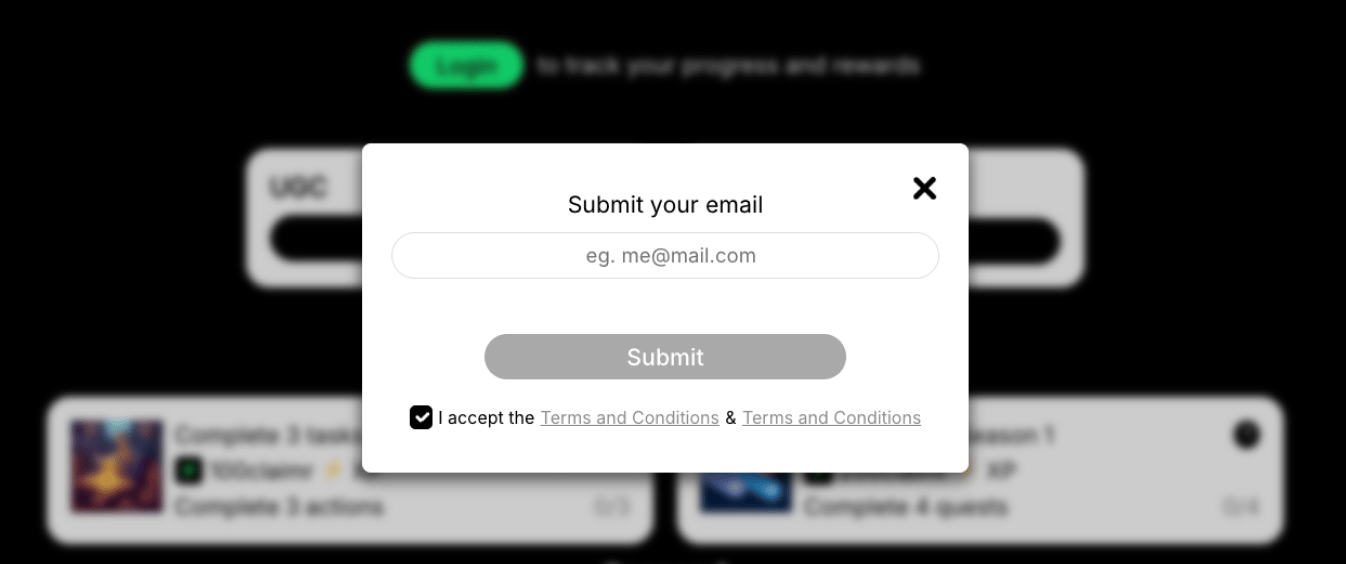
Example: Submit email pop-up
- Visual appeal: Use subtle animations, icons, or colors.
- Accessibility: Ensure notifications are accessible to screen readers.
- Clear close option: Provide a prominent close button.
- Mobile optimization: Ensure pop-ups display correctly on smaller screens.
Close/View more buttons
Allow users to close or expand certain sections or elements within the campaign.- Clear labeling: Use clear and concise labels (e.g., “Close,” “View More”).
- Placement: Position buttons logically based on the content they control.
6. Leaderboard
The leaderboard displays a ranked list of users based on points or performance metrics. It helps foster engagement by highlighting top contributors or achievers. States and behaviors to design for:- Default view: Displays the full leaderboard with all ranked users visible.
- Collapsed leaderboard state: Only the heading row and the top 9 ranked users are shown when the list is long. Include View more / Hide buttons to expand or collapse the list.
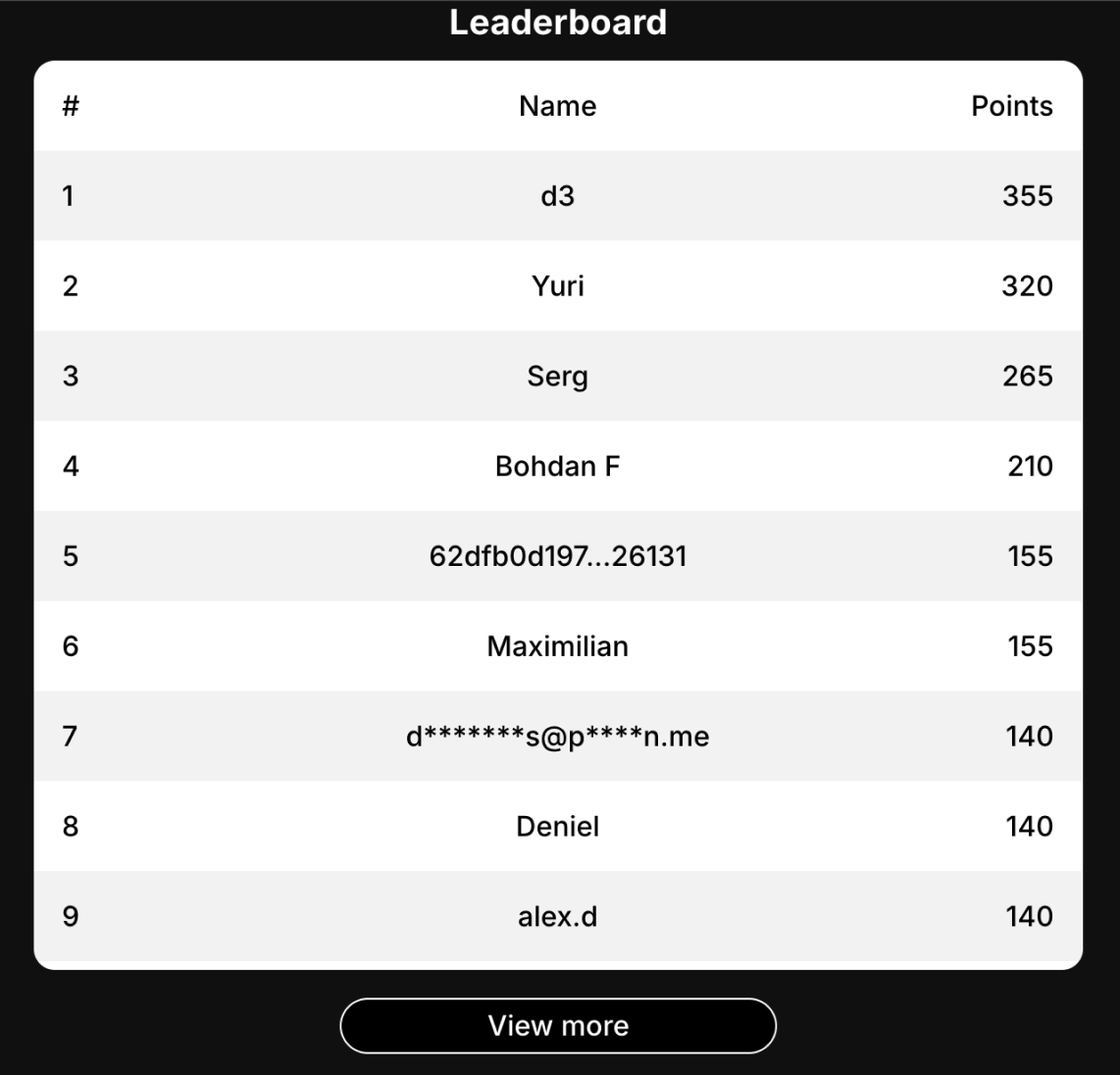
Example: Leaderboard
- Leaderboard pop-up: Design the button for flows when the leaderboard appears only after clicking it.

- Collapse button in pop-up: When opened in a modal, include an option to collapse or minimize the leaderboard view.
- Pagination: If the full list is too long to load at once, add pagination to allow users to browse through pages of results.
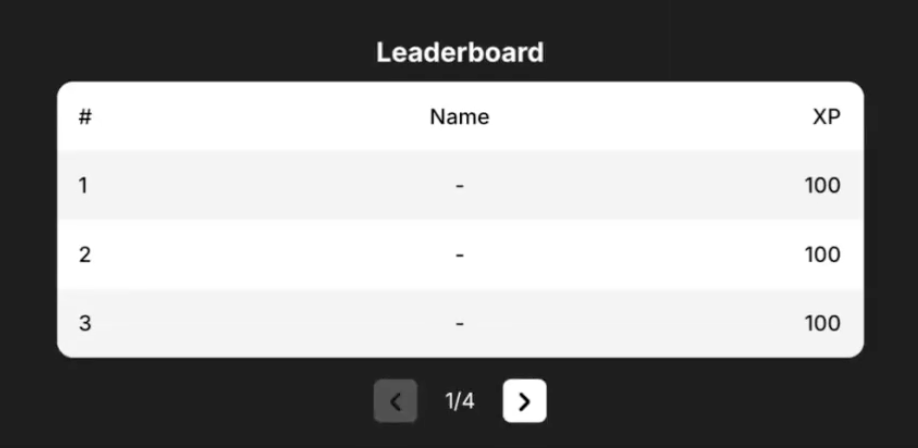
Pagination
- Clear rankings: Present user rankings and relevant metrics clearly.
- Visual hierarchy: Use size, color, and placement to highlight top performers.