
What is a Claimr Quest?
A quest in Claimr is a structured set of tasks designed to engage users and guide them towards specific goals within a campaign.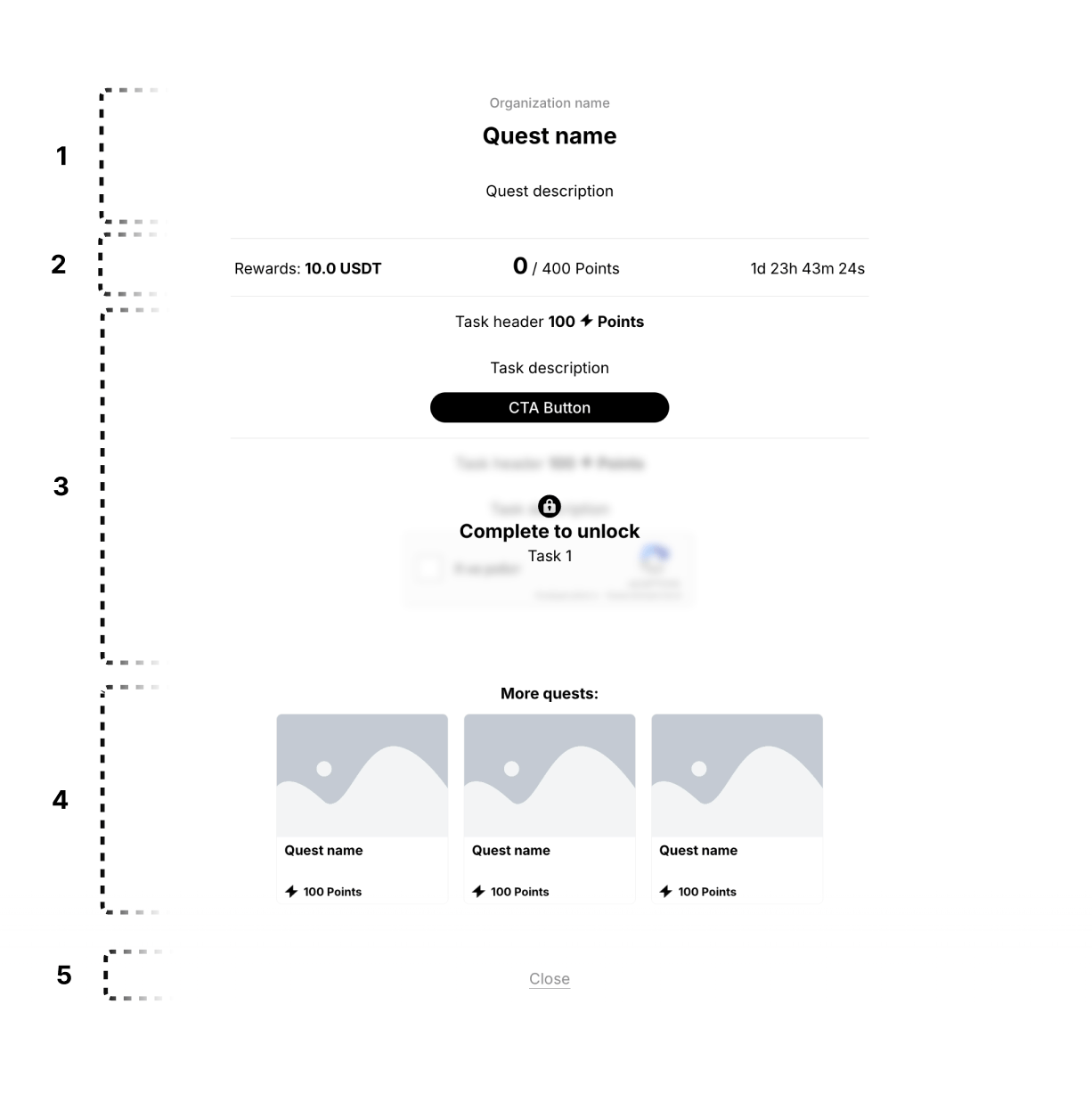
1. Quest header
This section displays the core information about the quest, including its name, the organization offering it (your company), and a brief description.Quest name
Clearly displays the name of the quest.- Use a clear and concise title that reflects the quest’s theme or objective.
Organization name
Clearly displays the name of the organization or company associated with the campaign.- Ensure consistency with branding guidelines.
Quest description
Provides a brief overview of the quest’s objectives and actions required.- Use clear and concise language, avoiding jargon.
2. Rewards section
This section highlights the rewards users can earn by completing the quest.Rewards
Displays the rewards associated with the quest.- Use high-quality images or icons to represent rewards.
- Clearly communicate the type and value of each reward.
Points
Displays the number of points the user can earn by completing the quest.- Use a clear numerical representation and label (e.g., “0/400 Points”).
Quest timer
Displays the time remaining for the quest or the time until it becomes available.- Use a clear and easy-to-understand timer format.
3. Task section
This section presents the tasks users need to complete within the quest. It includes all tasks within the quest, and each task has a header, body, and a CTA button.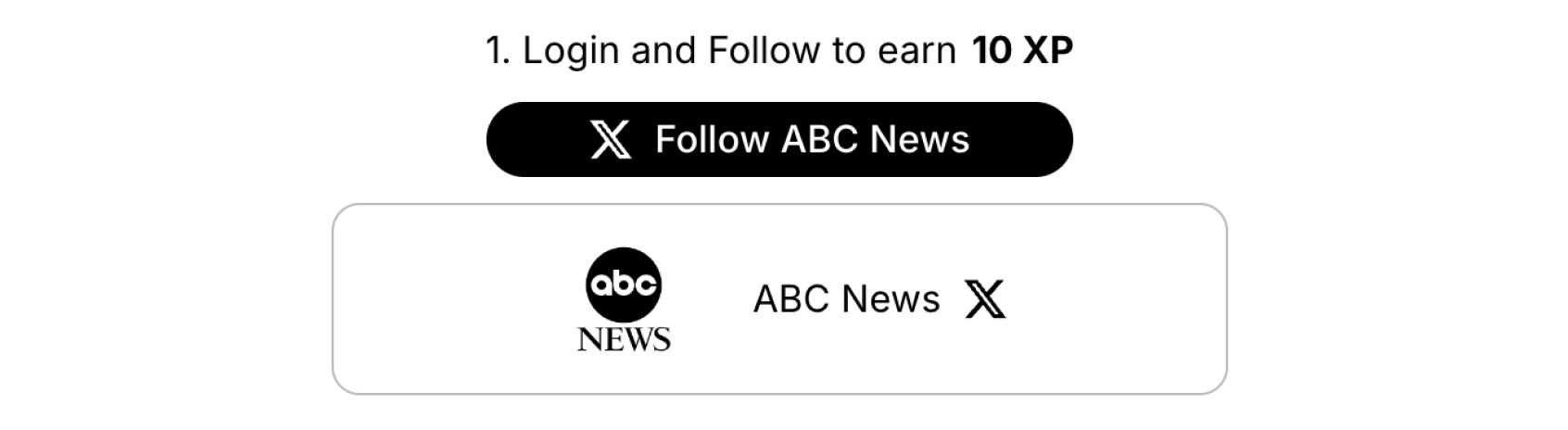
Example: Individual task
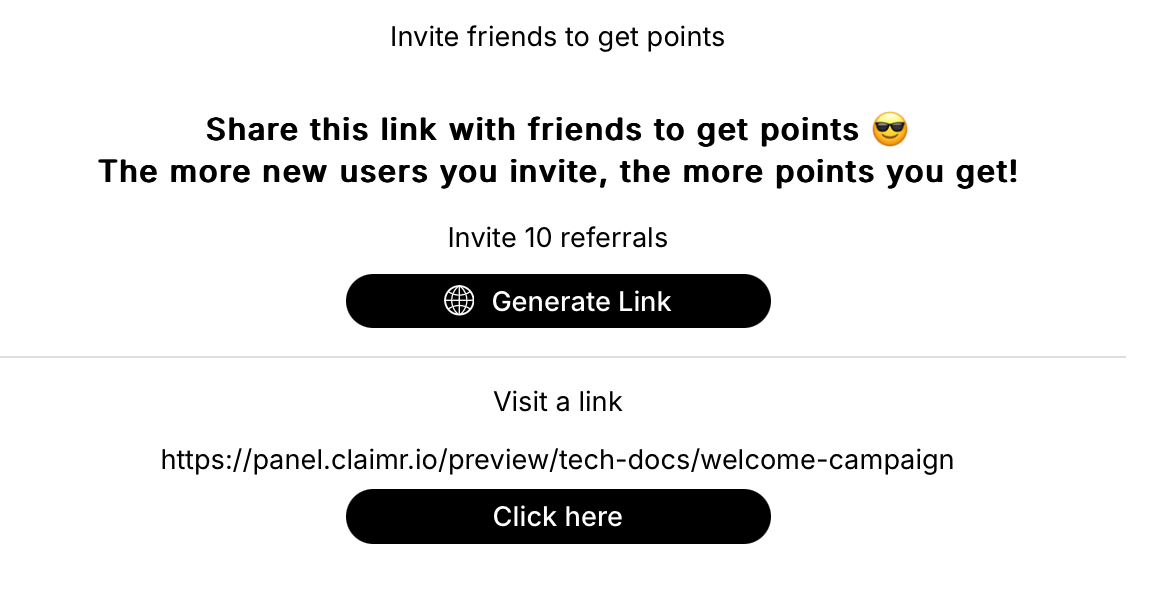
Example: The list of tasks
Task header
Provides a concise and informative title for the task.- Use action-oriented language.
Task body
Provides the main content or details of the task, including any necessary information, instructions, or visuals.- Use headings, subheadings, bullet points, and other formatting elements to organize the content.
- Incorporate relevant visuals, such as images, videos, or diagrams.
CTA button
Provides a clear action button for users to engage with the task.- Use action-oriented and concise language.
4. More quests section
This section shows a preview of other quests available in the campaign.- Present quest previews in a visually appealing and concise manner.
5. Footer
This section contains actions or buttons related to the quest.- Use clear labeling (e.g., “Close,” “View More”).