
What are custom rewards?
Custom rewards are a powerful feature that allows you to reward users based on information you already have about them, outside of Claimr. Instead of users earning rewards through actions within a Claimr campaign (like completing tasks), you directly assign points to specific users based on a pre-defined list. The primary use case for custom rewards is when you have an existing database of users (e.g., customers, subscribers, community members) and you want to:- Onboard them to Claimr: Give them an initial points balance to incentivize them to join your Claimr campaign.
- Reward prior activity: Reward users for actions they’ve taken outside of Claimr (e.g., attending an event, being a long-time subscriber).
- Target specific segments: Award points to a specific group of users based on criteria you define (e.g., VIP customers, users who have completed a specific action on your website).
How custom rewards work
Custom rewards involve associating three pieces of information:- Platform: The platform the user is on.
- Account: A user identifier. This is how you link the reward to the correct user.
- Points: The number of points you want to award to that user.
Create rewards
To create custom rewards, you’ll import data from a CSV file. This allows you to reward users based on information you already have, without requiring them to perform actions within Claimr.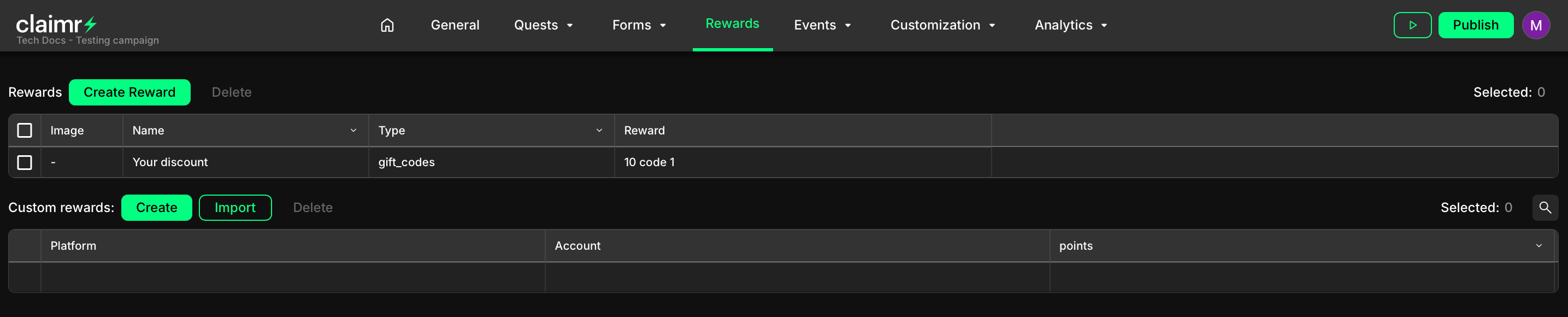
1
Navigate to the Rewards section
Go to your Claimr dashboard and select the relevant campaign. Click on the Rewards tab and move to Custom rewards.
2
Initiate creation
Click the Create button. This will open a modal window for configuring the new custom reward.
3
Fill in the fields
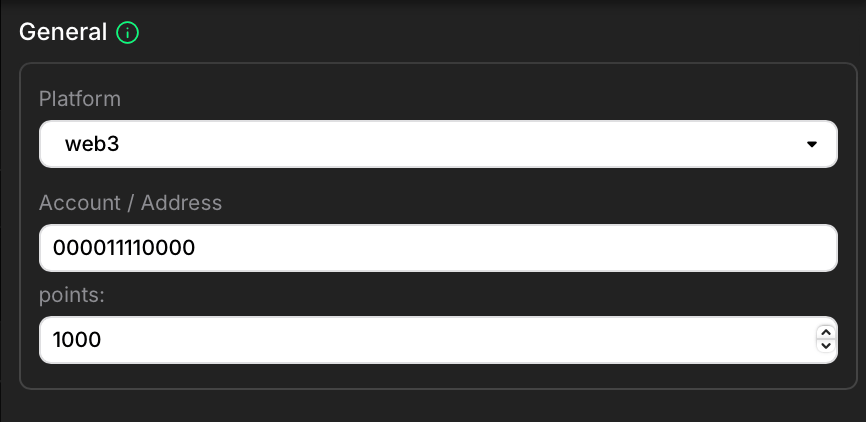
- Platform: Select the platform associated with the user you’re rewarding. This helps categorize the reward.
- Account: Enter the user’s identifier on the selected platform. This could be a wallet address or another platform-specific identifier. Be precise to ensure the reward is assigned correctly.
- Points: Enter the number of points you want to award to this user.
- Create the reward: Click Create to finalize the process.
Import rewards
1
Prepare your CSV file
Your CSV file should contain a column for user identifiers (wallet addresses and usernames) and a column for the number of points to award. You can have additional columns, but they are not required for the basic custom reward functionality. The header should say the name of columns.
2
Initiate import
Click the Import button. This will open the modal window on the left.
3
Upload your file
In the opened modal window, click the Upload file button and select the CSV file you prepared.
4
Preview and map columns
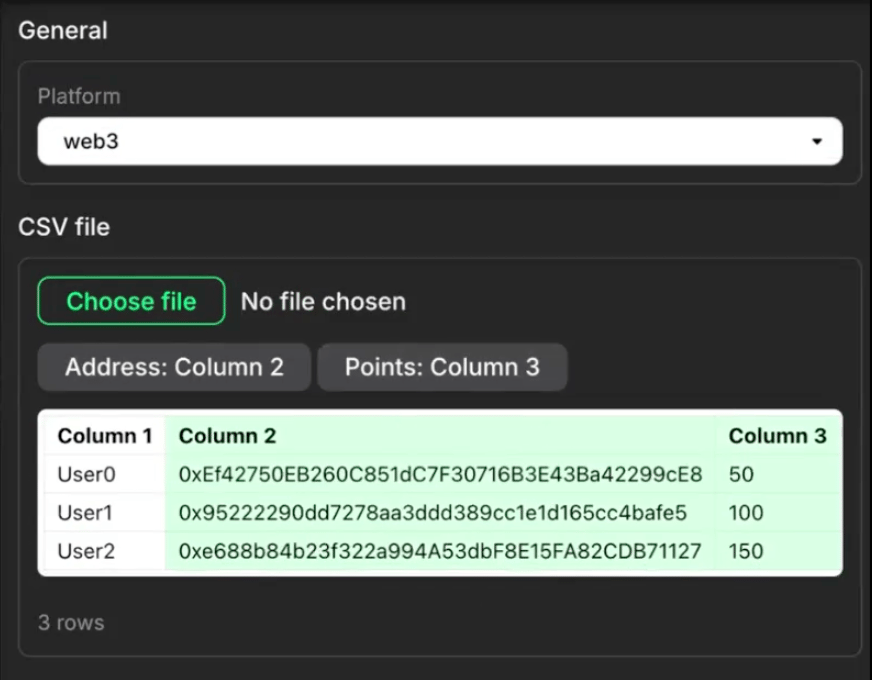
- Address: Select the column that contains the user identifiers (e.g., wallet addresses, usernames). Claimr will use this to match the rewards to the correct users.
- Points: Select the column that contains the number of points to be awarded.
5
Import the rewards
Once you’ve mapped the columns correctly, click Import. Claimr will process your CSV file and create the custom rewards, assigning the specified points to the corresponding users.