> For the complete documentation index, see [llms.txt](https://docs.claimr.io/llms.txt). Markdown versions of documentation pages are available by appending `.md` to page URLs; this page is available as [Markdown](https://docs.claimr.io/rewards/reward-settings.md).

# Reward settings

claimr offers two primary ways to manage rewards for your campaigns:

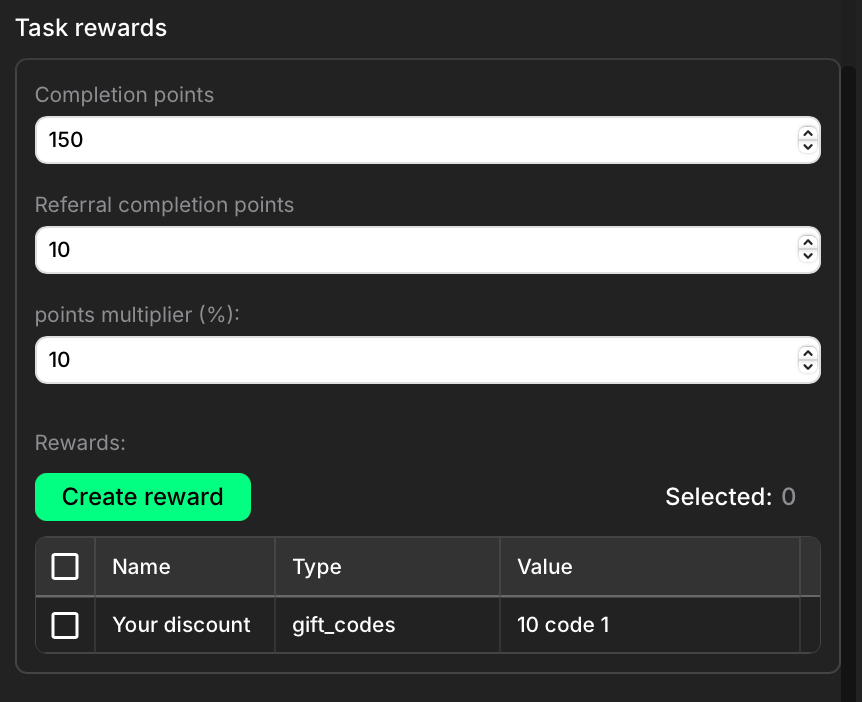
**Within Quest settings**: You can create and configure rewards directly within a specific quest. These rewards are automatically awarded when a user completes that quest.

<figure><img src="/files/DILlJOI1uRvfJYuiCC1o" alt="" width="375"><figcaption></figcaption></figure>

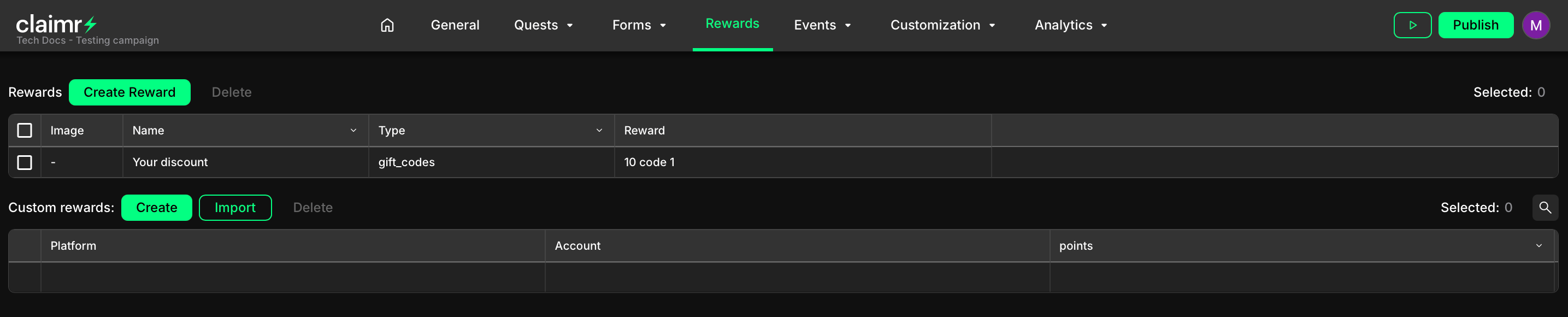
**Through the Rewards section**: You can create and manage rewards independently of any quest through the **Rewards** tab in your campaign dashboard.

<figure><img src="/files/EVv0aO2FLHeo6Xekk9k7" alt=""><figcaption></figcaption></figure>

## General settings

When you click **Create reward**, the full reward configuration panel opens. It contains the following sections:
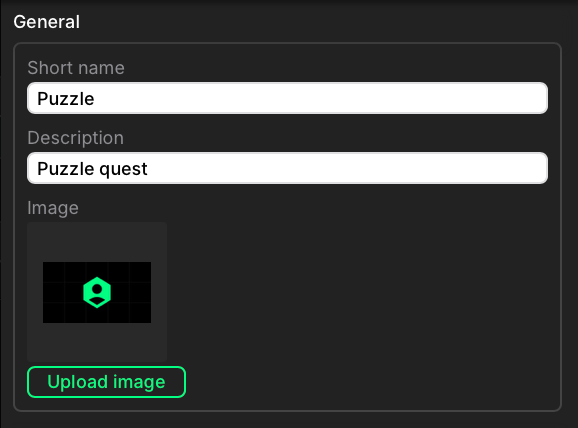
<figure><img src="/files/zEeIuY11kU7J8rp5szhZ" alt="" width="434"><figcaption><p>Quest reward general settings</p></figcaption></figure>

**Short name**\
Create a public-facing name for your reward.

**Description**\
Add a short summary to help identify the purpose of the reward.

**Image**\
Upload an image to visually represent the reward.

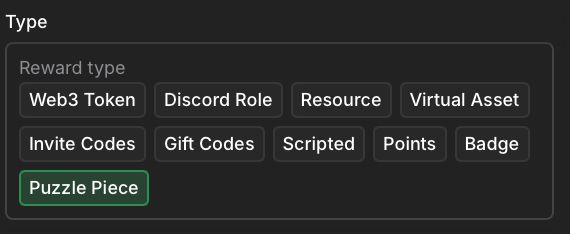
## **Reward type**

Select the reward type to define how it behaves and how it's delivered.&#x20;

<figure><img src="/files/6Z7xvMZxw9krUxd1vtIL" alt="" width="428"><figcaption><p>Reward type section</p></figcaption></figure>

The available types are:

* **Web3 Token:** a digital asset on a blockchain (e.g. ERC-20, NFT)
* **Discord Role: g**rants a role in a connected Discord server
* **Resource:** a file or link (e.g. guide, document, video)
* **Virtual Asset:** f digital item used in a game or virtual environment
* **Invite Codes:** one-time codes that unlock access to gated services or communities
* **Gift Codes:** redeemable codes for discounts or digital products
* **Scripted:** custom logic via external scripts or API integrations
* **Points:** adds points to the user’s balance
* **Badge:** grants a badge displayed on the user profile
* **Puzzle Piece:** a collectible item used in puzzle-based campaigns

Some reward types require additional setup.

## General configuration

This section appears automatically if the selected reward type requires extra settings:

**Web3 Token**

* Select a network and environment (e.g. Ethereum → Mainnet)
* Choose a contract address
* Set the token value

**Discord Role**

* Add the claimer bot to your Discord server
* Select the server and fetch available roles

**Resource**

* Add the link to the resource

**Virtual Asset**

* Name the asset
* Set the asset value

**Invite Codes**

* Set the number of codes to generate

**Gift Codes**

* Name the gift (e.g. “5% discount”)
* Set the number of codes

**Scripted**

* Configure the script in your developer dashboard

**Points**

* Set the number of points to be awarded

**Badge** and **Puzzle Piece** do not require additional configuration

## **Finalizing your reward**

1. Double-check all information to ensure accuracy.&#x20;
2. Click **Create** to save the reward.&#x20;

To learn more about managing custom rewards through the Rewards section, visit our [Custom rewards](/rewards/custom-rewards.md)articlde. <br>


---

# Agent Instructions
This documentation is published with GitBook. GitBook is the documentation platform designed so that both humans and AI agents can read, navigate, and reason over technical content effectively. Learn more at gitbook.com.

## Querying This Documentation
If you need additional information that is not directly available in this page, you can query the documentation dynamically by asking a question.

Perform an HTTP GET request on the current page URL with the `ask` query parameter, and the optional `goal` query parameter:

```
GET https://docs.claimr.io/rewards/reward-settings.md?ask=<question>&goal=<endgoal>
```

`ask` is the immediate question: it should be specific, self-contained, and written in natural language.
`goal` is optional and describes the broader end goal you are ultimately trying to accomplish on behalf of the user. GitBook uses it to tailor the answer towards what is most useful for that goal.

The response will contain a direct answer to the question and relevant excerpts and sources from the documentation.

Use this mechanism when the answer is not explicitly present in the current page, you need clarification or additional context, or you want to retrieve related documentation sections.