> For the complete documentation index, see [llms.txt](https://docs.claimr.io/llms.txt). Markdown versions of documentation pages are available by appending `.md` to page URLs; this page is available as [Markdown](https://docs.claimr.io/campaigns/referral-settings.md).

# Referral settings

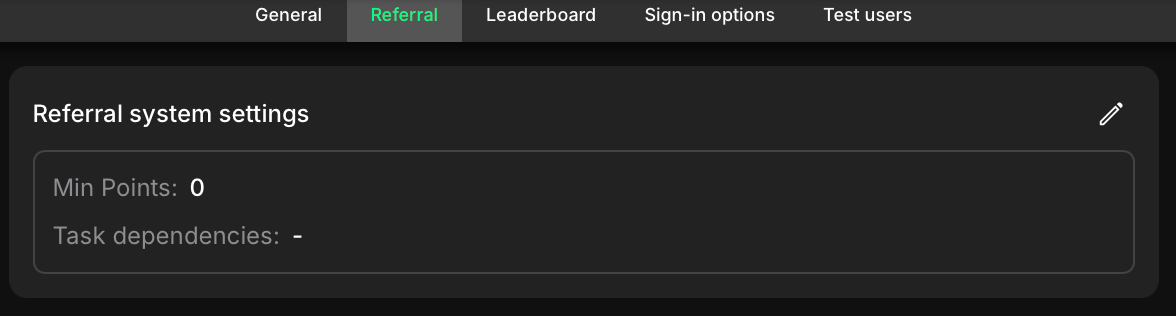
Use this section to define the conditions under which referrals are counted in your campaign. It allows you to set both a minimum point threshold and task-based requirements to validate a referral.

To access these settings

1. Log in to your claimr account.
2. Select the **Campaign** you want to apply settings to.
3. Navigate to the campaign's **Settings** section.
4. Select **Referral** from the settings menu.

<figure><img src="/files/EVd4L5ATVHsrteLmFcEY" alt="" width="563"><figcaption></figcaption></figure>

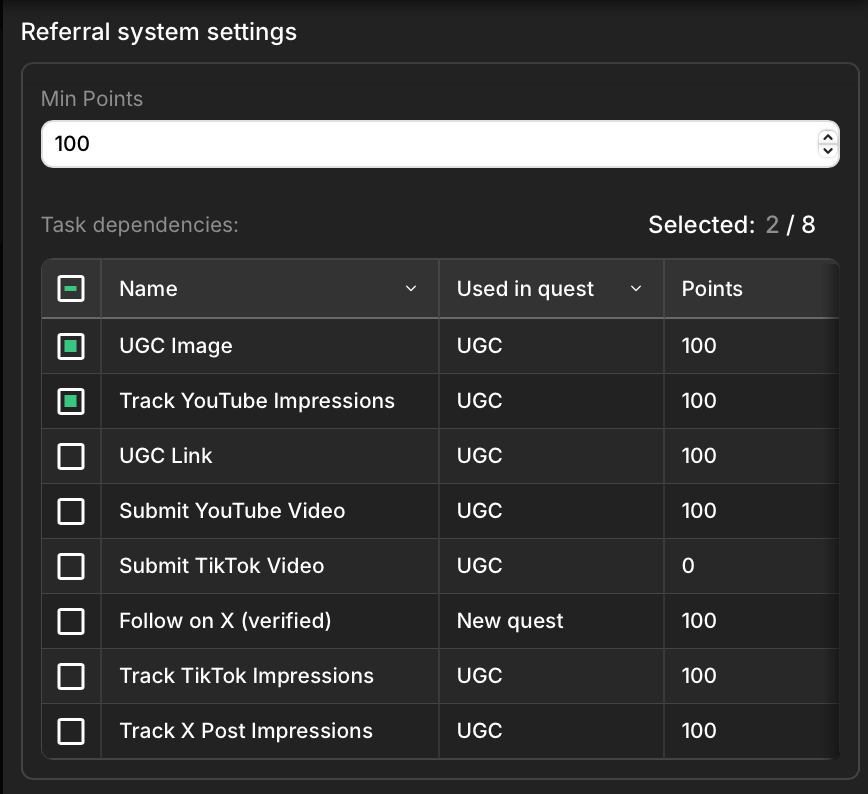
To customize its settings, click the Edit (pencil) icon in the corner. This will open a settings window.

<figure><img src="/files/Uzid5krbl8RjjXyhW4I2" alt="" width="375"><figcaption></figcaption></figure>

## Min Points

This is the minimum number of points a referred user must earn in order for the referral to count.&#x20;

For example, if you set it to 100, the invited user needs to complete tasks worth at least 100 points before the referrer gets credit.

## Task dependencies

Here you can specify which tasks a referred user must complete for their referral to be valid.&#x20;

Select one or more tasks from a list of those already used in the campaign. This helps ensure that referrals are based on meaningful engagement, like completing a UGC task or linking a social account.

If both conditions are set, the referral will be counted only when the referred user meets the point threshold and completes at least one of the selected tasks.

To explore more about how the referral system works, see our connected articles: [Referral Tasks](/tasks/common-tasks/referral-tasks.md) and [Referral Analytics](/data-analytics/referrals.md).


---

# Agent Instructions
This documentation is published with GitBook. GitBook is the documentation platform designed so that both humans and AI agents can read, navigate, and reason over technical content effectively. Learn more at gitbook.com.

## Querying This Documentation
If you need additional information that is not directly available in this page, you can query the documentation dynamically by asking a question.

Perform an HTTP GET request on the current page URL with the `ask` query parameter, and the optional `goal` query parameter:

```
GET https://docs.claimr.io/campaigns/referral-settings.md?ask=<question>&goal=<endgoal>
```

`ask` is the immediate question: it should be specific, self-contained, and written in natural language.
`goal` is optional and describes the broader end goal you are ultimately trying to accomplish on behalf of the user. GitBook uses it to tailor the answer towards what is most useful for that goal.

The response will contain a direct answer to the question and relevant excerpts and sources from the documentation.

Use this mechanism when the answer is not explicitly present in the current page, you need clarification or additional context, or you want to retrieve related documentation sections.