
- Navigate to the Analytics section.
- Select the relevant table (Activity, Referrals, etc.).
- Find the user in the table.
- Click on the user’s row. This will open a modal window with a comprehensive overview.
General
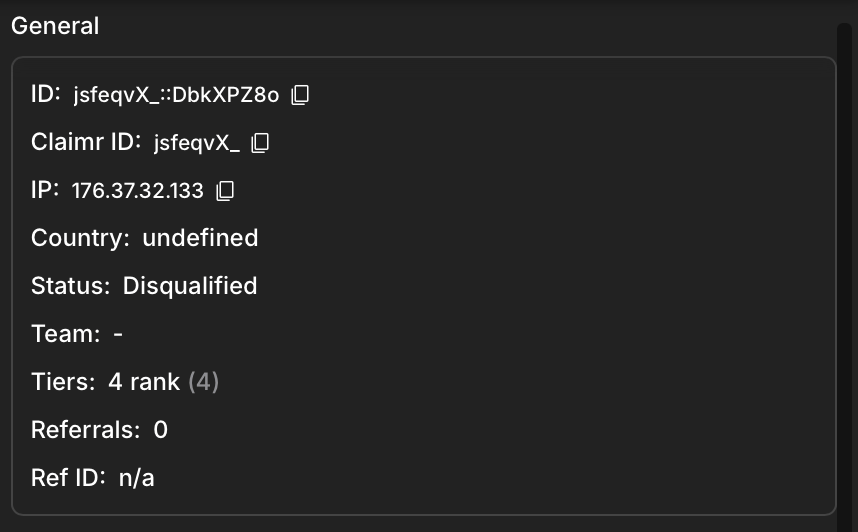
General information example
- ID: The user’s unique identifier.
- IP: The user’s IP address.
- Country: The user’s country of origin.
- Status: The user’s current status in the campaign (e.g., Active, Inactive).
- Team: The team the user belongs to (if applicable).
- Tiers: The user’s current levels or ranks in the campaign.
- Referrals: The number of referrals the user has made.
- Ref ID: The user’s referral ID (if applicable).
UTM
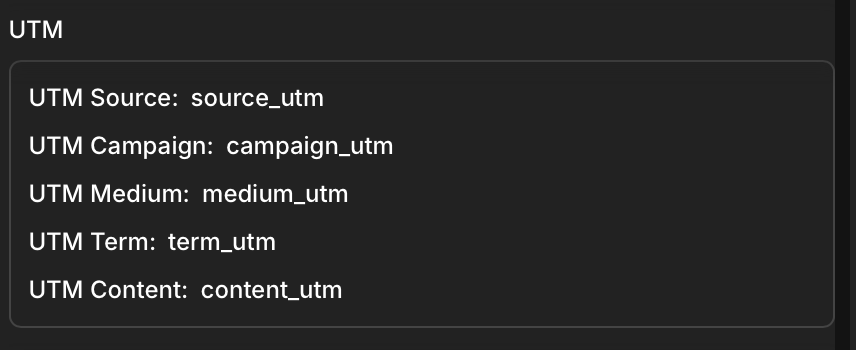
- UTM Source: The source of the user’s traffic (e.g., a specific website or campaign).
- UTM Campaign: The name of the campaign the user is participating in.
- UTM Medium: The medium through which the user accessed the campaign (e.g., email, social media).
- UTM Term: The specific keyword or search term that led the user to the campaign, typically used in paid advertising campaigns (e.g., Google Ads).
- UTM Content: The specific content the user interacted with before joining the campaign.
User
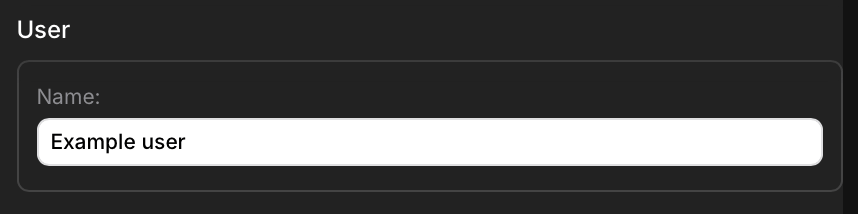
- Name: The user’s display name or username. This information can be edited.
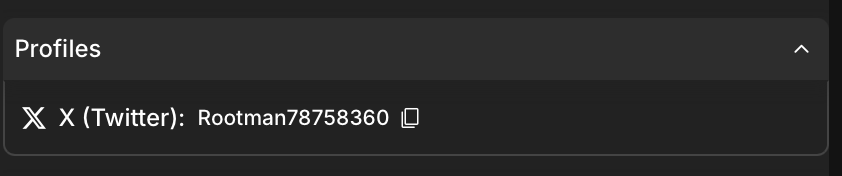
Profiles
Points section
The points section shows how many points were earned from various sources and allows you to adjust manually the user’s total points if needed.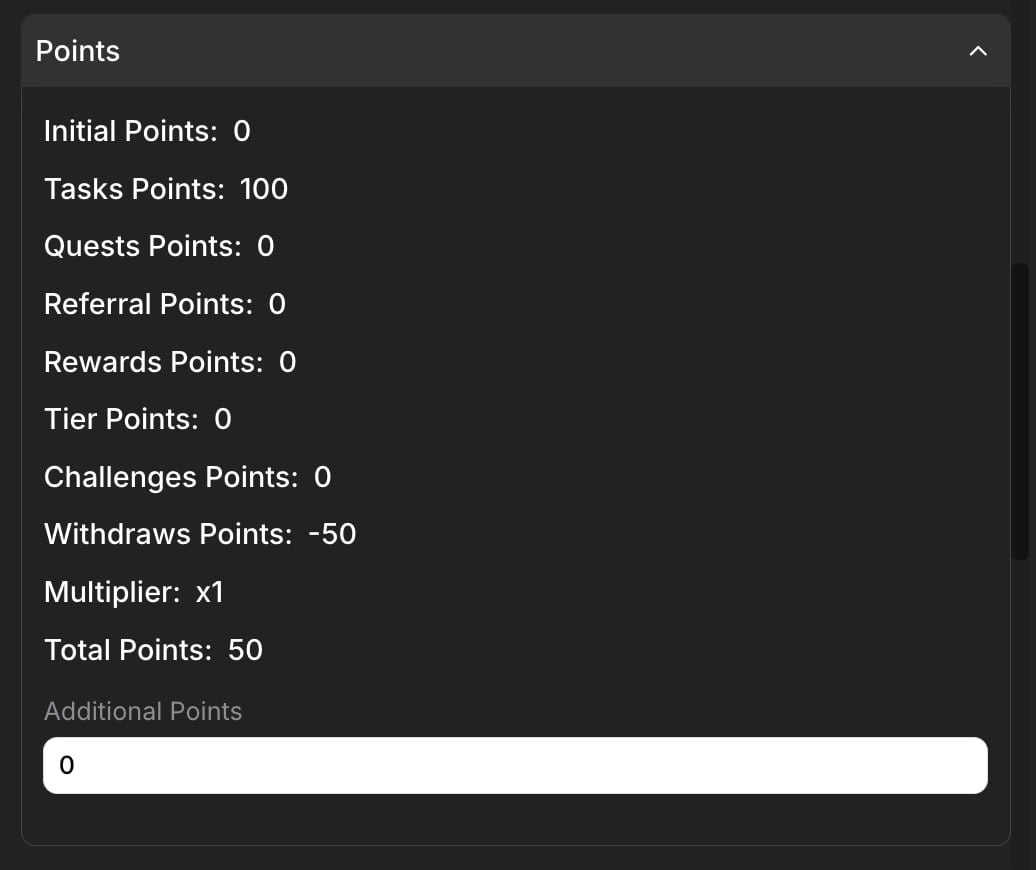
Points section example
- Initial Points are assigned to the user at the start of the campaign.
- Tasks Points are earned from completing tasks.
- Quests Points are earned from completing quests.
- Referral Points are earned through referrals.
- Rewards Points are earned from claiming rewards.
- Rank Points are earned from achieving ranks.
- Challenges Points are earned from completing challenges.
- Withdraws points are any reductions to a user’s total points, such as penalties or corrections applied via the Claimr API.
- Multiplier is applied to the earned points (e.g., due to a bonus or promotion).
- Total Points are accumulated points in the campaign, including any bonuses or multipliers.
- Additional Points field allows you to add manually points to the user’s total. This can be useful for correcting errors, awarding bonus points, or adjusting points based on special circumstances.
Quests
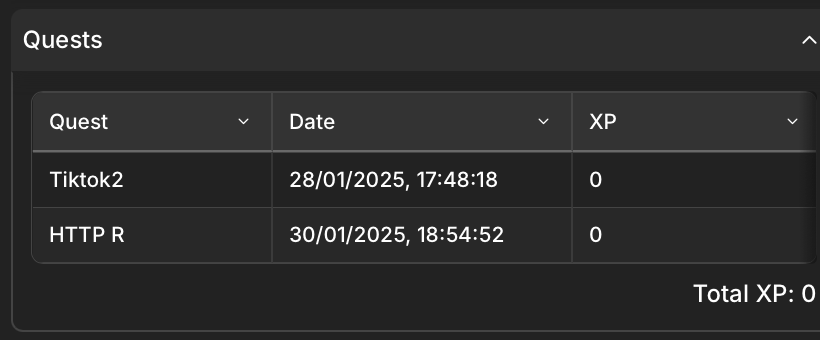
- Quest: The name of the quest.
- Date: The date and time the user participated in the quest.
- Points: The amount of points earned for that quest.
Tasks
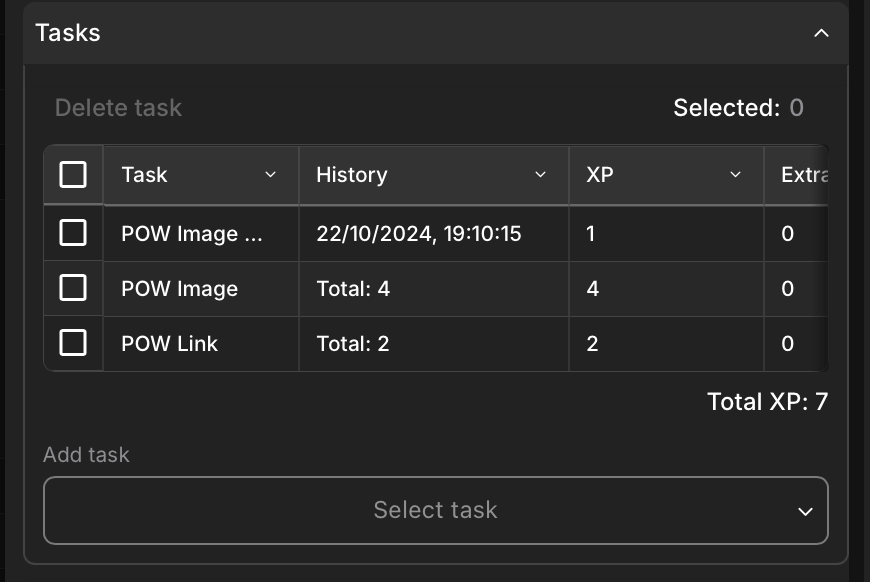
- Task: The name of the task.
- History: The date and time of completion or attempt.
- Points: The amount of points earned for the task.
- Extra: Any additional points earned for the task.
Challenges
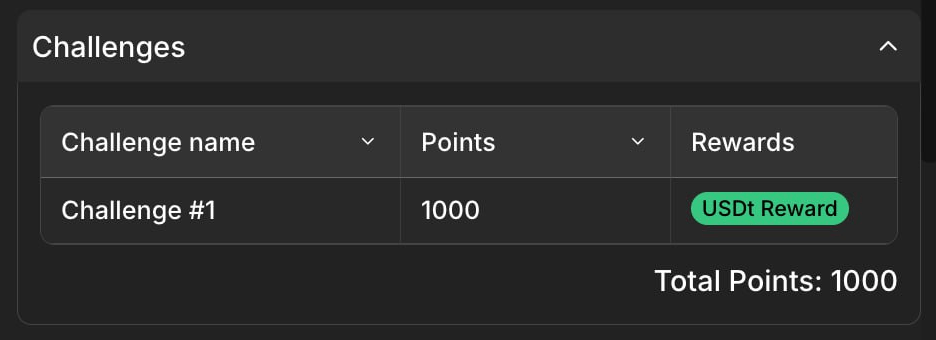
- Challenge Name: The name of the challenge.
- Points: The amount of points earned for the challenge.
- Rewards: Any rewards associated with the challenge.
PoW
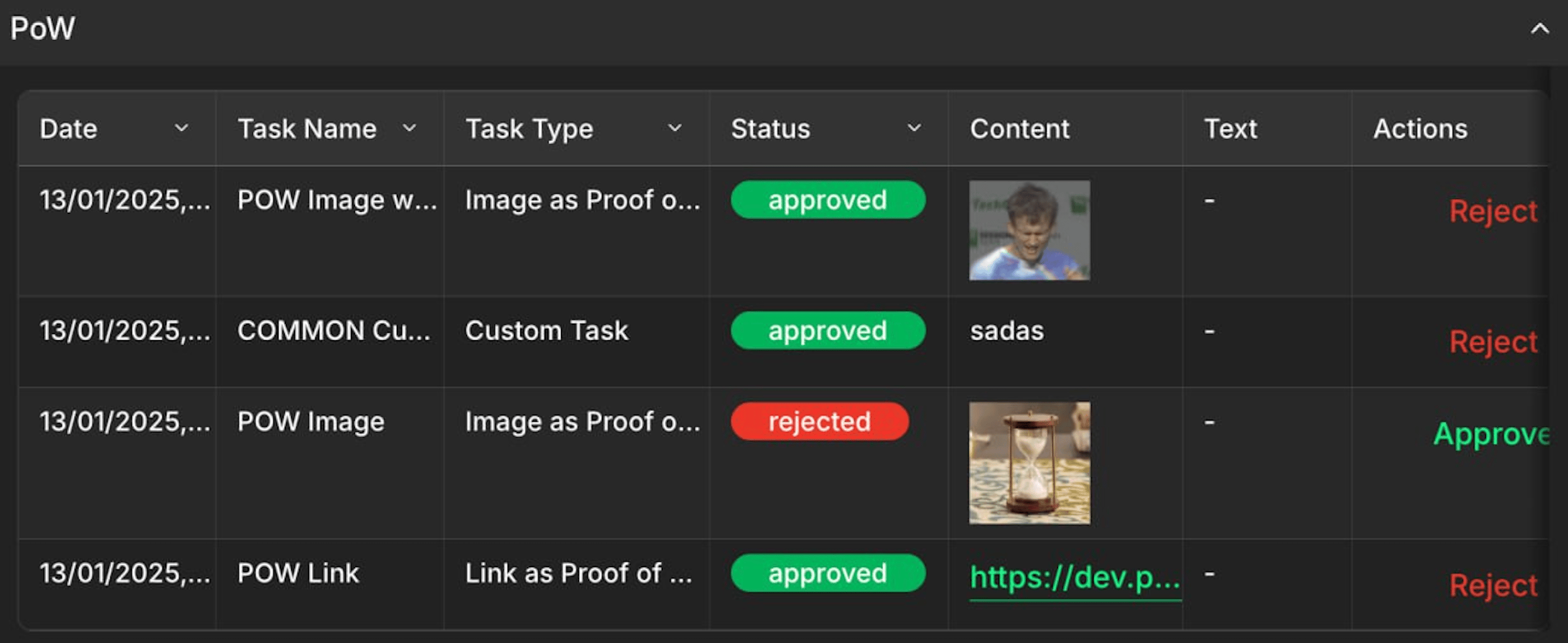
- Date: The date and time the PoW activity was performed.
- Task Name: The name of the task associated with the PoW activity.
- Task Type: The type of PoW task (e.g., “Image as Proof of Work”).
- Status: The status of the PoW activity (e.g., “approved,” “rejected”).
- Content: The content submitted as proof of work (e.g., a link to a tweet or a screenshot).
- Actions: The available actions for the PoW activity.
UGC
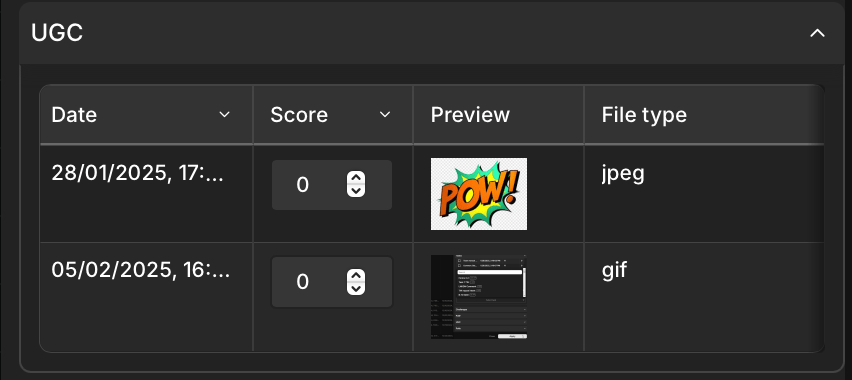
- Date: The date and time the UGC was submitted.
- Score: The score assigned to the UGC.
- Preview: A preview of the UGC, which could be an image, video thumbnail, or text excerpt.
- File type: The file submitted as UGC (e.g., JPEG, GIF).
Rewards
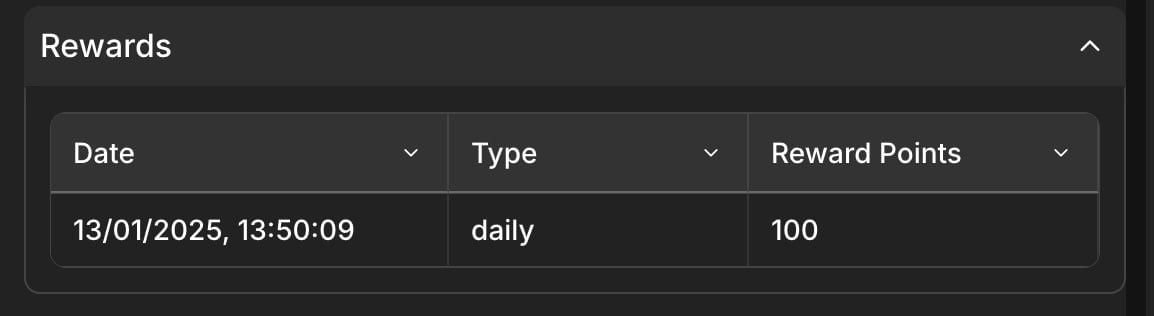
- Date: The date and time when the user earned the reward.
- Type: The type of reward earned. This indicates the source or reason for the reward (e.g., daily login bonus, task completion, referral, etc.).
- Reward Points: Amount of points user got for completing the action.
Polls
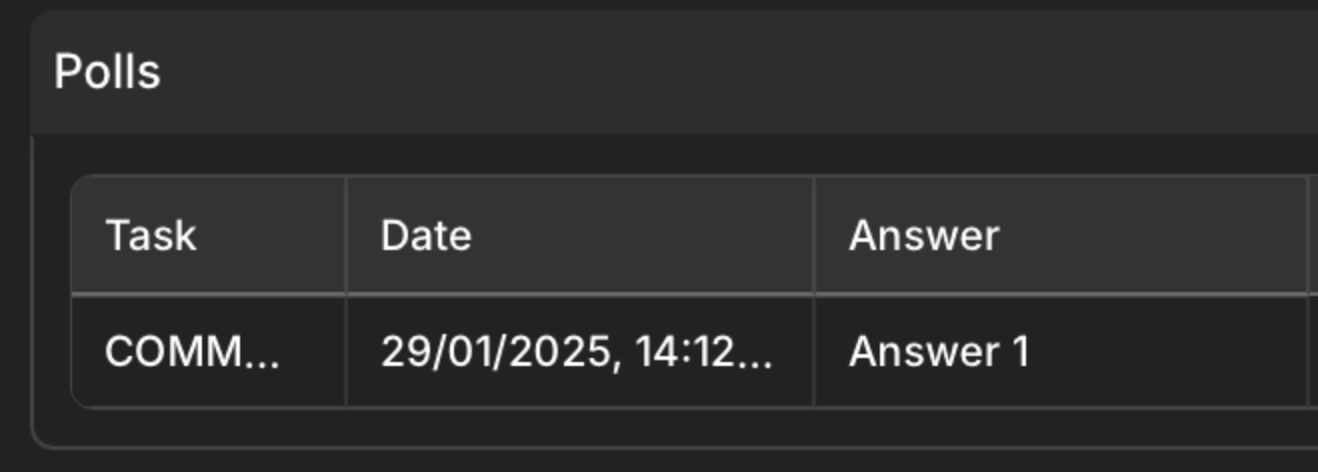
- Task: The name of the task associated with the poll.
- Date: The date and time when the user participated in the poll.
- Answer: The answer that the user selected in the poll.
Withdraws
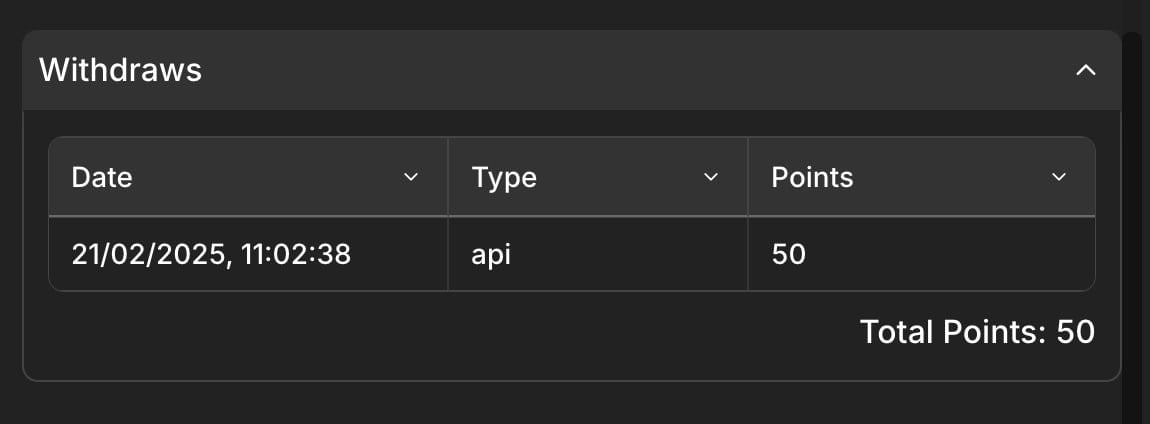
- Date: The date and time when the points were deducted.
- Type: The type for the point deduction indicating the deduction was made via the Claimr API.
- Points: The number of points deducted in this specific transaction (e.g.,
50in the example). - Total Points: The user total points after all operations.
Referrals
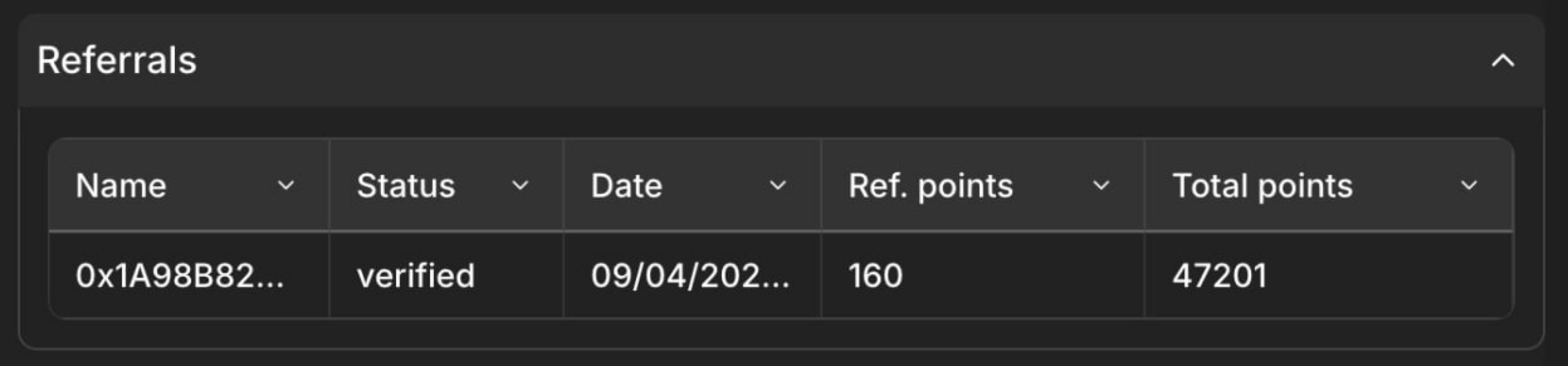
- Name: The name or identifier of the user who was referred.
- Status: The status of the referral.
- Date: The date when the referral occurred.
- Ref. Points: The number of points or rewards earned for the referral.
- Total Points: The total points accumulated by the user through referrals.
Transactions
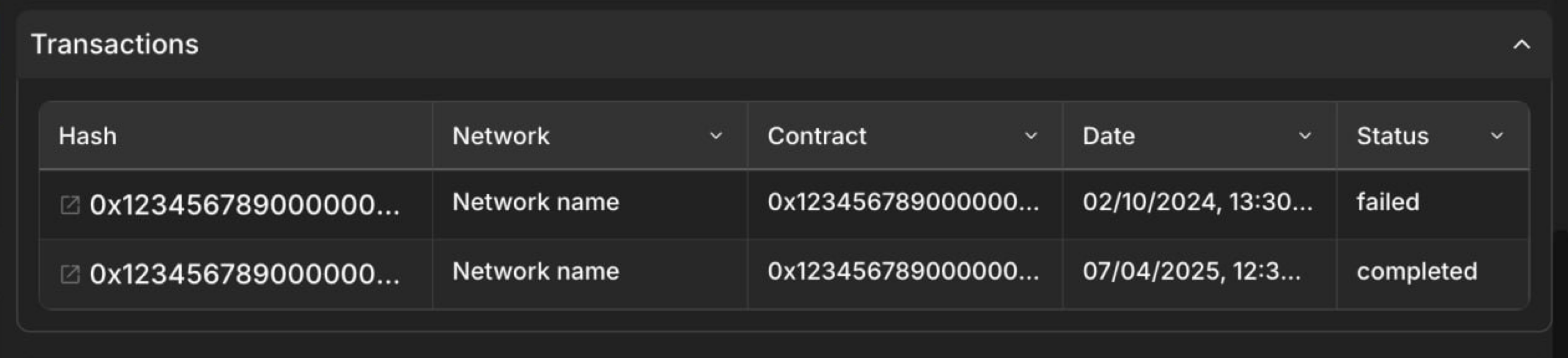
- Hash: The unique identifier (hash) of the transaction.
- Network: The blockchain network on which the transaction occurred.
- Contract: The contract address involved in the transaction.
- Date: The date and time of the transaction.
- Status: The status of the transaction.
Failed actions
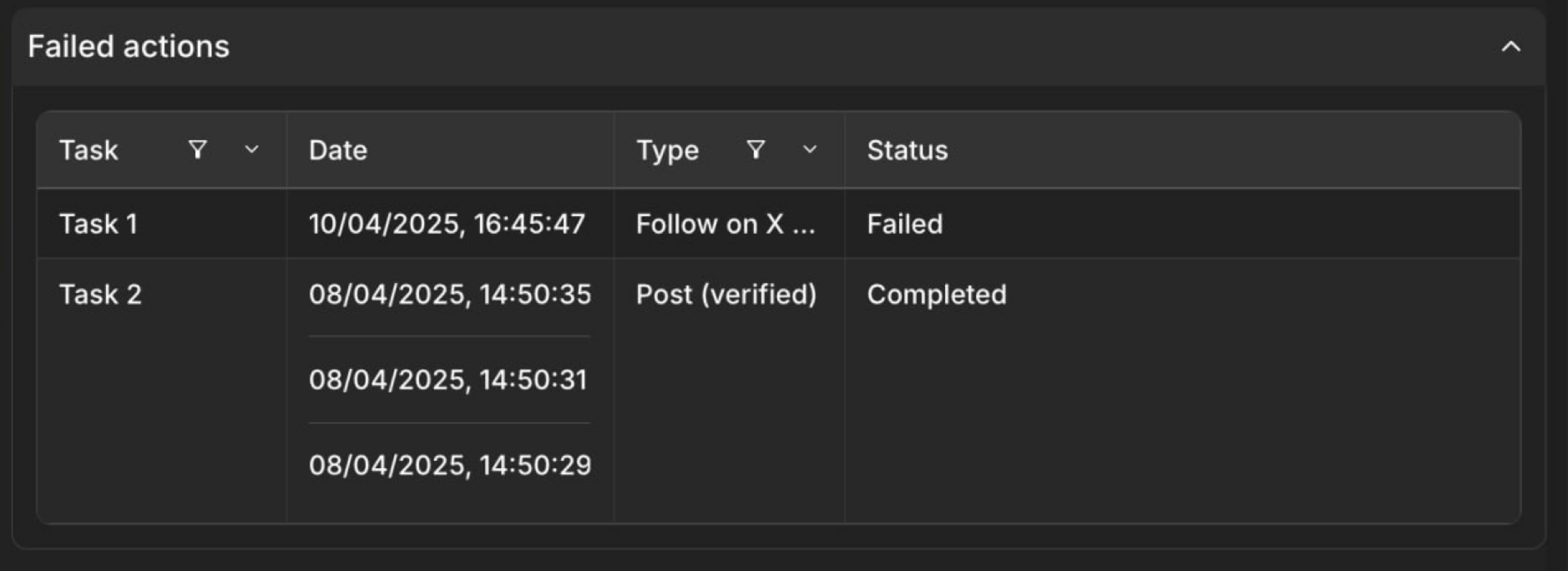
- Task: The name or identifier of the specific task the user was attempting to complete.
- Date: The date and time when the action was attempted. Multiple date entries for the same task indicate multiple attempts.
- Type: The type of task the user attempted (e.g., “Follow on X”).
- Status: The status of the attempted action (e.g., “Failed”, “Completed”). This indicates whether the action was successful or not.
For more details about all User information in Claimr, visit Failed actions.
Issues
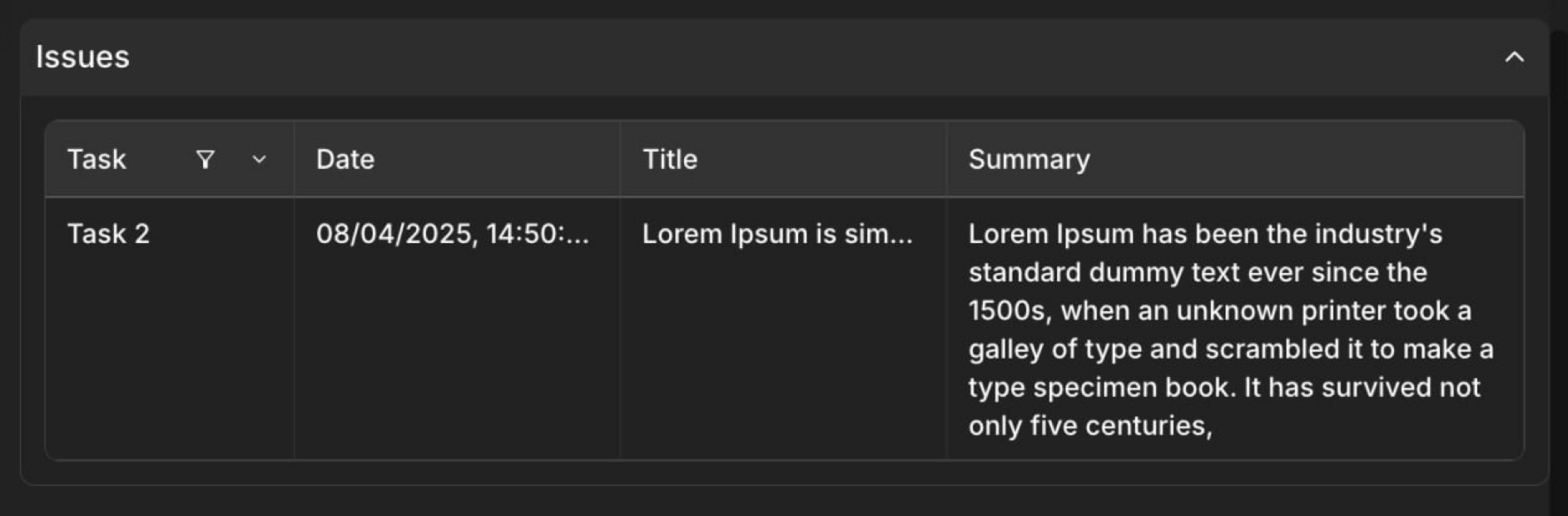
- Task: The name or identifier of the specific task associated with the reported issue.
- Date: The date and time when the issue was reported.
- Title: A brief title or summary of the issue, often provided by the user when reporting the problem.
- Summary: A more detailed description or explanation of the issue provided by the user.
For more details about all User information in Claimr, visit Issues analytics.
Actions
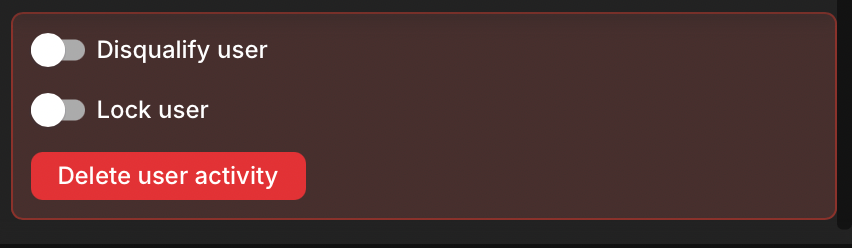
Disqualify user toggle
- Marks the user as a bot or engaging in suspicious activity.
- Excludes the user’s referrals from statistics.
- Renders the user invalid as a referral/referrer.
Lock user toggle
- Immediately suspends the user’s account.
- Removes the user’s access to the campaign.
Delete user activity button
- Initiates the permanent deletion of all user activity.
- Should be used with extreme caution as an irreversible action.