
What is Issue analytics?
Issue analytics provides a detailed overview of user-reported problems encountered while completing tasks within Claimr, specifically for VAPs remarketing companies. It allows you to monitor and analyze user-submitted reports to identify and resolve potential task-completion issues.How your users see this
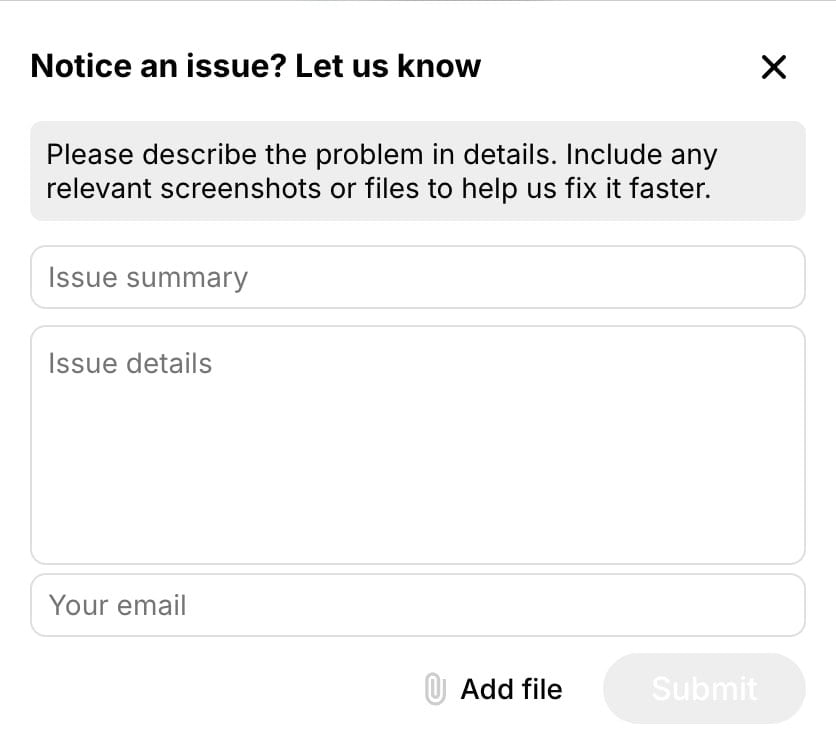
When users, aiming to complete tasks, encounter issues, they can report them. The Report an issue link appears after three unsuccessful attempts to complete a task.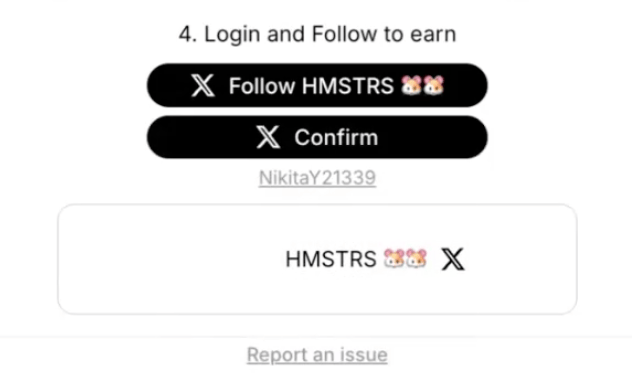
- Leave their email address.
- Provide a short issue description.
- Attach files.
Use this data to
- Identify task completion barriers: Spot patterns and trends in user-reported issues preventing task completion.
- Improve task clarity: Address issues to minimize user frustration and ensure smoother task completion.
- Enhance user experience: Resolve problems promptly to improve overall satisfaction with the task completion process.
- Monitor task integrity: Ensure tasks are being completed correctly and effectively.
Accessing Issues analytics
- Log in to your Claimr account.
- Select the relevant campaign.
- Click on the Analytics tab.
- Select Issues from the submenu.
Issue dashboard
Once you select Issues, the dashboard will open, displaying a table of all reported issues. This table provides a summary of each issue and allows you to quickly assess the situation.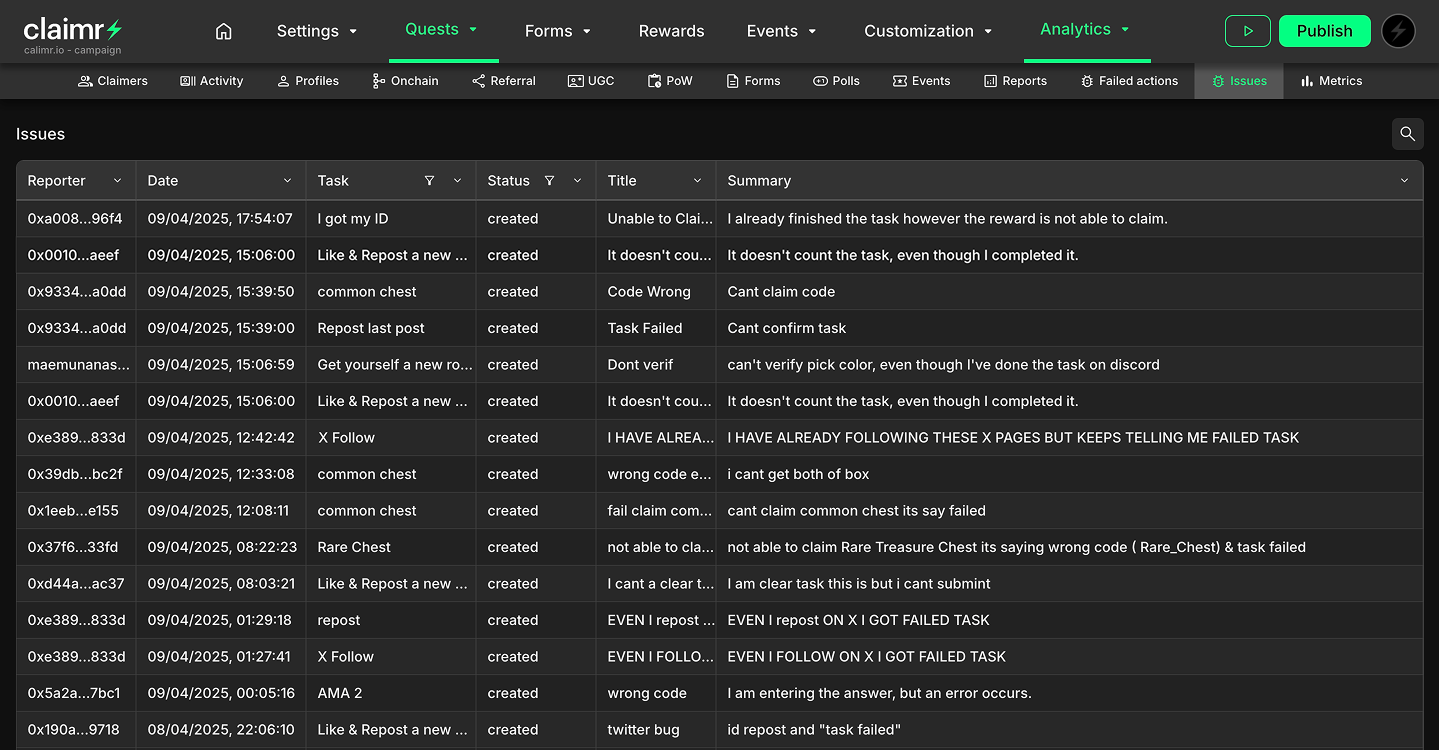
- Reporter: The username or identifier of the user who reported the issue.
- Date: The date and time when the issue was reported.
- Task: The name or identifier of the task the user was attempting to complete.
- Status: The current status of the reported issue.
- Title: A brief title or summary of the issue provided by the user.
- Summary: A short description of the issue provided by the user.
Issue details modal
Clicking on a row in the dashboard table opens a modal window containing all the details of the reported issue.General information
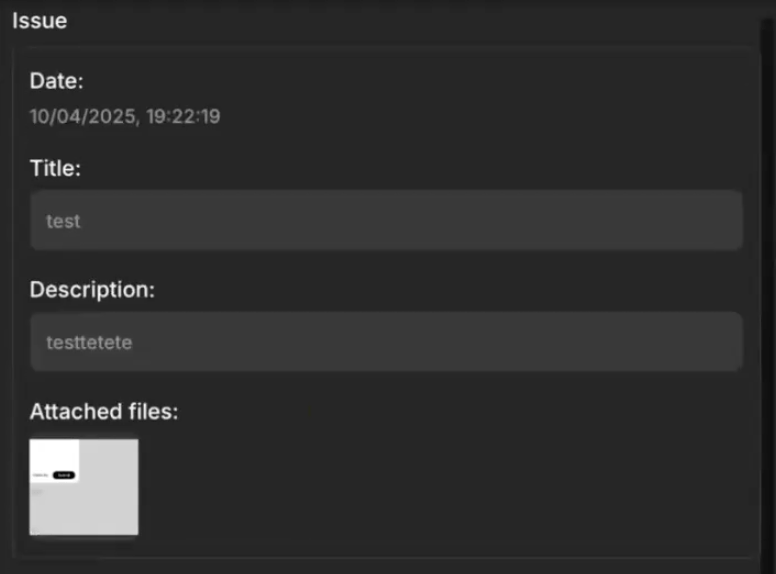
- Date: The date and time when the issue was reported.
- Title: The title or summary of the issue provided by the user.
- Description: The detailed description of the issue provided by the user.
- Attached files: Any files (e.g., screenshots) attached by the user.
Task section
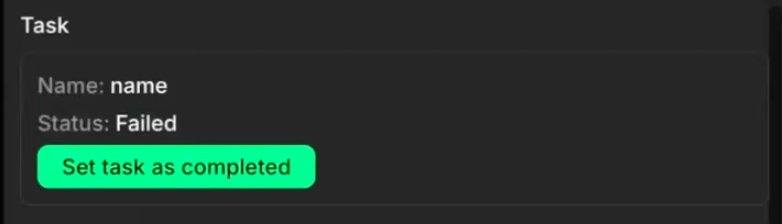
- Name: The name of the task the user was attempting to complete.
- Status: The status of the task at the time the issue was reported (e.g., “Failed”).
- Set task as completed: A button allowing you to manually mark the task as completed if you determine the issue does not prevent successful completion.
Reporter section
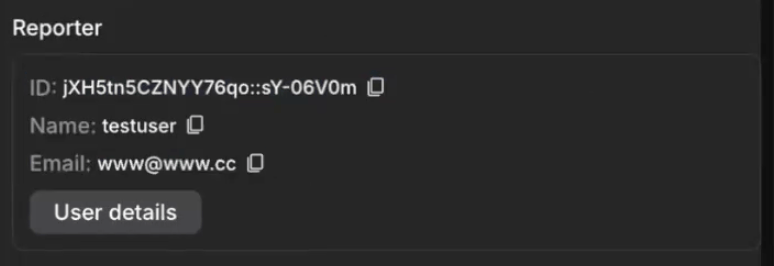
- ID: The unique identifier of the user who reported the issue.
- Name: The username of the user who reported the issue.
- Email: The email address of the user who reported the issue.
- User details: A button or link to view more detailed information about the reporting user.
For more details about all User information in Claimr, visit User information.
Trace section
This section provides a breadcrumb trail of the user’s activity leading up to the reported issue. You can recreate the user’s steps and identify the source of the problem.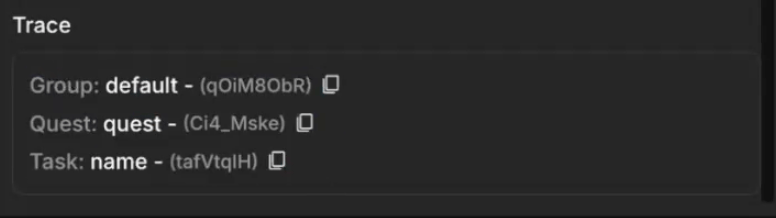
- Group: The group associated with the task. This helps identify the specific set of tasks or users involved.
- Quest: The quest associated with the task. This helps pinpoint the specific campaign or sequence of actions the user was attempting.
- Task: The name of the task the user was attempting to complete.