
What is the SDK task?
The SDK task in Claimr is a fully developer-triggered task, designed for maximum flexibility. Unlike other tasks that rely on user-facing actions, SDK tasks are triggered manually from your own system using Claimr’s SDK. Use SDK tasks to:- Reward users for in-product actions (e.g., completing onboarding, watching a full tutorial, etc.)
- Trigger rewards based on events tracked in your own platform
- Seamlessly integrate Claimr into your existing app or website
Create an SDK task
To create this task in Claimr: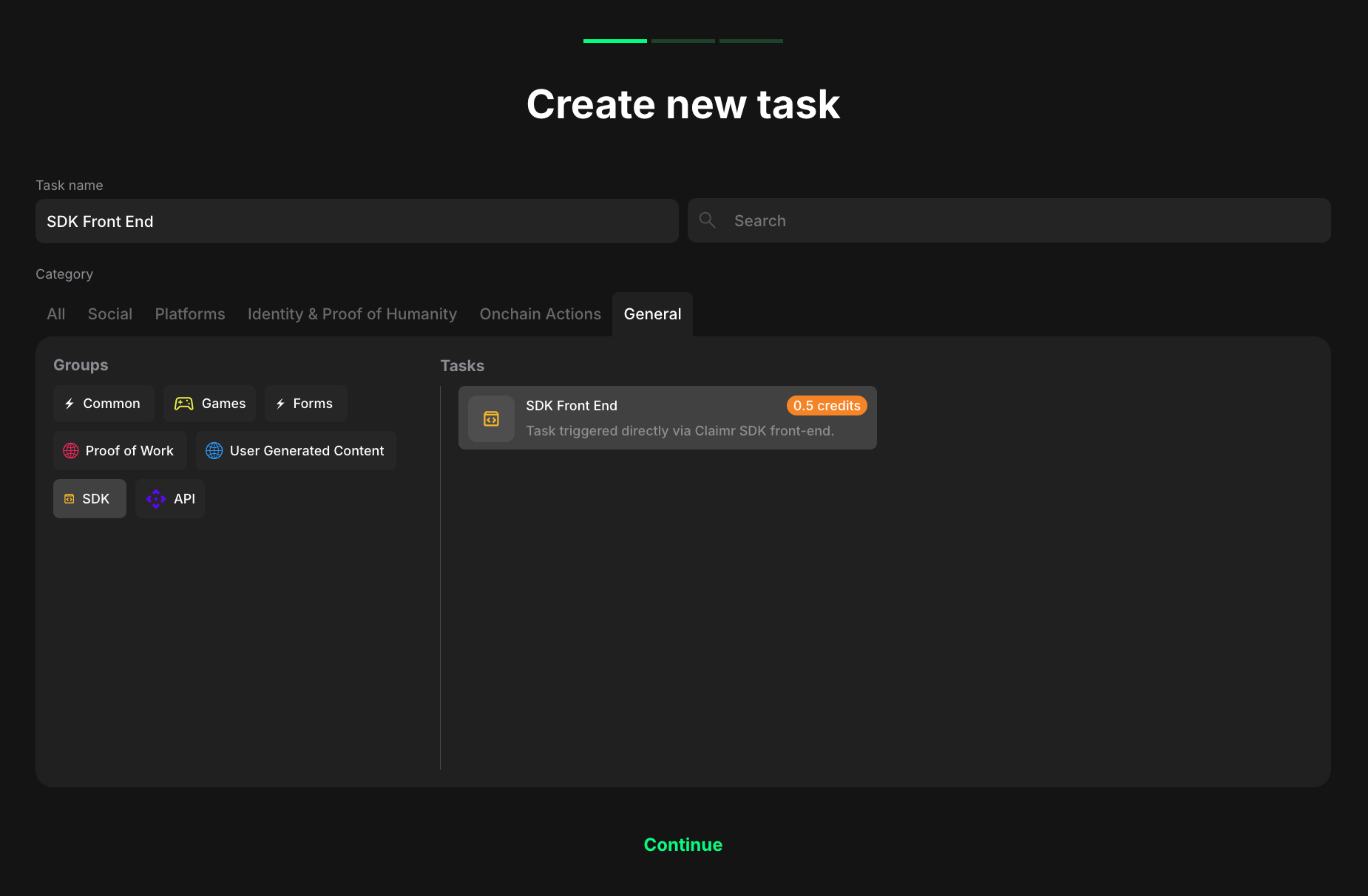
- Go to your quest and click + Create new task.
- Under the Category section, select General.
- In the Groups list, choose SDK.
- Then, select SDK FrontEnd from the list of task types.
- Click Continue to proceed to task settings.
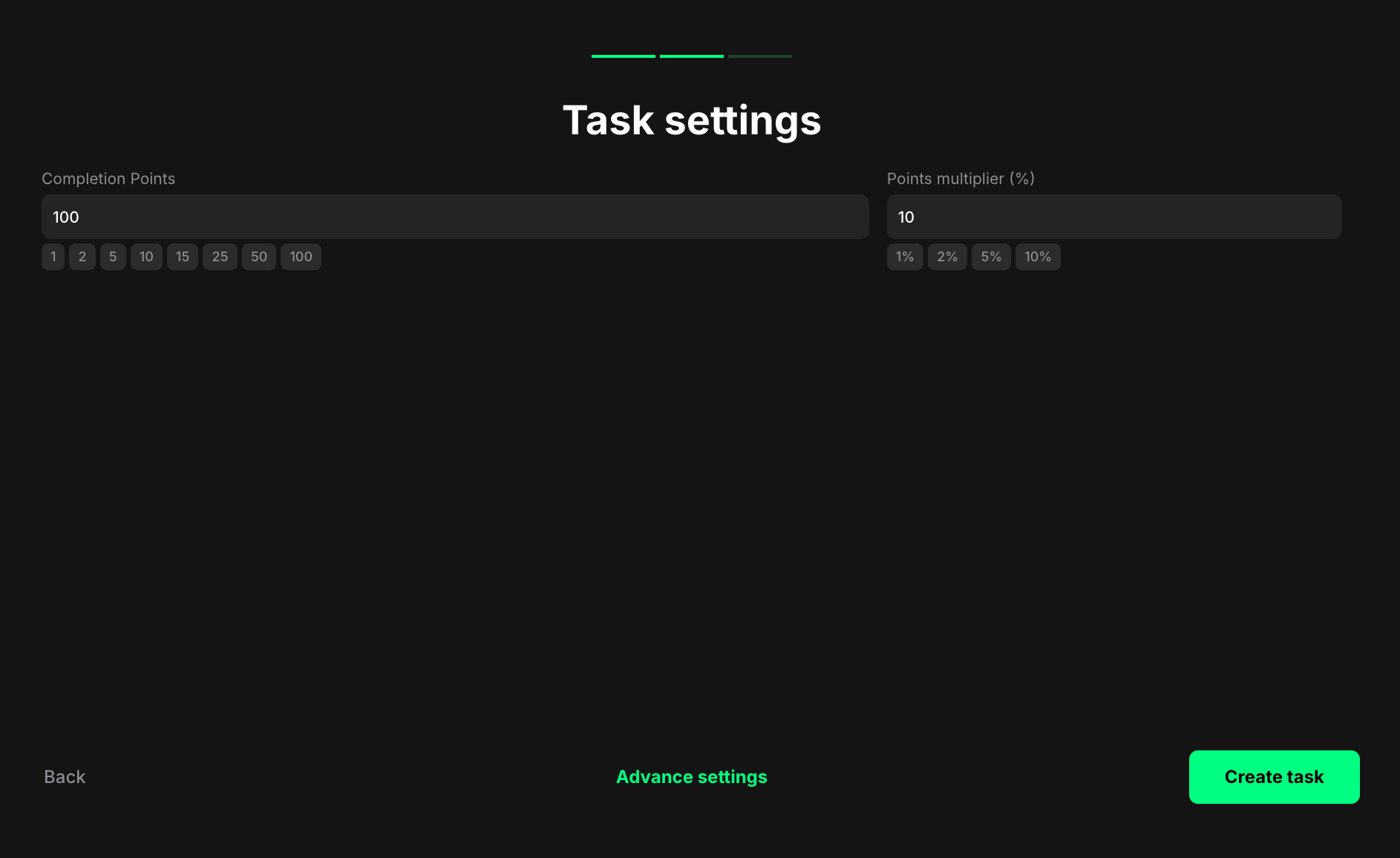
- Completion points: Set the number of points awarded once the user reaches the required event count.
- Points multiplier (%): Add a percentage-based bonus to the total reward. For example, a 5% multiplier increases the final reward by 5%.
How the task is completed
To complete an SDK task, call thecomplete_task method of the Claimr SDK from the page that shows the widget:
TASK_ID with the actual ID of the SDK task. Once the call succeeds, the task is marked as complete and the user is rewarded.
The widget must be loaded when you make the call. If your app renders the widget itself, wait until window.claimr.is_claimr_ready is true. You can learn more about this method in the SDK documentation.
Use case example
Let’s say you run a crypto wallet app. You want users to receive rewards only after they import an existing wallet and activate two-factor authentication. Once these steps are verified in your system, you can call thecomplete_task method via the Claimr SDK, and the user gets rewarded within the Claimr quest.