
What are Binance tasks?
Binance tasks allow users to connect their Binance account to Claimr, verify their KYC status, and calculate activity-based rewards from Binance data. There are three main types of Binance tasks:- Connect Binance Account: Link a user’s Binance account via API key.
- Binance KYC: Verify that the connected account has completed KYC verification.
- Binance Trading Volume: Track the user’s total trading volume on Binance.
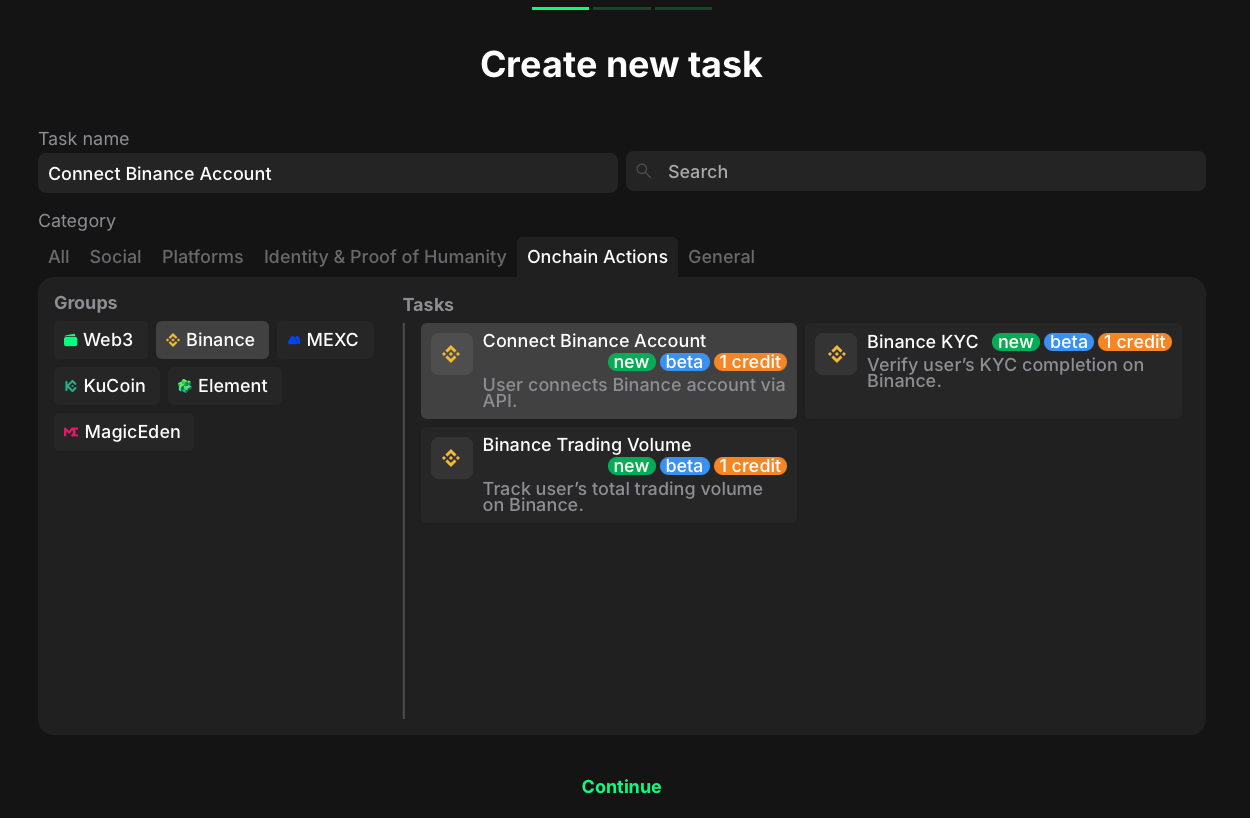
- Go to the Onchain Actions category.
- Select Binance to filter the available options.
- Considering your aim, select the specific task type.
Connect Binance account
- Go to your quest and click + Create new task.
- Under the Category section, select Onchain Actions.
- In the Groups list, choose Binance.
- Select Connect Binance Account from the list of task types.
- Click Continue to proceed to task settings.
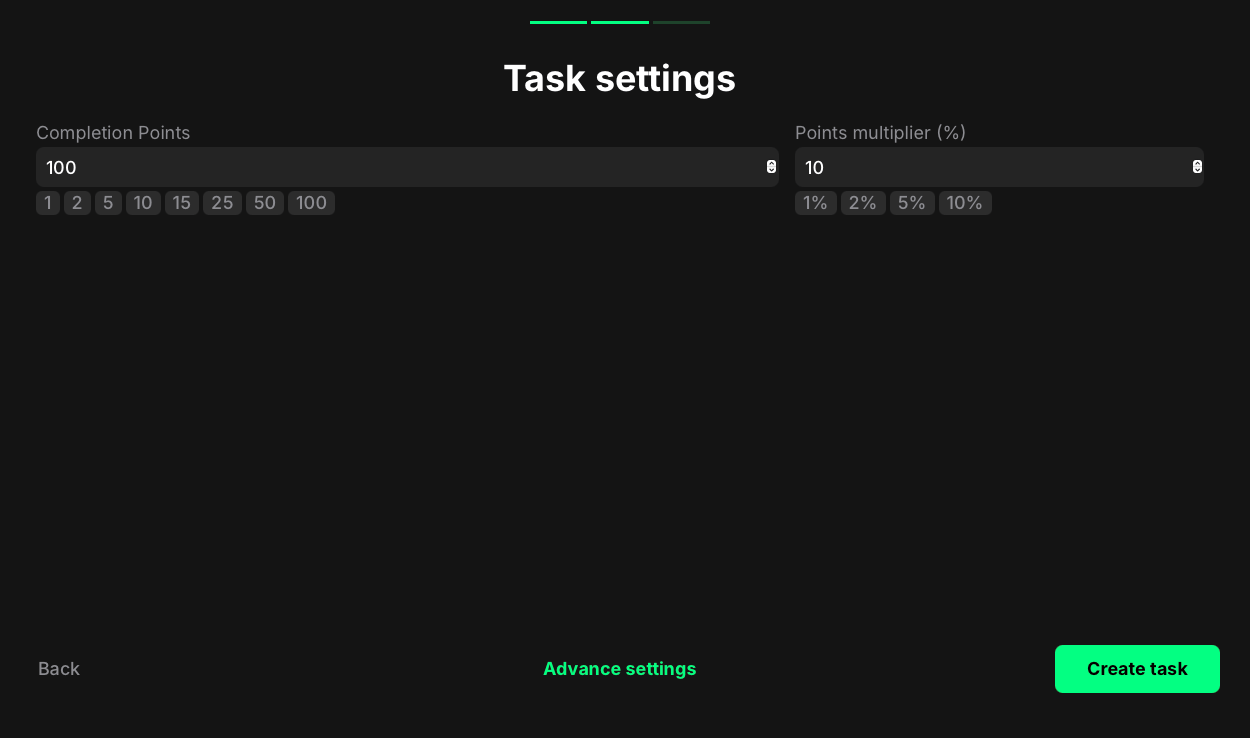
- Completion points: Set the number of points awarded when the user successfully connects their Binance account.
- Points multiplier (%): Add a percentage-based bonus to the total reward. Example: a 10% multiplier increases the final reward by 10%.
Binance KYC
- Go to your quest and click + Create new task.
- Under the Category section, select Onchain Actions.
- In the Groups list, choose Binance.
- Select Binance KYC from the list of task types.
- Click Continue to proceed to task settings.
- Completion points: Set the number of points awarded when the user’s Binance account is verified through KYC.
- Points multiplier (%): Add a percentage-based bonus to the total reward. For example, a 5% multiplier increases the final reward by 5%.
Claimr doesn’t receive KYC data directly, only the verified status.
Binance trading volume
- Go to your quest and click + Create new task.
- Under the Category section, select Onchain Actions.
- In the Groups list, choose Binance.
- Select Binance Trading Volume from the list of task types.
- Click Continue to proceed to task settings.
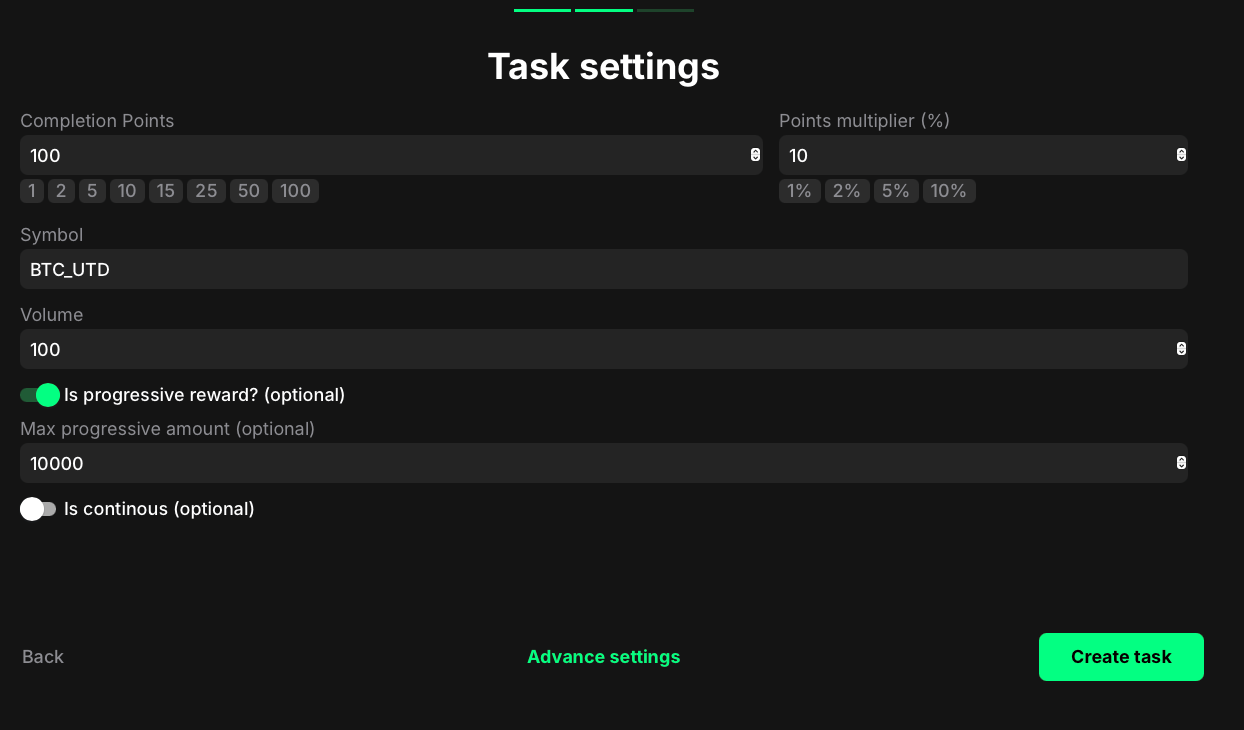
- Completion points: Set the number of points awarded when the user reaches the required trading volume.
- Points multiplier (%): Add a percentage-based bonus to the total reward. For example, a 10% multiplier increases the final reward by 10%.
- Symbol: Enter the trading pair symbol you want to track (for example, “BTC/USDT”). The exact symbol must match Binance’s naming convention.
- Volume: Define the total trading volume the user must reach for this task to be considered complete.
- Is progressive reward? (optional): Enable this option to scale rewards based on how much the user exceeds the required trading volume.
- For example, if 10 USD equals 2 points, then 20 USD equals 4 points.
- The final reward increases proportionally with higher trading volumes.
- Max progressive amount (optional): Set the maximum trading volume used to calculate progressive rewards.
- For example, if the limit is 100,000 USD and the user trades 1,000,000 USD, they still receive the reward calculated for 100,000 USD.
- This cap prevents disproportionate rewards for extremely large trading volumes.
- Is continuous (optional): Enable this option to keep the task open after completion. Users can continue earning points each time they meet the task conditions again.