
What are MEXC tasks?
MEXC tasks allow users to connect their MEXC account to Claimr, verify KYC status, and track trading volume directly from the exchange. These tasks enable Claimr to validate account ownership, confirm user verification, and calculate activity-based rewards using MEXC data. There are five main types of MEXC tasks:- Connect MEXC Account: Link a user’s MEXC account via API key.
- MEXC KYC: Verify that the connected account has completed KYC verification.
- MEXC Trading Volume: Track the spot volume the user traded over a time window.
- MEXC Hold Token: Check that the user holds at least a set amount of a token.
- MEXC Deposit: Check that the user deposited at least a set amount of a token onto MEXC.
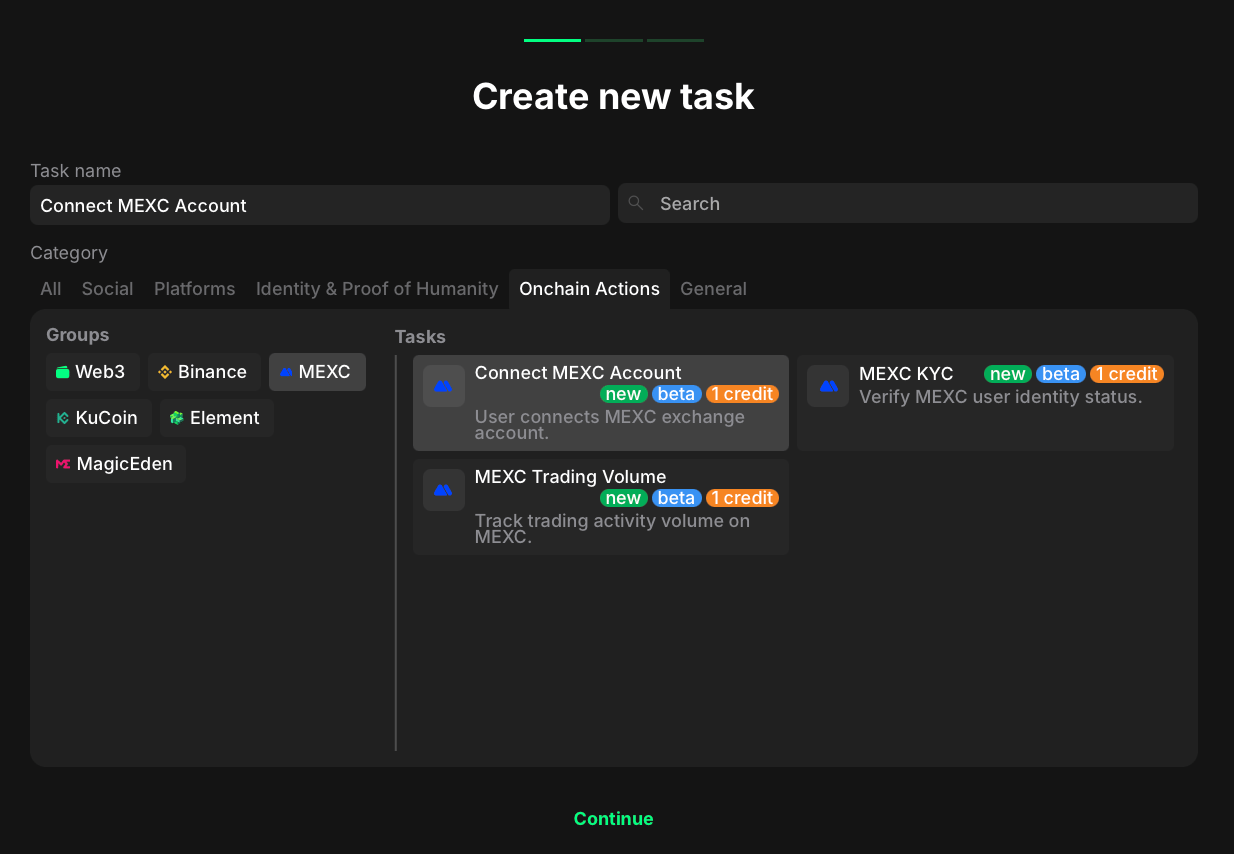
- Go to the Onchain Actions category.
- Select MEXC to filter the available options.
- Considering your aim, select the specific task type.
Connect MEXC account
- Go to your quest and click + Create new task.
- Under the Category section, select Onchain Actions.
- In the Groups list, choose MEXC.
- Select Connect MEXC Account from the list of task types.
- Click Continue to proceed to task settings.
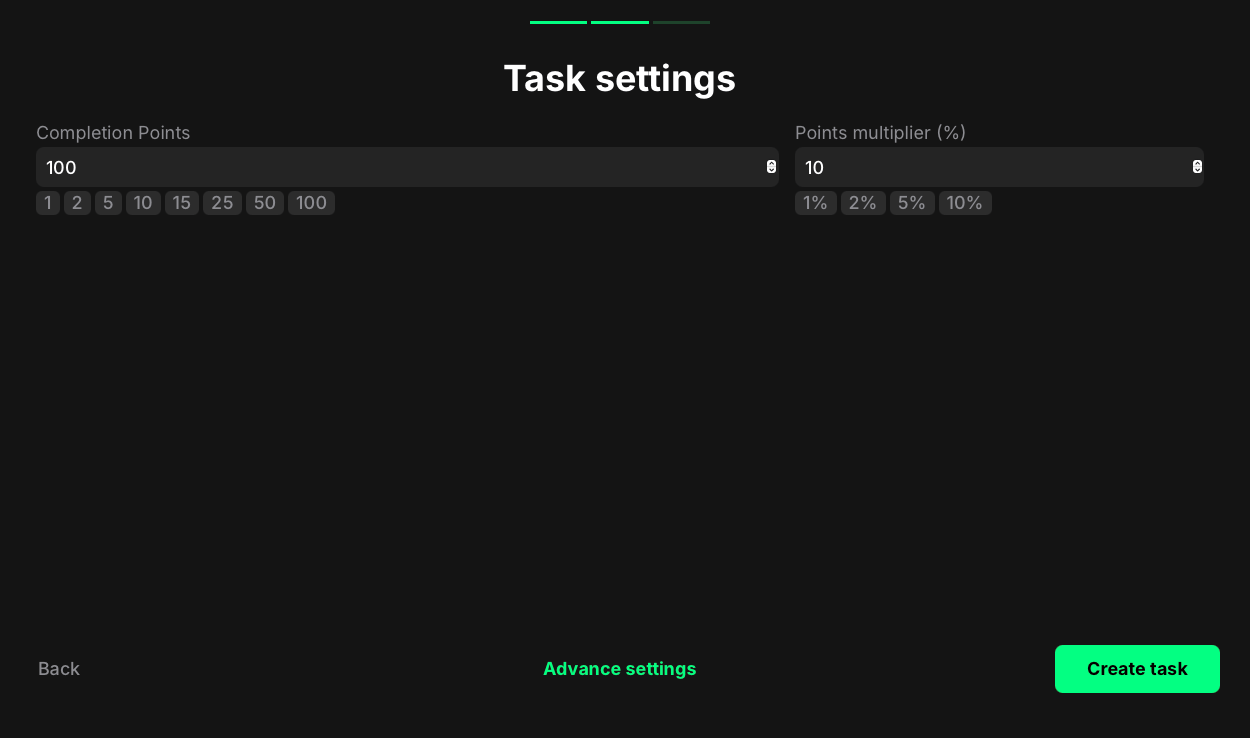
- Completion points: Set the number of points awarded when the user successfully connects their MEXC account.
- Points multiplier (%): Add a percentage-based bonus to the total reward. Example: a 10% multiplier increases the final reward by 10%.
MEXC KYC
- Go to your quest and click + Create new task.
- Under the Category section, select Onchain Actions.
- In the Groups list, choose MEXC.
- Select MEXC KYC from the list of task types.
- Click Continue to proceed to task settings.
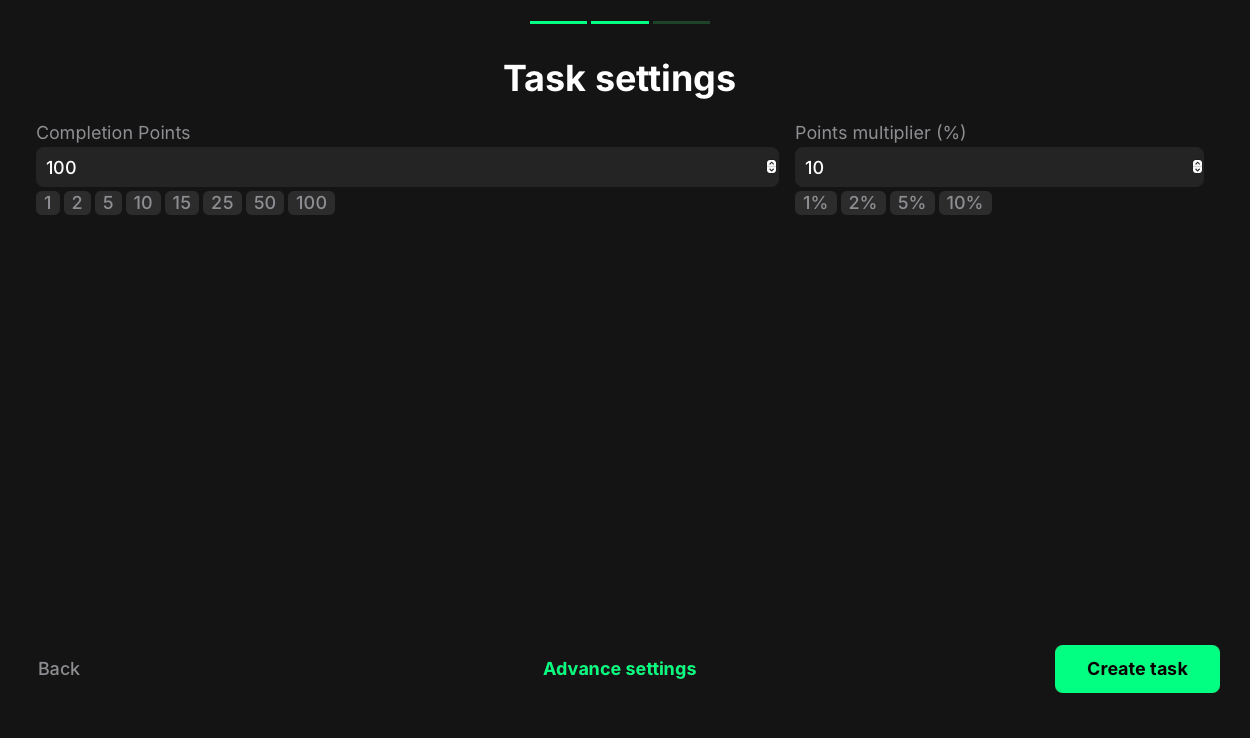
- Completion points: Set the number of points awarded when the user’s MEXC account is verified through KYC.
- Points multiplier (%): Add a percentage-based bonus to the total reward. Example: a 5% multiplier increases the final reward by 5%.
Claimr doesn’t receive KYC data directly, only the verified status.
MEXC trading volume
- Go to your quest and click + Create new task.
- Under the Category section, select Onchain Actions.
- In the Groups list, choose MEXC.
- Select MEXC Trading Volume from the list of task types.
- Click Continue to proceed to task settings.
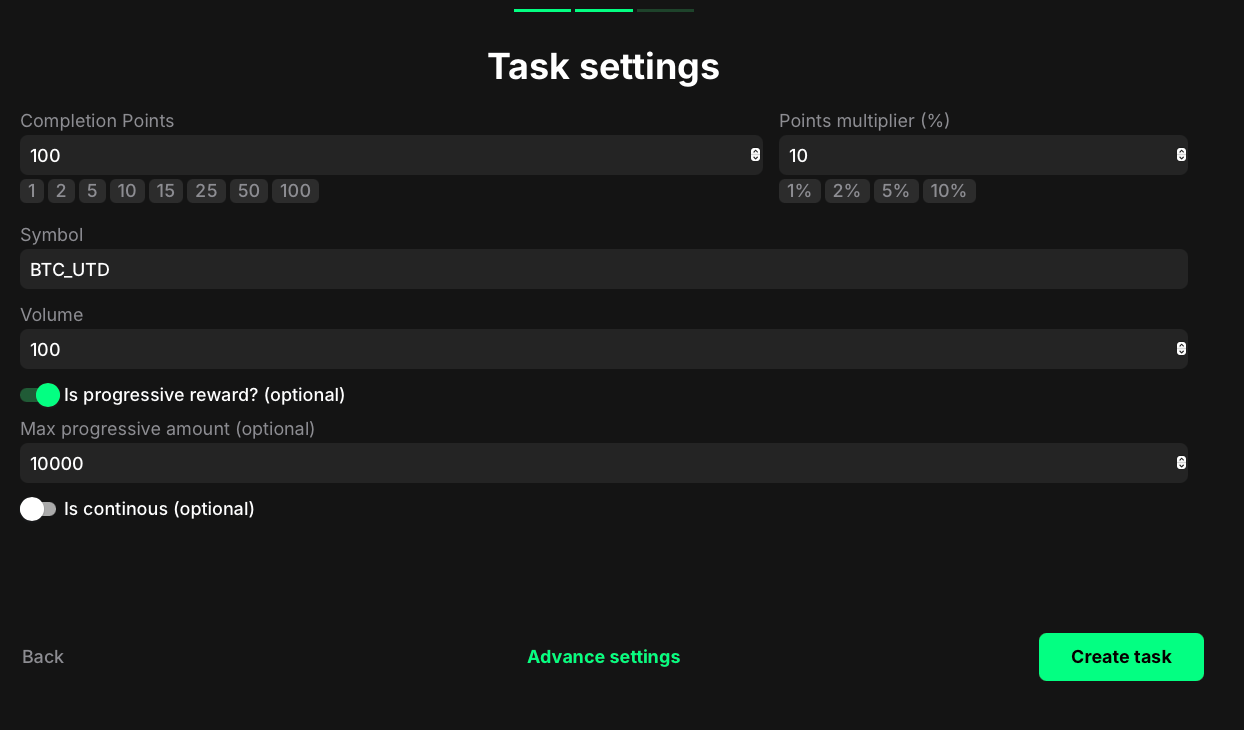
- Completion points: Set the number of points awarded when the user reaches the required trading volume.
- Points multiplier (%): Add a percentage-based bonus to the total reward. Example: a 10% multiplier increases the final reward by 10%.
- Symbol: The spot trading pair, written the way MEXC writes it (for example,
BTCUSDT). To count several pairs, separate them with commas. Their volumes are added up, so pick pairs that share a quote currency. - Volume: The volume the user must reach, in the pair’s quote currency.
- Time, h (optional): Count only trades from the last number of hours.
- Start at and End at (optional): Count only trades between these dates. With no time window set, the task counts the last 30 days, the most MEXC keeps.
- Is progressive reward? (optional): Scale the reward with how many times the user reaches the volume. Example: if 10 USDT of volume earns 2 points, 20 USDT earns 4 points.
- Max progressive amount (optional): The highest volume used to calculate progressive rewards. Example: with a limit of 100,000 USDT, a user who trades 1,000,000 USDT still receives the reward for 100,000 USDT.
- Is continuous (optional): Keep the task open after completion, so users keep earning as their volume grows.
MEXC hold token
- Go to your quest and click + Create new task.
- Under the Category section, select Onchain Actions.
- In the Groups list, choose MEXC.
- Select MEXC Hold Token from the list of task types.
- Click Continue to proceed to task settings.
- Completion points: Set the number of points awarded when the user completes the task.
- Points multiplier (%): Add a percentage-based bonus to the total reward. Example: a 10% multiplier increases the final reward by 10%.
- Token: The token ticker, for example
USDT. - Amount: The amount of the token the user must hold.
MEXC deposit
- Go to your quest and click + Create new task.
- Under the Category section, select Onchain Actions.
- In the Groups list, choose MEXC.
- Select MEXC Deposit from the list of task types.
- Click Continue to proceed to task settings.
- Completion points: Set the number of points awarded when the user completes the task.
- Points multiplier (%): Add a percentage-based bonus to the total reward. Example: a 10% multiplier increases the final reward by 10%.
- Token: The token ticker, for example
USDT. - Amount: The amount the user must deposit, in the token.
- Network (optional): Count only deposits that arrived on this network. Use the network name as MEXC shows it. Leave it empty to count any network.
- Time, h, Start at and End at (optional): Count only deposits made in this window.