> For the complete documentation index, see [llms.txt](https://docs.claimr.io/llms.txt). Markdown versions of documentation pages are available by appending `.md` to page URLs; this page is available as [Markdown](https://docs.claimr.io/tasks/telegram-tasks.md).

# Telegram tasks

## **What is Telegram task?**

Leverage the power of Telegram to grow your community and engage users within your claimr campaigns.

**Use Telegram tasks to:**

* Increase your Telegram group or channel members.
* Encourage users to participate in Telegram discussions or activities.
* Promote your Telegram community within your Claimr campaigns.
* Reward users for joining and interacting with your Telegram group or channel.
* Track the effectiveness of your Telegram marketing efforts.

For detailed information about general task settings, including task name, header, description, rewards, dependencies, and more, refer to [Task settings](/tasks/task-settings.md).&#x20;

## **Task type**

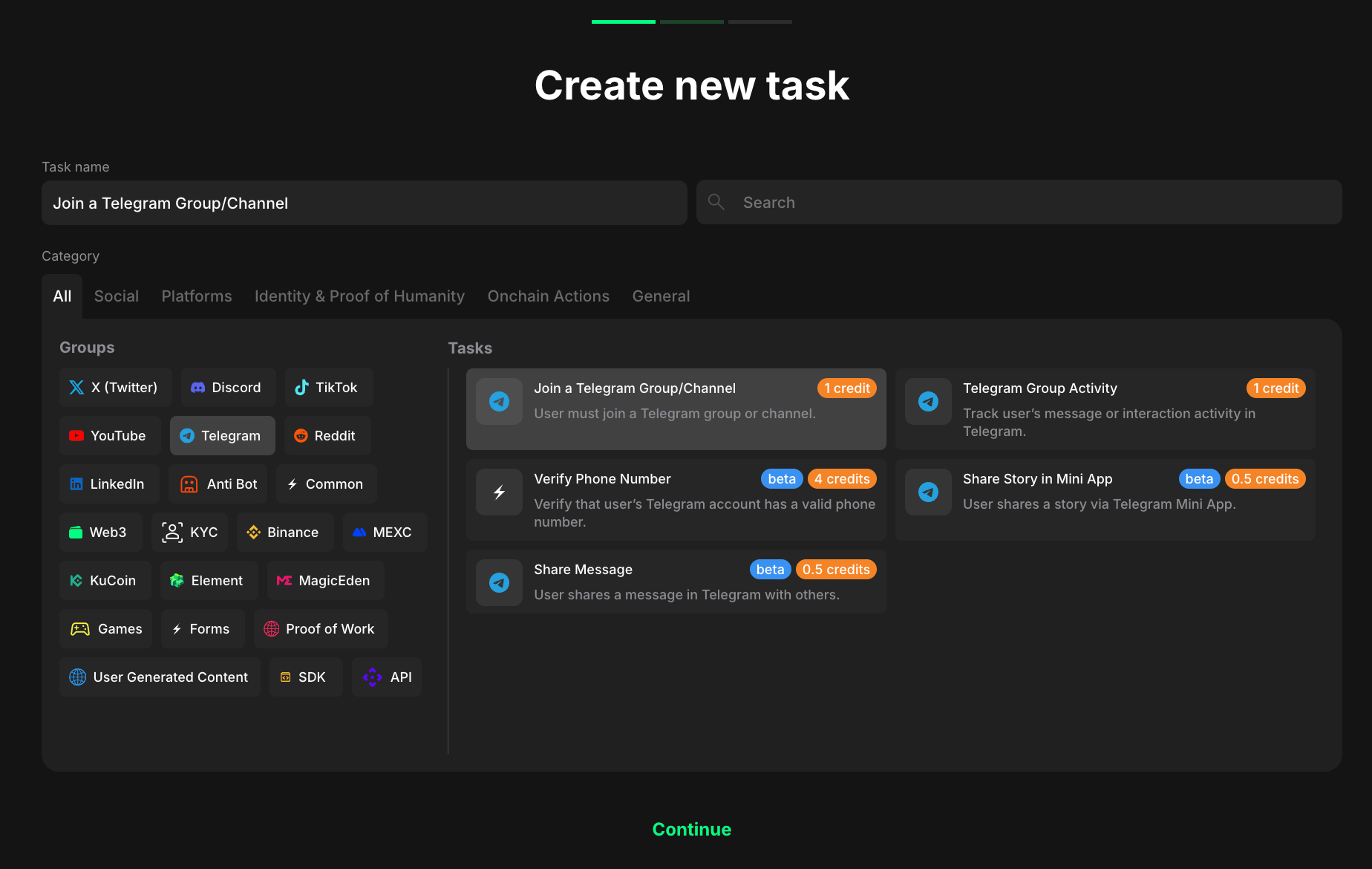
Choose the specific type of task you want to create for your campaign.&#x20;
<figure><img src="/files/OiUdJ5PKBmPCnMlu3N9G" alt="" width="563"><figcaption><p>Task type section</p></figcaption></figure>

1. Select <mark style="color:green;">**Telegram**</mark> to indicate that the task will be completed with TikTok platform.
2. Considering your aim, select the specific task type from the expanded list.

## Join Telegram channel

### **Add ⚡️claimr bot to the channel/group**

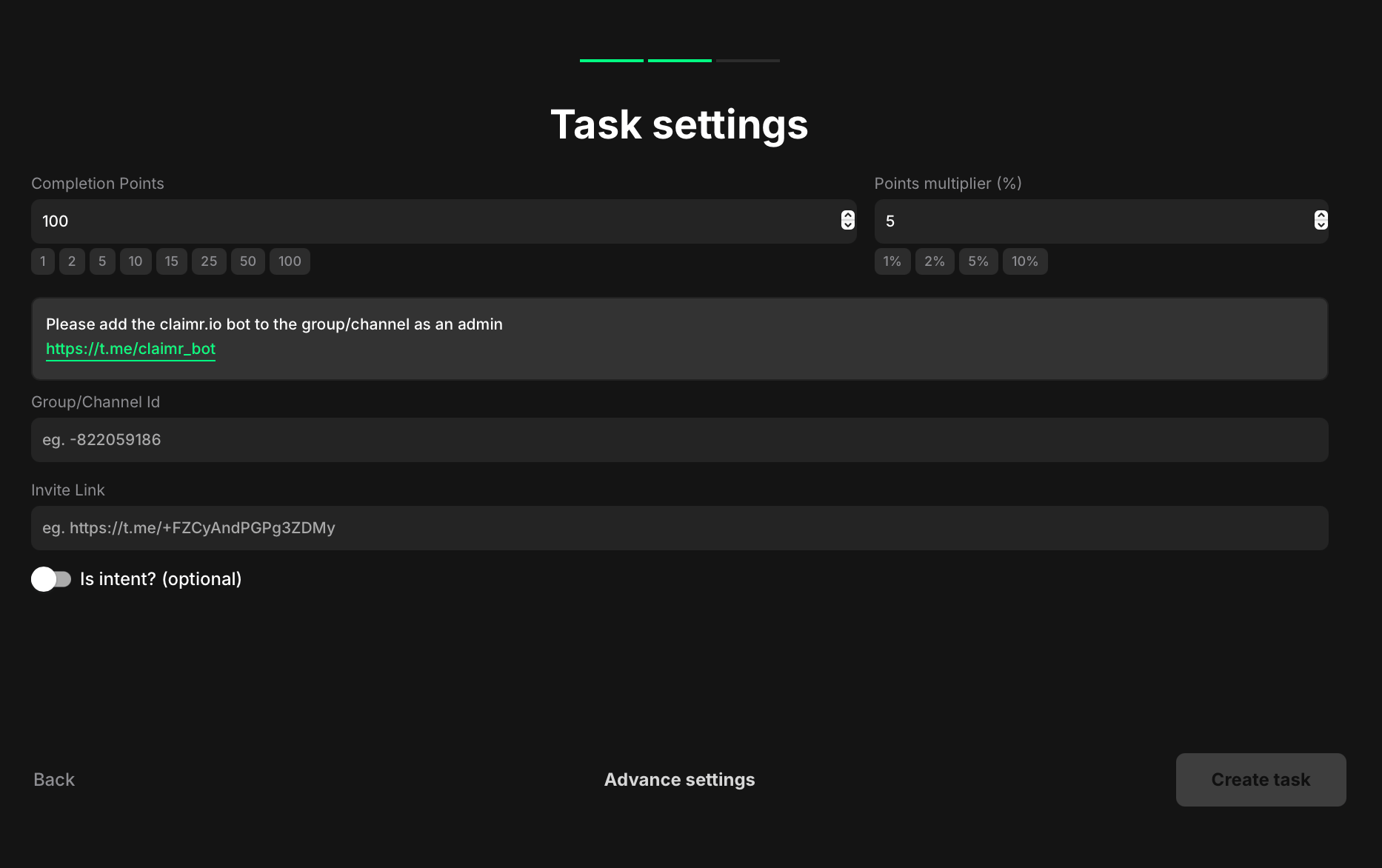
Before creating a Telegram task, it's essential to add the claimr bot to your Telegram group or channel. This bot will facilitate seamless interaction between your campaign and Telegram, enabling you to track task completion and distribute rewards.

Just copy the claimr's bot link [**https://t.me/claimr\_bot**](https://t.me/claimr_bot) and add it to your Telegram group/channel **as an admin**.&#x20;

{% hint style="warning" %}
Remember, accuracy is crucial when entering the ID to ensure claimr can correctly interact with your Telegram group or channel.
{% endhint %}

<figure><img src="/files/fojypcgn6vqtEE71wkgp" alt=""><figcaption></figcaption></figure>

**Completion points:** Set the base points a user earns once the required event count is reached.

**Points multiplier (%):** Apply a percentage bonus to the base points (e.g., 5 → +5%).

**Group or Channel ID:** Add the numeric Telegram ID for the group/channel you’re checking.

* Option 1: Telegram app: open the group/channel, tap its name to view details, copy the ID (if visible), then paste it here.
* Option 2: Web browser: open your group/channel on web.telegram.org; copy the number at the end of the URL (e.g., …/#-123456789).&#x20;

**Invite link:** Add the join link for your group/channel (e.g., <https://t.me/\\>\<your\_handle> or a generated invite link).

**Is intent? (optional):** Enable to require a manual confirmation step before the task is marked complete.

## **Error handling**

While setting up your Telegram task, encountering errors is a possibility. \
⚡️claimr provides clear error messages to help you troubleshoot and resolve any issues promptly.

<figure><img src="/files/F0S2JRQvnwyPVRDv6WcC" alt="" width="563"><figcaption><p>Task error</p></figcaption></figure>

1. **Double-check the group/channel ID:** Verify that you've entered the correct Telegram group or channel ID in the task settings.&#x20;
2. **Confirm bot membership:** Make sure the claimr bot has been added as a member of your Telegram group or channel. If not, follow the instructions in the claimr interface to add the bot.
3. **Check privacy settings (Groups):** For Telegram groups, ensure the group's privacy settings allow the bot to see messages and member lists.

{% hint style="warning" %}
If you continue to experience issues, contact the claimr's support team for further assistance.
{% endhint %}


---

# Agent Instructions
This documentation is published with GitBook. GitBook is the documentation platform designed so that both humans and AI agents can read, navigate, and reason over technical content effectively. Learn more at gitbook.com.

## Querying This Documentation
If you need additional information that is not directly available in this page, you can query the documentation dynamically by asking a question.

Perform an HTTP GET request on the current page URL with the `ask` query parameter, and the optional `goal` query parameter:

```
GET https://docs.claimr.io/tasks/telegram-tasks.md?ask=<question>&goal=<endgoal>
```

`ask` is the immediate question: it should be specific, self-contained, and written in natural language.
`goal` is optional and describes the broader end goal you are ultimately trying to accomplish on behalf of the user. GitBook uses it to tailor the answer towards what is most useful for that goal.

The response will contain a direct answer to the question and relevant excerpts and sources from the documentation.

Use this mechanism when the answer is not explicitly present in the current page, you need clarification or additional context, or you want to retrieve related documentation sections.