> For the complete documentation index, see [llms.txt](https://docs.claimr.io/llms.txt). Markdown versions of documentation pages are available by appending `.md` to page URLs; this page is available as [Markdown](https://docs.claimr.io/tasks/reddit-tasks.md).

# Reddit tasks

## What are Reddit tasks?

Reddit tasks in Claimr allow you to reward users for specific actions on Reddit.&#x20;

#### Use Reddittasks to:

* Increase post visibility: Boost upvotes to push your content higher within subreddit feeds.
* Support community growth: Direct attention to announcements, campaigns, or Web3-related discussions.
* Automate validation: No need for manual proof — just link the Reddit post and let users engage.

## Task type

Choose the specific type of task you want to create for your campaign.&#x20;
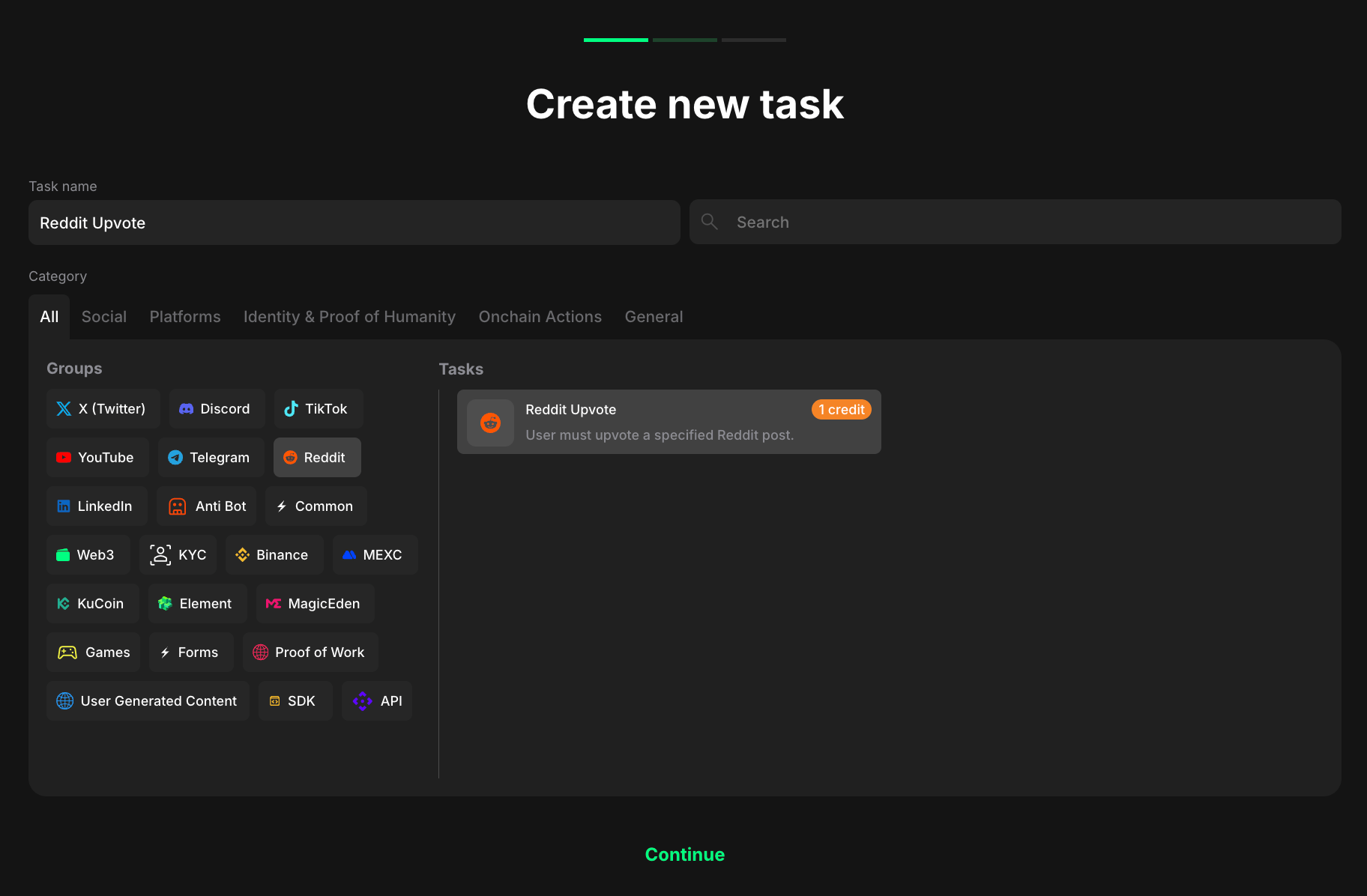
<figure><img src="/files/FhW5bfYeDNmaG6Gm9Kvl" alt="" width="563"><figcaption><p>Task type section</p></figcaption></figure>

1. Select <mark style="color:green;">**Reddit**</mark> to indicate that the task will be completed with this specific platform.
2. Considering your aim, select the specific task type from the expanded list.

## Reddit upvote

Reward users for upvoting the Reddit specific post.&#x20;

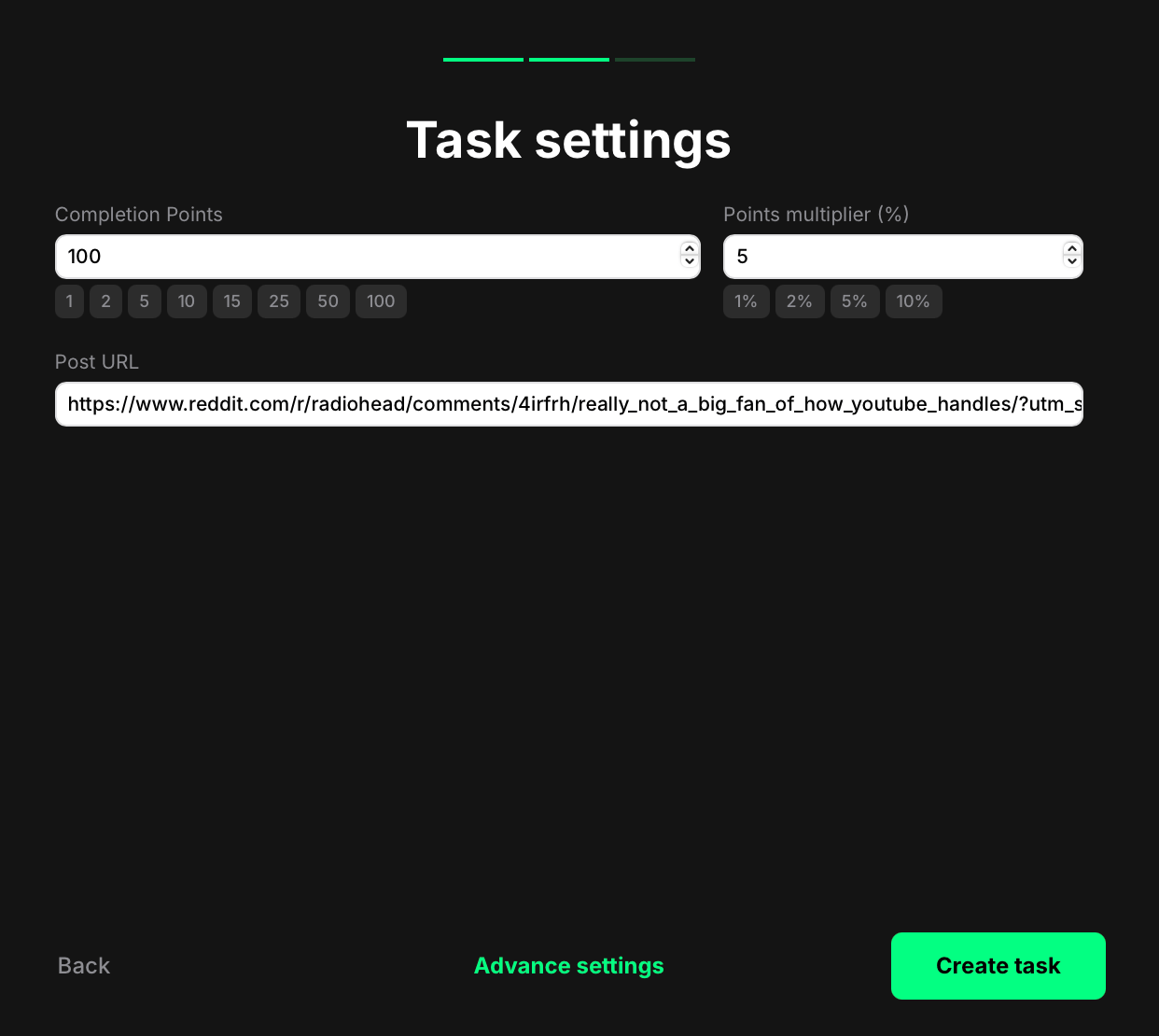
<figure><img src="/files/OiAIfvLV16bi7IRogld1" alt="" width="375"><figcaption></figcaption></figure>

* Completion points: Set how many points a user earns after successfully upvoting the Reddit post.
* Points multiplier (%): Add an optional bonus. The multiplier increases the base reward by a percentage. For example, if your completion points are set to 100 and your multiplier is 5%, the final reward is 105 points.&#x20;
* Post URL: Paste the full Reddit post link you want users to upvote.

Once you’re done:

* Click <mark style="color:green;">**Create task**</mark> to save and add it to your quest right away. You’ll now see the task listed in your quest. From there, you can reorder it, delete it, or edit it anytime.
* Or, click <mark style="color:green;">**Advanced settings**</mark> to continue configuring more options specific to the selected task type.&#x20;

## User experience

Here’s how it works for users:

<figure><img src="/files/ONP6kL89FkrdLDF6ozgw" alt="" width="375"><figcaption></figcaption></figure>

1. The user logs in and clicks the upvote task.
2. They’re redirected to the linked Reddit post.
3. After upvoting, claimr verifies the action, and the user is awarded points automatically.

There’s no need for screenshots or links,  the task is confirmed based on interaction, providing a seamless and fast user experience.


---

# Agent Instructions
This documentation is published with GitBook. GitBook is the documentation platform designed so that both humans and AI agents can read, navigate, and reason over technical content effectively. Learn more at gitbook.com.

## Querying This Documentation
If you need additional information that is not directly available in this page, you can query the documentation dynamically by asking a question.

Perform an HTTP GET request on the current page URL with the `ask` query parameter, and the optional `goal` query parameter:

```
GET https://docs.claimr.io/tasks/reddit-tasks.md?ask=<question>&goal=<endgoal>
```

`ask` is the immediate question: it should be specific, self-contained, and written in natural language.
`goal` is optional and describes the broader end goal you are ultimately trying to accomplish on behalf of the user. GitBook uses it to tailor the answer towards what is most useful for that goal.

The response will contain a direct answer to the question and relevant excerpts and sources from the documentation.

Use this mechanism when the answer is not explicitly present in the current page, you need clarification or additional context, or you want to retrieve related documentation sections.