> For the complete documentation index, see [llms.txt](https://docs.claimr.io/llms.txt). Markdown versions of documentation pages are available by appending `.md` to page URLs; this page is available as [Markdown](https://docs.claimr.io/tasks/game-tasks.md).

# Game tasks

## What are Game tasks?

Game tasks in claimr are a fun and engaging way to reward users with randomized outcomes. There are currently two types of game tasks available:

* Scratch Card Game: Users scratch to reveal a hidden reward.
* Fortune Wheel Game: Users spin a wheel to receive one of several preset rewards.

These tasks are ideal for creating excitement and surprise within your campaign, while still maintaining control over point distribution and frequency.

Use Game tasks to:

* Increase retention: Offer interactive rewards to keep users coming back.
* Drive engagement: Make campaigns more enjoyable with gamified mechanics.
* Control reward outcomes: Set multiple reward levels based on your incentive strategy.

## Create a Game task

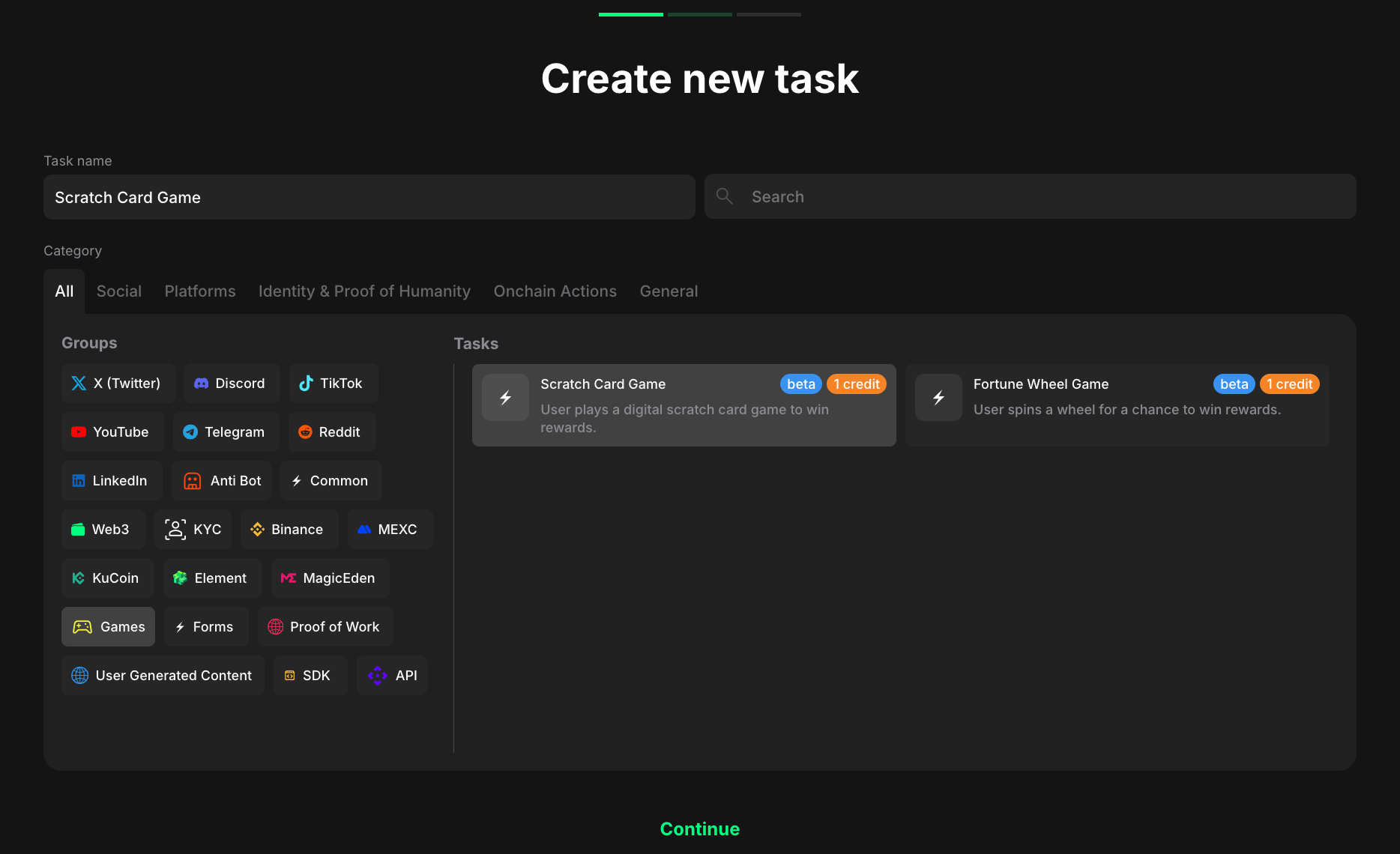
To create a game task in claimr:

<figure><img src="/files/atXSM8tGmoYQRPrlky5Z" alt="" width="563"><figcaption></figcaption></figure>

1. Go to your campaign and click <mark style="color:green;">**Create new task**</mark><mark style="color:green;">.</mark>
2. Under the Category, select <mark style="color:green;">**Games**</mark><mark style="color:green;">.</mark>
3. Choose one of the following task types:
   * Scratch Card Game
   * Fortune Wheel Game
4. Click <mark style="color:green;">**Continue**</mark> to proceed to task settings.

## Task settings

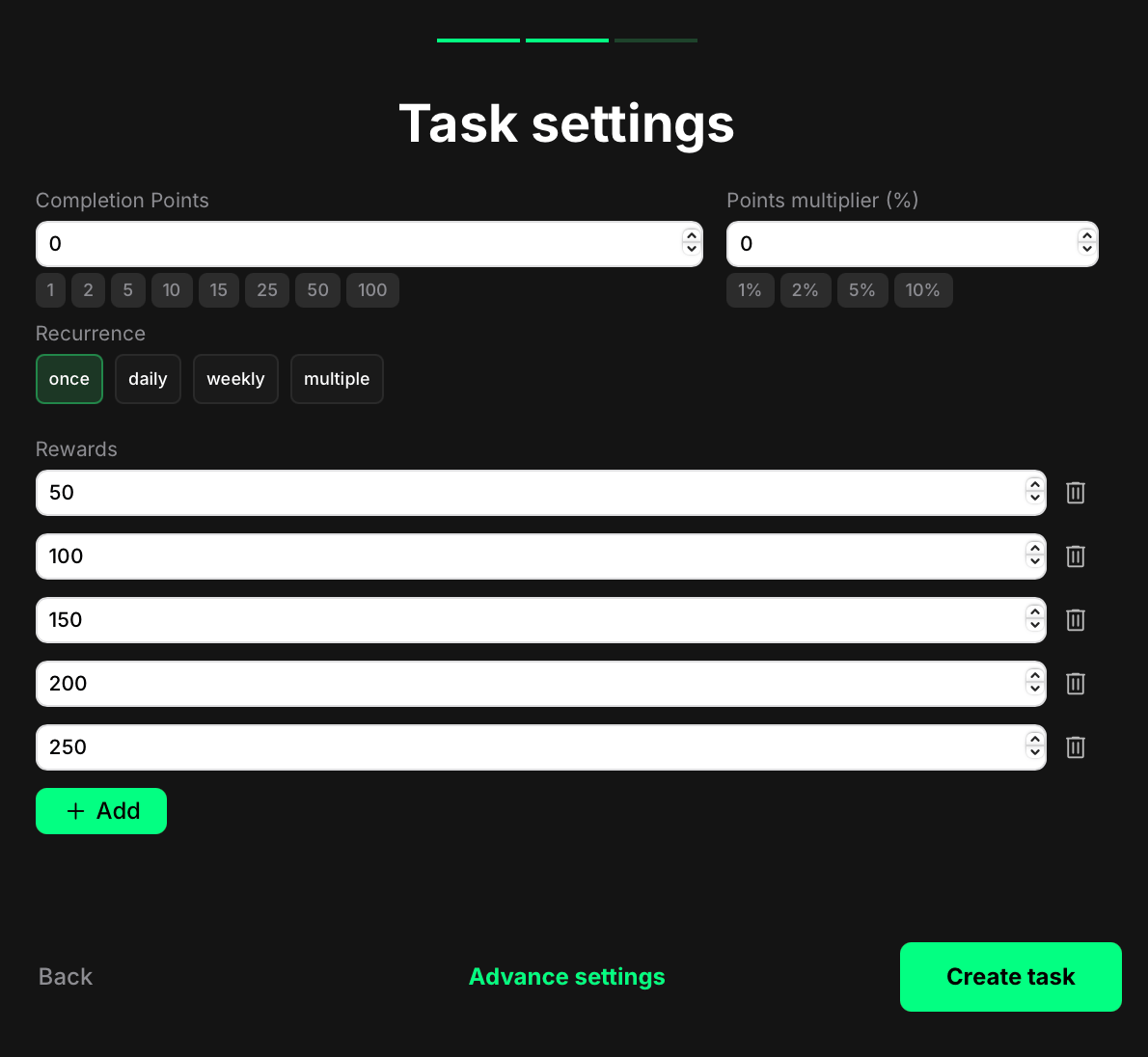
You’ll now set up the reward structure and interaction logic for the selected game.
<figure><img src="/files/pDMOnyNQaH7WXPMjalTD" alt="" width="375"><figcaption></figcaption></figure>

* Completion points: This is the base value shown at the top of the game UI. It may or may not match the actual reward the user receives.
* Points multiplier (%): Optional bonus that increases the user’s final reward by a percentage. For example, if the selected reward is 500 and the multiplier is 10%, the final payout will be 550 points.
* Recurrence: Control how often users can complete the task:

  – Once – can only be completed one time per user.

  – Daily – available once every 24 hours.

  – Weekly – available once every 7 days.

  – Multiple – stays open and can be completed as many times as needed, one after another, without any waiting time. Read more about this option below.
* Rewards: Add at least two or more point values to activate the game logic. These values will be randomly assigned through the scratch card or wheel spin mechanism.

> Note: Without multiple reward options, the game feature will not function as intended.

Once finished, click <mark style="color:green;">**Create task**</mark> to save and publish.

For additional settings (custom messages, dependencies, referral rewards, and more), see our [Task settings](/tasks/task-settings.md).

## User experience

Here’s how it works from the user’s side:

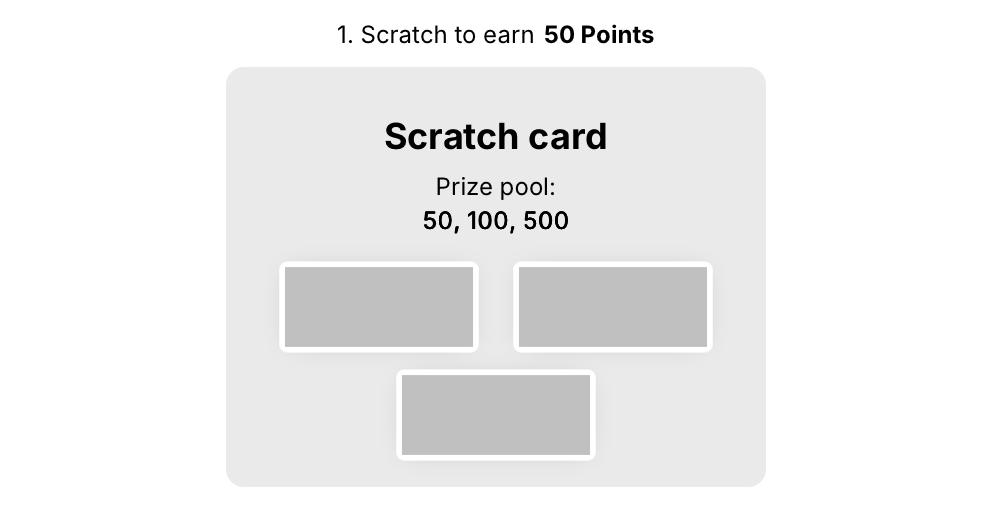
* Scratch Card Game: The user sees a card with three concealed panels. They scratch all three to reveal their reward.
<figure><img src="/files/vIC9OjVthAEBnjuzJe8q" alt="" width="375"><figcaption></figcaption></figure>

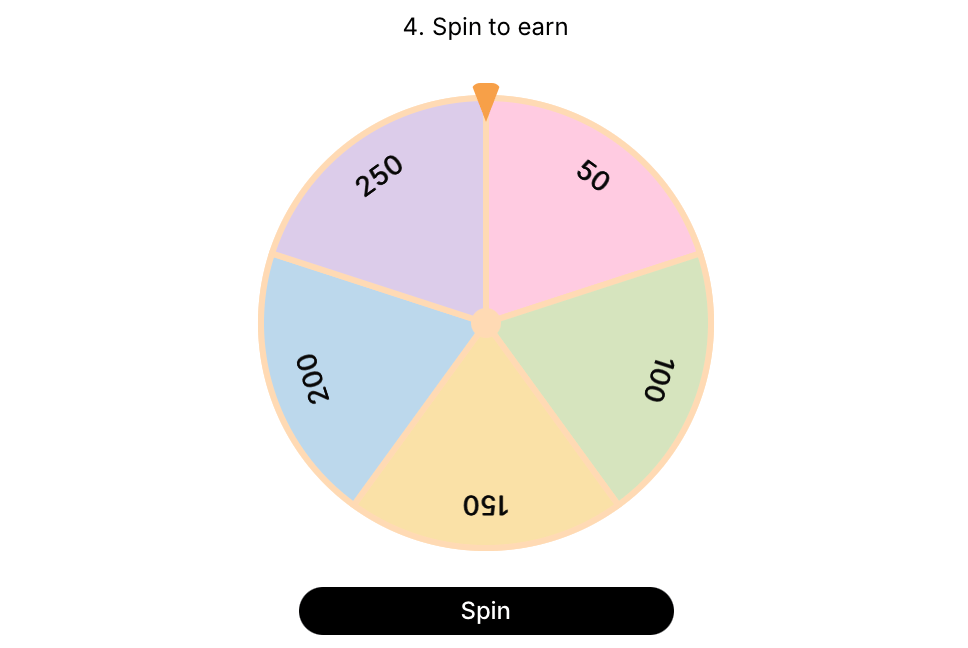
* Fortune Wheel Game: The user spins a wheel with multiple reward segments. Once the wheel stops, they instantly receive the corresponding points.
<figure><img src="/files/KnSbEclHJUVLwUPgHzZf" alt="" width="375"><figcaption></figcaption></figure>

In both cases:

* The interaction is instant.
* Rewards are automatically granted and require no manual proof.
* The user sees a clear confirmation of their win.


---

# Agent Instructions
This documentation is published with GitBook. GitBook is the documentation platform designed so that both humans and AI agents can read, navigate, and reason over technical content effectively. Learn more at gitbook.com.

## Querying This Documentation
If you need additional information that is not directly available in this page, you can query the documentation dynamically by asking a question.

Perform an HTTP GET request on the current page URL with the `ask` query parameter, and the optional `goal` query parameter:

```
GET https://docs.claimr.io/tasks/game-tasks.md?ask=<question>&goal=<endgoal>
```

`ask` is the immediate question: it should be specific, self-contained, and written in natural language.
`goal` is optional and describes the broader end goal you are ultimately trying to accomplish on behalf of the user. GitBook uses it to tailor the answer towards what is most useful for that goal.

The response will contain a direct answer to the question and relevant excerpts and sources from the documentation.

Use this mechanism when the answer is not explicitly present in the current page, you need clarification or additional context, or you want to retrieve related documentation sections.