
Before you start
Make sure you have:- A quest created within your campaign
- The ERC-1155 NFT collection contract address
- The specific Token ID you want users to mint
- Knowledge of which blockchain network the NFT is deployed on
- Mint fee amount (if applicable)
Create the task
Follow the steps in Web3 tasks to navigate to the task creation screen, select Web3 from the Groups section, and choose Mint an NFT (EVM 1155).Task settings
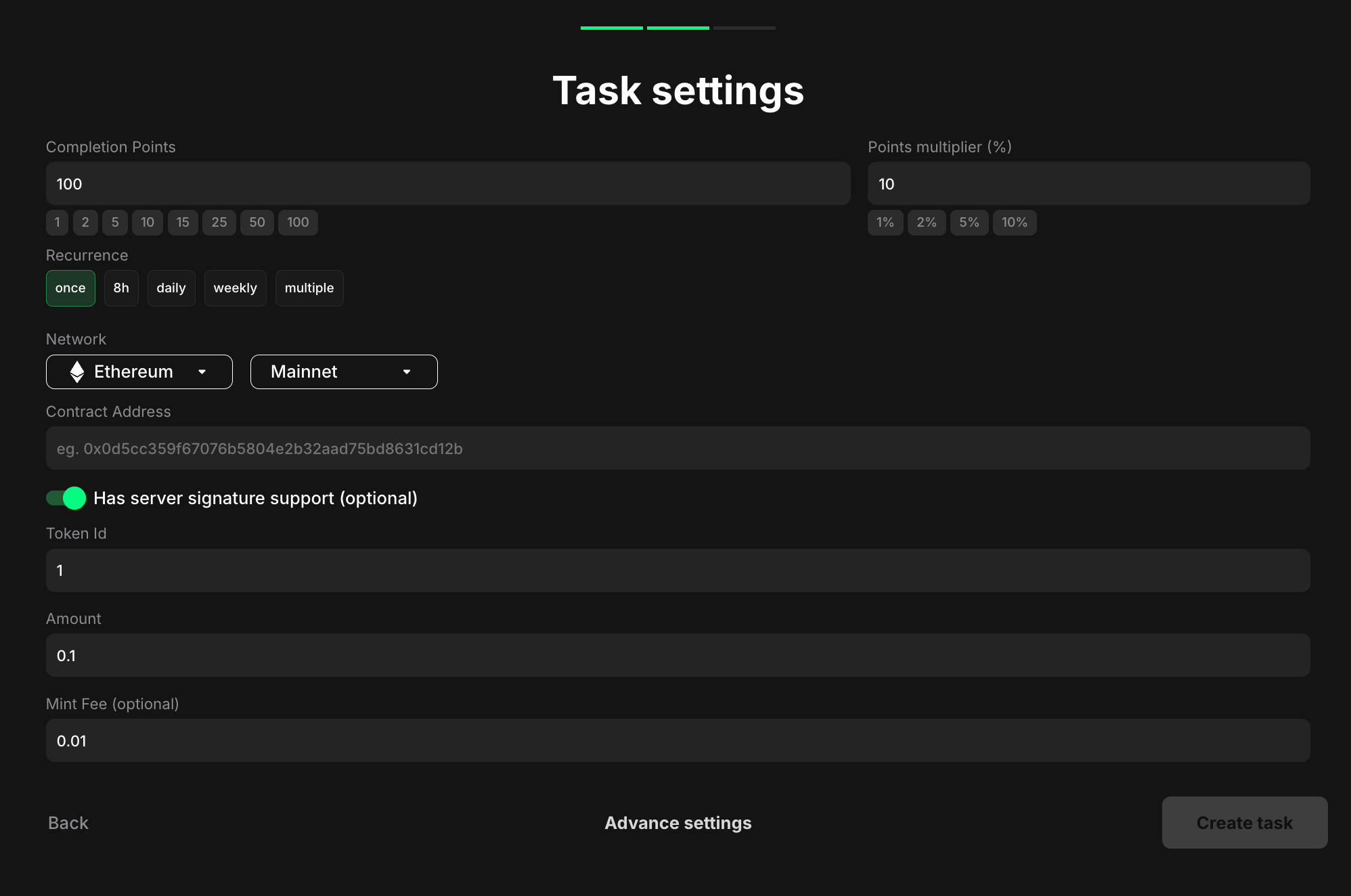
- Once - can only be completed one time per user
- 8h - available once every eight hours
- Daily - available once every 24 hours
- Weekly - available once every 7 days
- Multiple - stays open and can be completed as many times as needed, one after another, without any waiting time
- Click the first dropdown to choose a network (e.g., Ethereum)
- Click the second dropdown to select Mainnet or Testnet
- This is the specific contract where the ERC-1155 tokens are deployed
- Example placeholder: “eg. 0x0d5cc359f67076b5804e2b32aad75bd8631cd12b”
Pro tips
- Provide clear and concise instructions on how to mint the ERC-1155 NFT, including any necessary steps like connecting a wallet, approving transactions, or paying minting fees
- Specify the NFT collection or project name, the token ID, the benefits of owning the NFT, and any relevant links (e.g., to the minting website or marketplace) in the task description
- Consider displaying images or previews of the NFTs within the task description to make it more engaging