> For the complete documentation index, see [llms.txt](https://docs.claimr.io/llms.txt). Markdown versions of documentation pages are available by appending `.md` to page URLs; this page is available as [Markdown](https://docs.claimr.io/tasks/web3-tasks/token-balance.md).

# Token balance

Use this task to incentivize users to hold your project's token, reward early adopters, or encourage participation in token-gated communities or events.

### Before you start

Make sure you have:

* A quest created within your campaign
* The token contract address(es) for the networks you want to support
* A minimum token balance threshold determined

### Create the task

Follow the steps in [Web3 tasks](/tasks/web3-tasks.md) to navigate to the task creation screen, select **Web3** from the Groups section, and choose **Token Balance**.

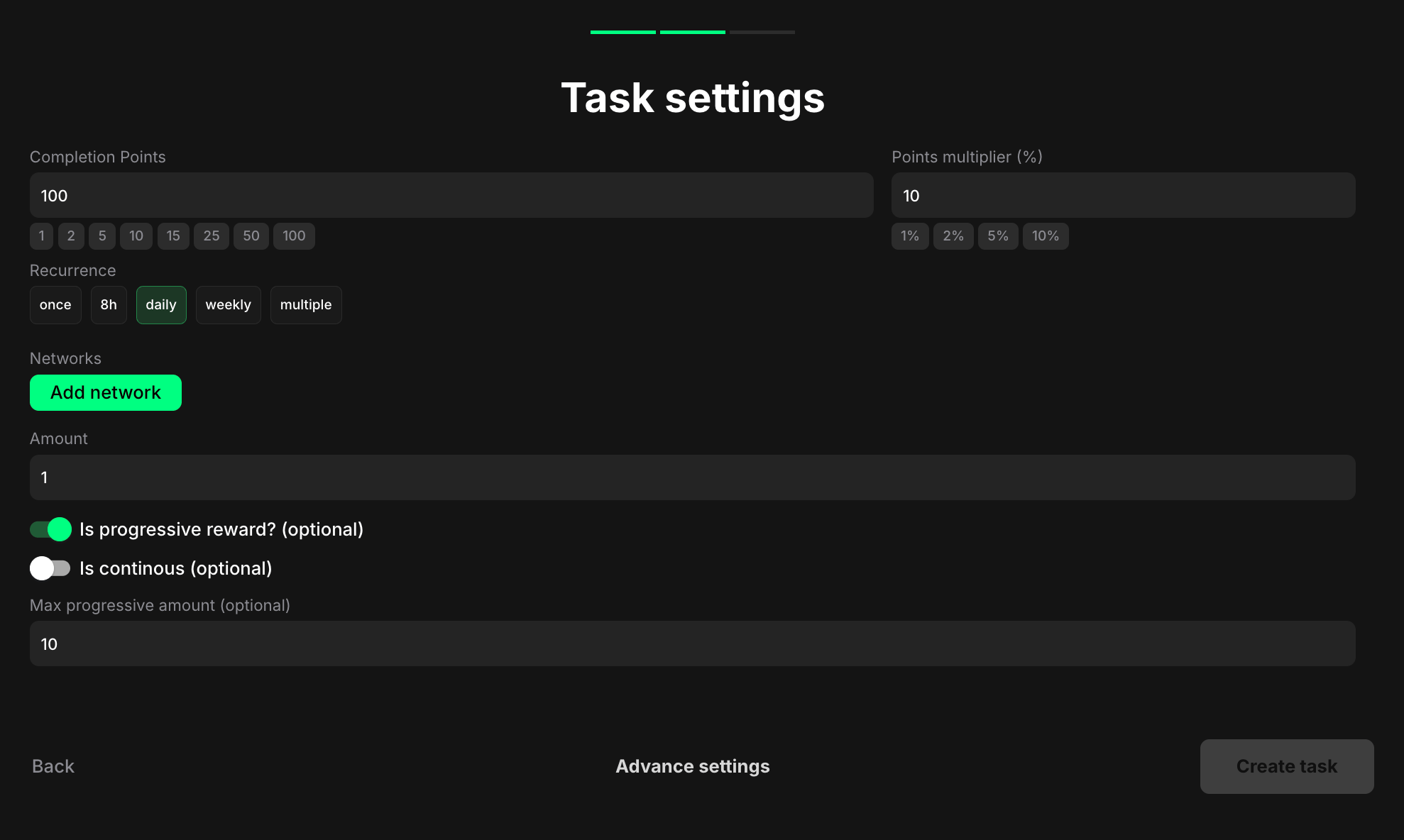
### Task settings

<figure><img src="/files/I9qEyIcEHBl0PkYSCpcP" alt=""><figcaption></figcaption></figure>

**Completion points**: Set the number of points awarded when the user completes the task.

**Points multiplier (%)**: Add a percentage-based bonus to the total reward. For example, a 10% multiplier increases the final reward by 10%.

**Recurrence**: Control how often users can complete the task:

* **Once** – can only be completed one time per user
* **8h** – available once every eight hours
* **Daily** – available once every 24 hours
* **Weekly** – available once every 7 days
* **Multiple** – stays open and can be completed as many times as needed, one after another, without any waiting time

**Networks**: Select the blockchain network on which the token is issued. Click **Add network** to add multiple networks. For each network, you'll need to specify the **Contract Address** of the token on that specific network. This ensures that the task accurately checks the user's token balance across all relevant networks

**Amount**: Specify the minimum total token balance required to complete the task, across all specified networks. Example: If your token is "XYZ" and you want users to hold at least 10 XYZ tokens in total (across all networks they've added), enter "10". The balance is cumulative across all networks

**Is progressive reward? (optional)**: Toggle this on if you want to offer increasing rewards based on the user's total token balance. This works by setting a base reward amount for the minimum token balance and then multiplying that reward for each multiple of the minimum balance

Example: If the minimum balance is 5 tokens and the base reward is 10 points, a user with 12 tokens would receive 20 points (2× the base reward since they have more than twice the minimum balance)

**Is continous (optional)**: Toggle this on to enable continuous checking of the token balance.

**Max progressive amount (optional)**: Set the maximum amount for progressive rewards. This field appears when "Is progressive reward?" is enabled.

### **Helpful tips**

* Use this task to foster a sense of community among your token holders and encourage them to actively participate in your project
* Explain why you're checking token balances and how it relates to your campaign goals
* Consider using progressive rewards to incentivize users to hold more tokens


---

# Agent Instructions
This documentation is published with GitBook. GitBook is the documentation platform designed so that both humans and AI agents can read, navigate, and reason over technical content effectively. Learn more at gitbook.com.

## Querying This Documentation
If you need additional information that is not directly available in this page, you can query the documentation dynamically by asking a question.

Perform an HTTP GET request on the current page URL with the `ask` query parameter, and the optional `goal` query parameter:

```
GET https://docs.claimr.io/tasks/web3-tasks/token-balance.md?ask=<question>&goal=<endgoal>
```

`ask` is the immediate question: it should be specific, self-contained, and written in natural language.
`goal` is optional and describes the broader end goal you are ultimately trying to accomplish on behalf of the user. GitBook uses it to tailor the answer towards what is most useful for that goal.

The response will contain a direct answer to the question and relevant excerpts and sources from the documentation.

Use this mechanism when the answer is not explicitly present in the current page, you need clarification or additional context, or you want to retrieve related documentation sections.