
Before you start
Make sure you have:- A quest created within your campaign
- The NFT collection contract address(es)
- A minimum NFT count determined
Create the task
Follow the steps in Web3 tasks to navigate to the task creation screen, select Web3 from the Groups section, and choose NFT Balance.Task settings
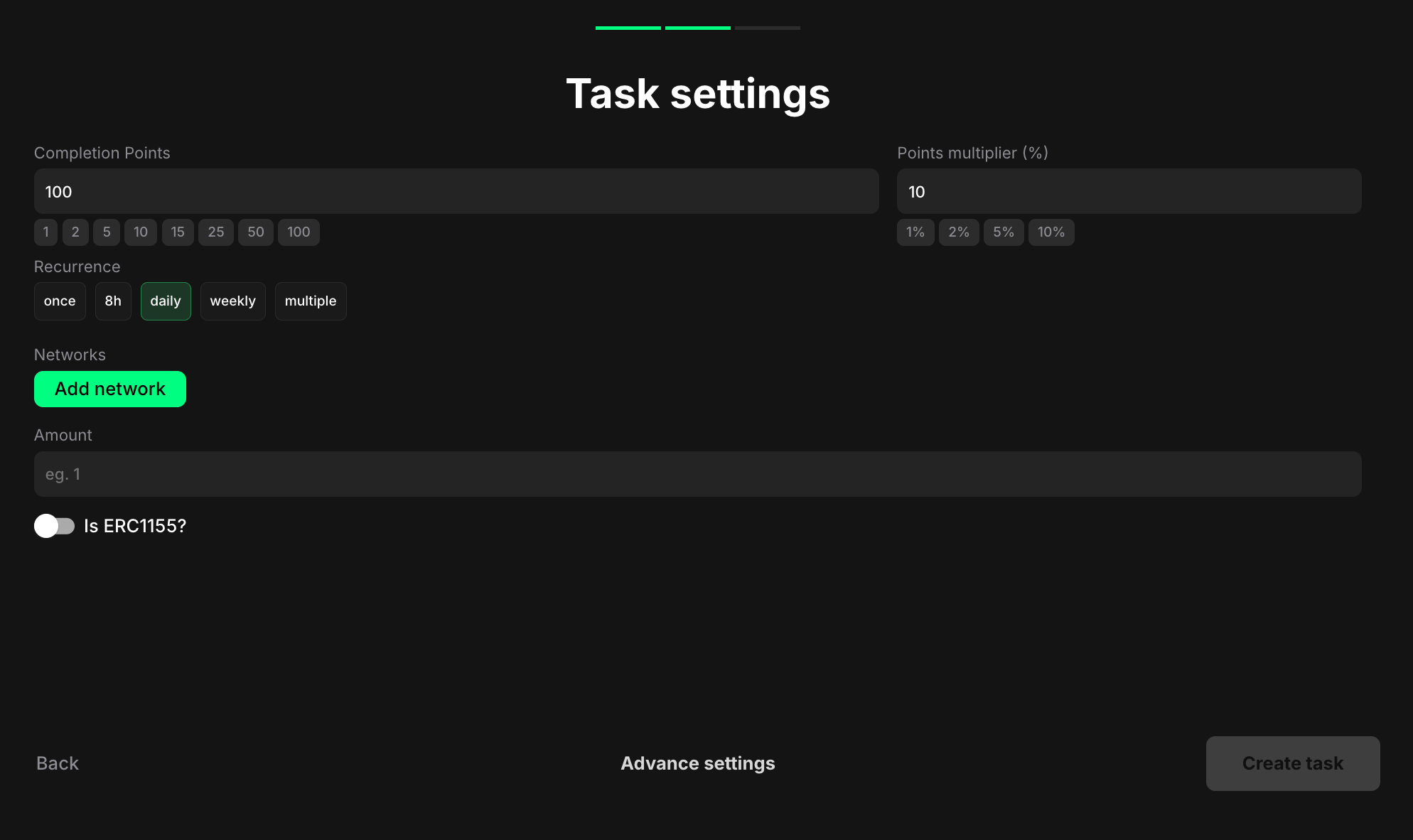
- Once - can only be completed one time per user
- 8h - available once every eight hours
- Daily - available once every 24 hours
- Weekly - available once every 7 days
- Multiple - stays open and can be completed as many times as needed, one after another, without any waiting time
- Click Add network to add multiple networks
- Enter the NFT contract address in the field provided. This ensures that the task accurately checks the user’s NFT holdings across all relevant networks
- Example: Entering “1” would require users to hold at least 1 NFT from the specified collection in their wallet on the chosen network(s). The NFT count is cumulative across all networks.
- ERC-721: Standard for unique, non-fungible tokens
- ERC-1155: Standard that supports both fungible and non-fungible tokens
Pro tips
- Clearly specify the NFT collection or project name and the contract address in the task description to avoid confusion
- Consider displaying images or previews of the NFTs within the task description to make it more engaging
- Use this to gate access to exclusive content, events, or communities for NFT holders